NEPTUNE
EN - 6
4. NOMENCLATURE
4.1. DESCRIPTION OF THE INSTRUMENT
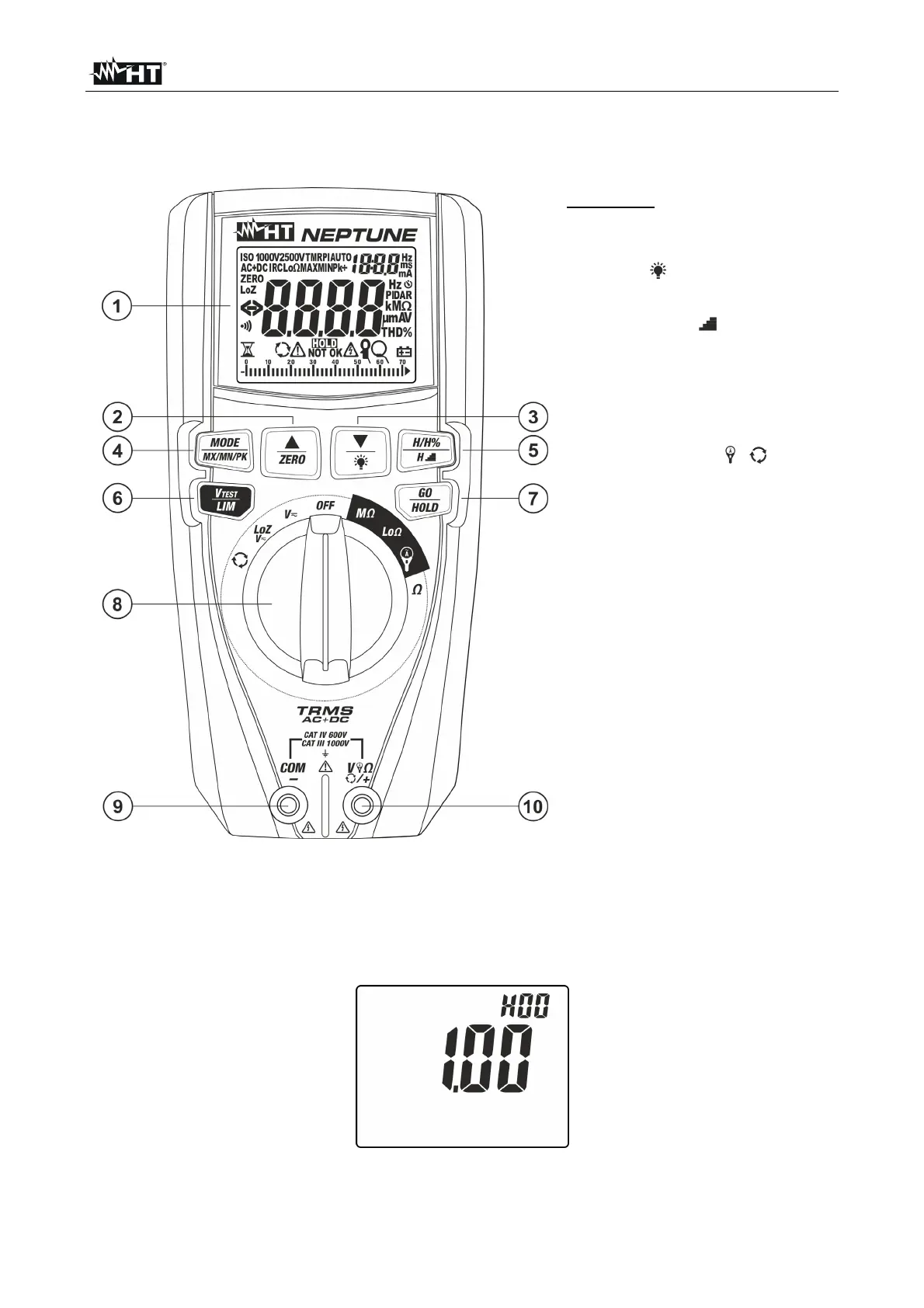
CAPTION:
1. LCD display
2. Key / ZERO
3. Key/
4. Key MODE/MXMNPK
5. Key H/H%/H
6. Key V
TEST/LIM
7. Key GO/HOLD
8. Rotary selector switch
9. Input terminal COM/
10. Input terminal V /+
Fig. 1: Description of the instrument
4.1.1. Instrument’s initial screen
1. Turn the rotary switch to any position to switch on the instrument. The following initial
screen is shown on the display for a few seconds to identify the internal Hardware and
Firmware version.
Fig. 2: Instrument’s initial screen
2. Turn the rotary switch to OFF to switch off the instrument.



 To Next Page