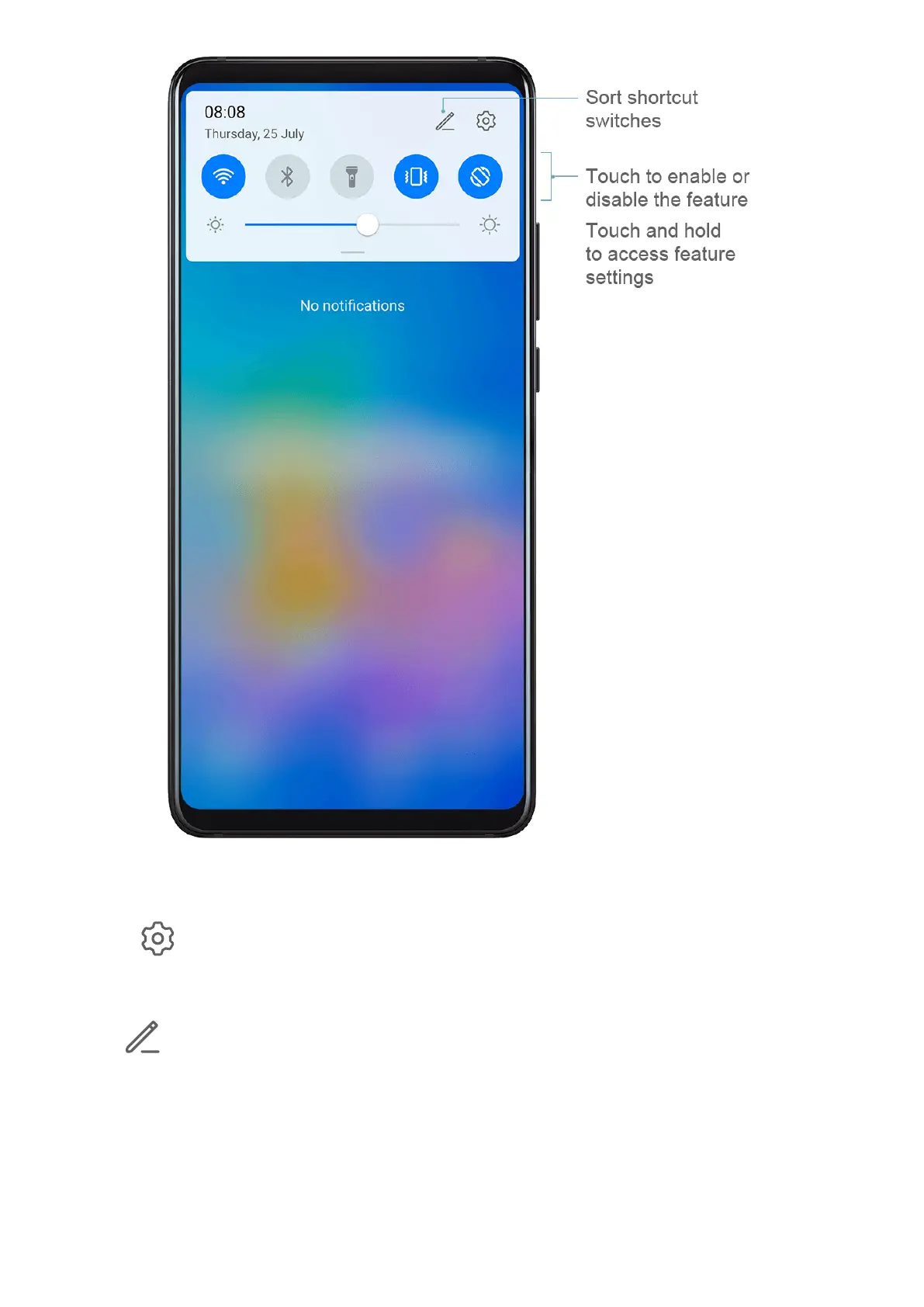
• Touch a shortcut switch to enable or disable the corresponding feature.
• Touch and hold a shortcut switch to enter the settings screen for that feature.
• Touch to open Settings.
Customise Shortcut Switches
Touch
and drag icons to rearrange them.
Home Screen Widgets
Home Screen Widgets
You can add, move, or delete home screen widgets, such as Screen lock, Weather, Notepad,
Clock, Contacts, and Calendar, according to your personal requirements.
Essentials
10








 To Next Page