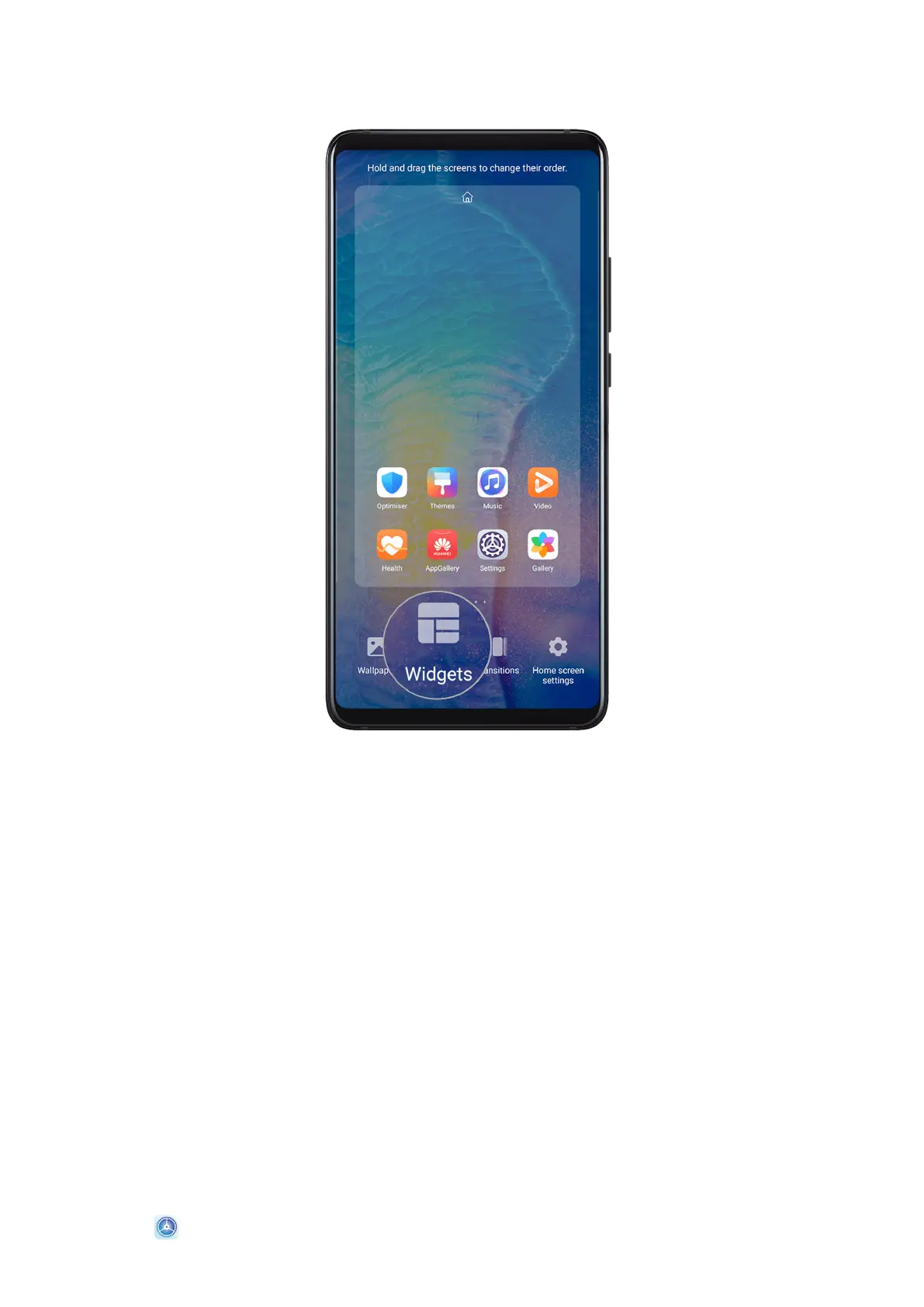
Add a Widget to the Home Screen
1 Pinch two ngers on the home screen to access Home screen settings mode.
2 Touch Widgets, then swipe left to view all widgets.
3 Some widgets, like Weather, come in various formats. Touch the widget to view all
formats, then swipe right to return.
4 Touch a widget to add it to the home screen. If there is no room on the current screen
page, touch and hold it, then drag it to a dierent screen page.
Move or Delete a Widget
Touch and hold a widget on your home screen until your device vibrates, then drag it to the
desired position or touch Remove.
Set Your Wallpaper
Set Your Wallpaper
Use a Preset Wallpaper
1 Go to
Settings > Home screen & wallpaper > Wallpaper.
Essentials
11








 To Next Page