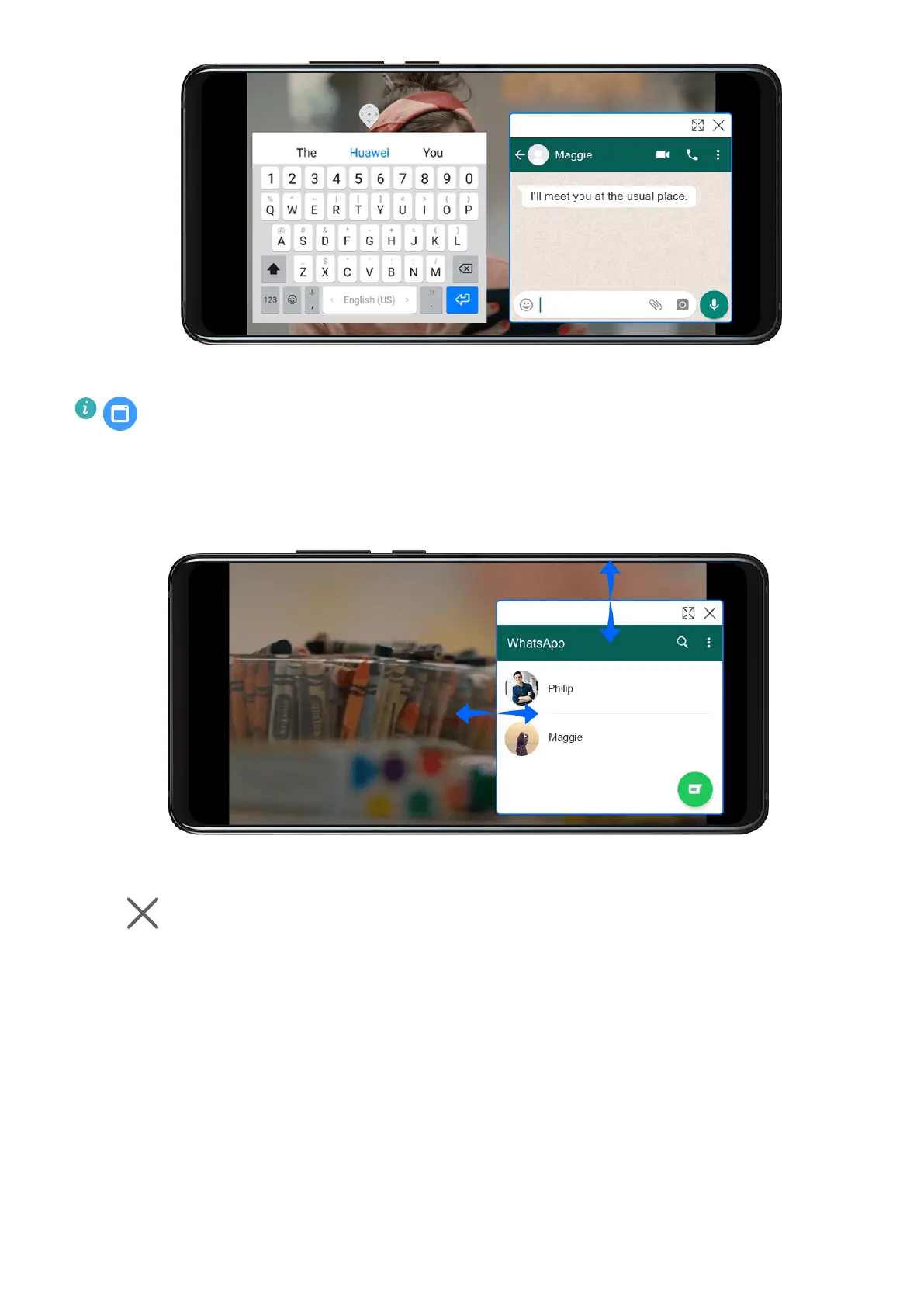
3 You can reply to messages directly in the oating window.
will only display for applicable apps.
Resize the Floating Window
Drag the edge of the oating window inwards or outwards to expand or reduce it.
Close the Floating Window
Touch
on the oating window to close it.
Power On and
O or Restart Your Device
Power On and O or Restart Your Device
Power Your Device On and O
To power o your device, press and hold the Power button for a few seconds, touch Power
o and Touch to power o.
To power on your device, press and hold the Power button for a few seconds until your device
vibrates and displays the logo.
Essentials
19










 To Next Page