Essentials
Basic Gestures
Basic Gestures
More Gestures
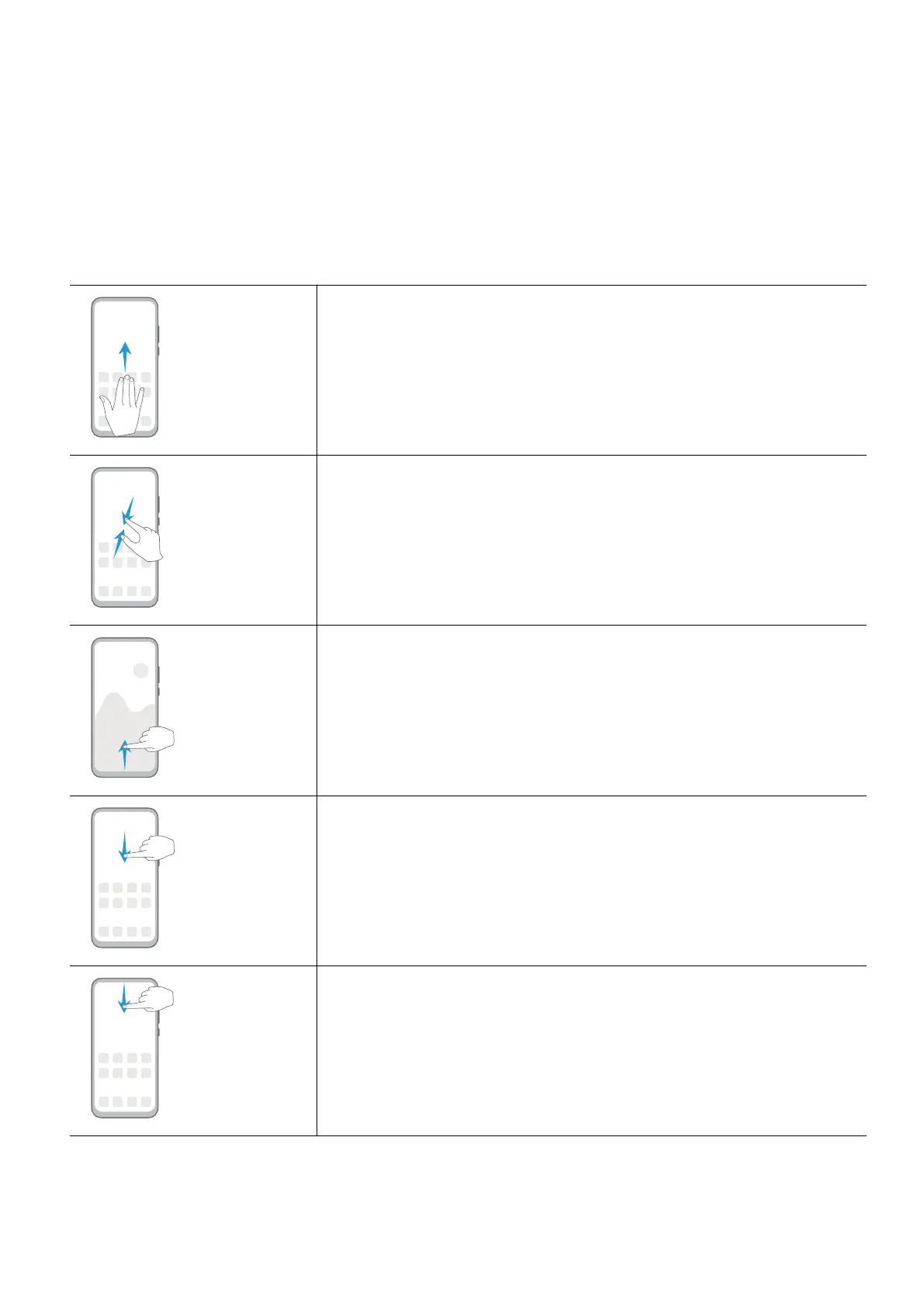
Split the screen
Swipe up on the screen with three ngers.
Access Home screen editing mode
Pinch two ngers together on the home screen.
Display the shortcut panel on the lock screen
Swipe up from the bottom of the lock screen.
Display the search bar
Swipe down on the home screen.
Open the notication panel
Swipe down from the status bar.
1












 To Next Page