5 Power socket
Applicable power modules:
l Recommended: Huawei 60 W AC
power module
l Self-provided power modules of
customers: see Technical
Specifications for the recommended
power parameters
6 Config button
NOTE
l The configuration button is used to
restore the factory settings and switch
RS232 interfaces.
l Holding down the button for 5s or longer
will restart the router and restore the
factory settings.
l Holding down the button for less than 5s
will switch between the CON and RS232
modes. The factory default mode is
CON.
l Restoring the factory settings will cause
service interruption. Exercise caution
when using this button.
7 SIM card slot 8 DI/DO interface
9 Product model silkscreen -
-
4.1.4 AR503GW-LM7
Appearance and Structure
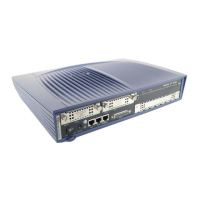
Figure 4-4 shows the appearance of the AR503GW-LM7 router.
Figure 4-4 AR503GW-LM7 appearance
1
Power jack
NOTE
Use a DC power cable to connect the router
to an external power source.
2 RS232 interface
NOTE
The RS232 interface can be used as a console
interface to configure the router.
Huawei AR500&AR510&AR530&AR550&AR2500
Series Industrial Switch Routers
Product Description
4 Appearance
Issue 02 (2016-11-25) Huawei Proprietary and Confidential
Copyright © Huawei Technologies Co., Ltd.
47







 To Next Page
