1
Console interface
NOTE
The interface marked RESERVE is a
reserved console interface.
2 LAN interfaces: six FE electrical
interfaces
NOTE
FE0 can be configured as a WAN interface.
3 FE combo interface 4 Power outage survival interface
NOTE
It is the survival interface for FE7 combo
interface.
5 Cover open sensor 6 RST
NOTICE
This button is used to reset the router.
l To restore the factory settings, hold down
the button for 10 seconds.
l To reset the system, press the button.
Resetting the router will interrupt services.
Exercise caution when deciding to press this
button.
7 AC power socket
NOTE
It is connected to an AC power supply device
using a 4-pin AC power cable.
8 USB interface
9 Two GE optical interfaces
NOTE
The two interfaces GE0 and GE1 can be used
as WAN interfaces.
10 Two RS485 interfaces and two DI
interfaces
NOTE
l RS485 interfaces: connected to meters or
other devices with RS485 interfaces
l DI interfaces: connected to digital input
devices
11 Ground point
NOTE
The router must be reliably grounded using a
ground cable to protect the router from
lightning and electromagnetic interference.
- -
4.3.2 AR531-F2C-H
Appearance and Structure
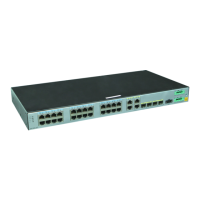
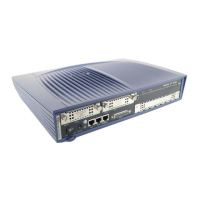
Figure 4-20 shows the panel of the AR531-F2C-H.
Huawei AR500&AR510&AR530&AR550&AR2500
Series Industrial Switch Routers
Product Description
4 Appearance
Issue 02 (2016-11-25) Huawei Proprietary and Confidential
Copyright © Huawei Technologies Co., Ltd.
70







 To Next Page