l Ensure that you use a standard Huawei charger with a rated output voltage of 5 V and a rated output
current of 0.5 A or higher, or connect the band to a laptop's USB port to charge your band. Using
non-Huawei chargers may lead to slow charging, overheating, or other issues. Therefore, you are
advised to purchase a standard HUAWEI charger from an official Huawei sales outlet.
l Charge your band in a well-ventilated environment. Before charging your band, ensure that the
band's charging end is clean and dry to prevent it from short-circuiting.
Charging time: After about 2 hours of charging, the battery indicator on your band screen
will state that your band is fully charged.
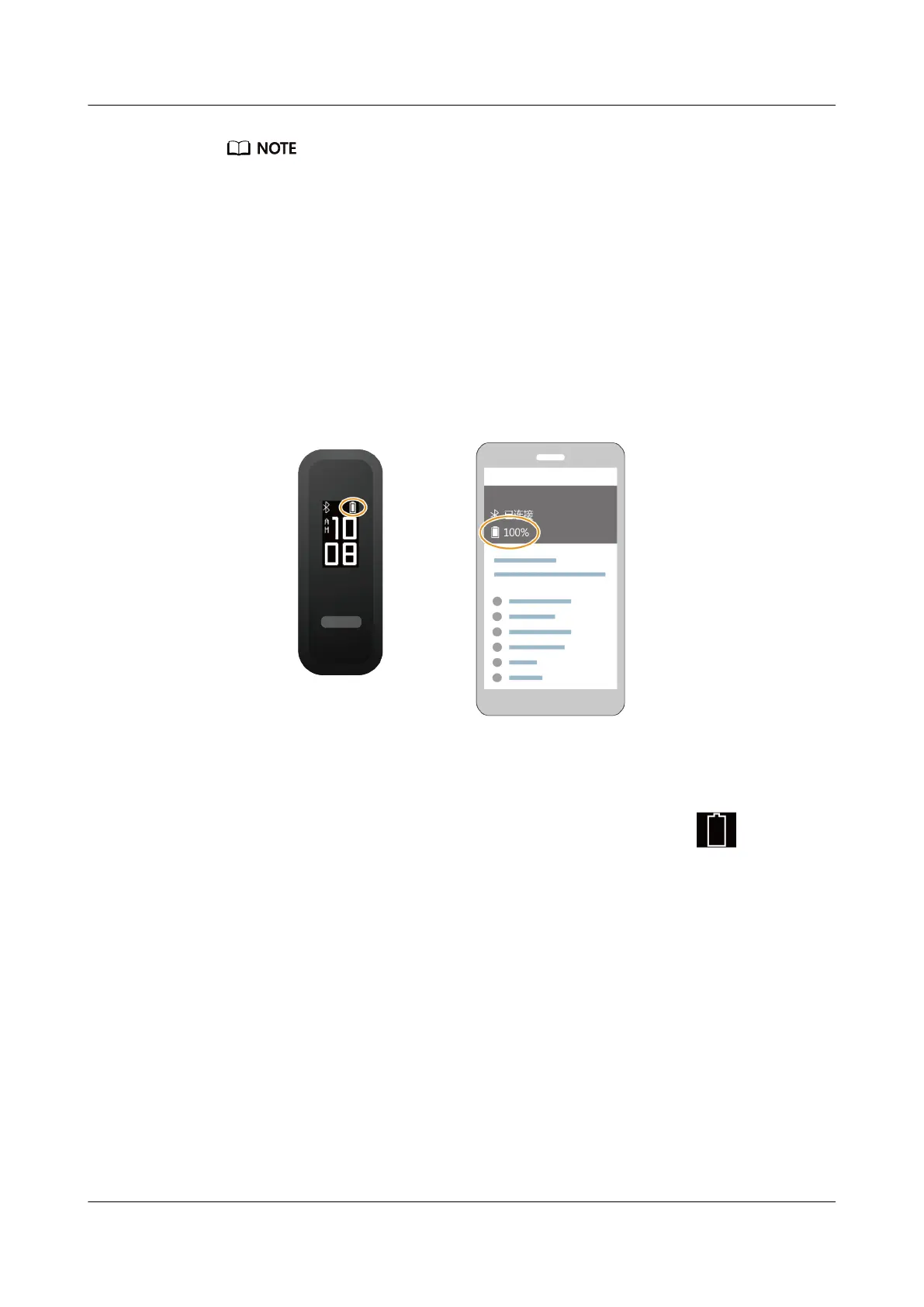
View the battery level: View the battery indicator on the band's home screen or in the
Huawei Health app.
Low battery alert:
If the battery level is lower than 10%, your band will vibrate and display to remind you
to charge your band promptly.
2.5 Powering on/off and restarting the band
Powering on the band
Your band will automatically power on if you charge it.
Powering off the band
l Your band will automatically power off if the battery is empty.
HUAWEI Band 4e
User Guide
2 Getting started
Issue 01 (2019-11-05) Copyright © Huawei Technologies Co., Ltd. 9



 To Next Page