l In Wrist, mode touch the touch key below the screen until the screen is displayed,
touch and hold the touch key to enter it, touch the touch key to switch to the
screen, then touch and hold the touch key to power off the band.
Restarting the band
In Wrist, mode touch the touch key below the screen until the
screen is displayed, touch
and hold the touch key to enter it, touch the touch key to switch to the screen, then
touch and hold the touch key to restart the band.
2.6 Restoring the band to its factory settings
Method 1: Restore the band to its factory settings using your band.
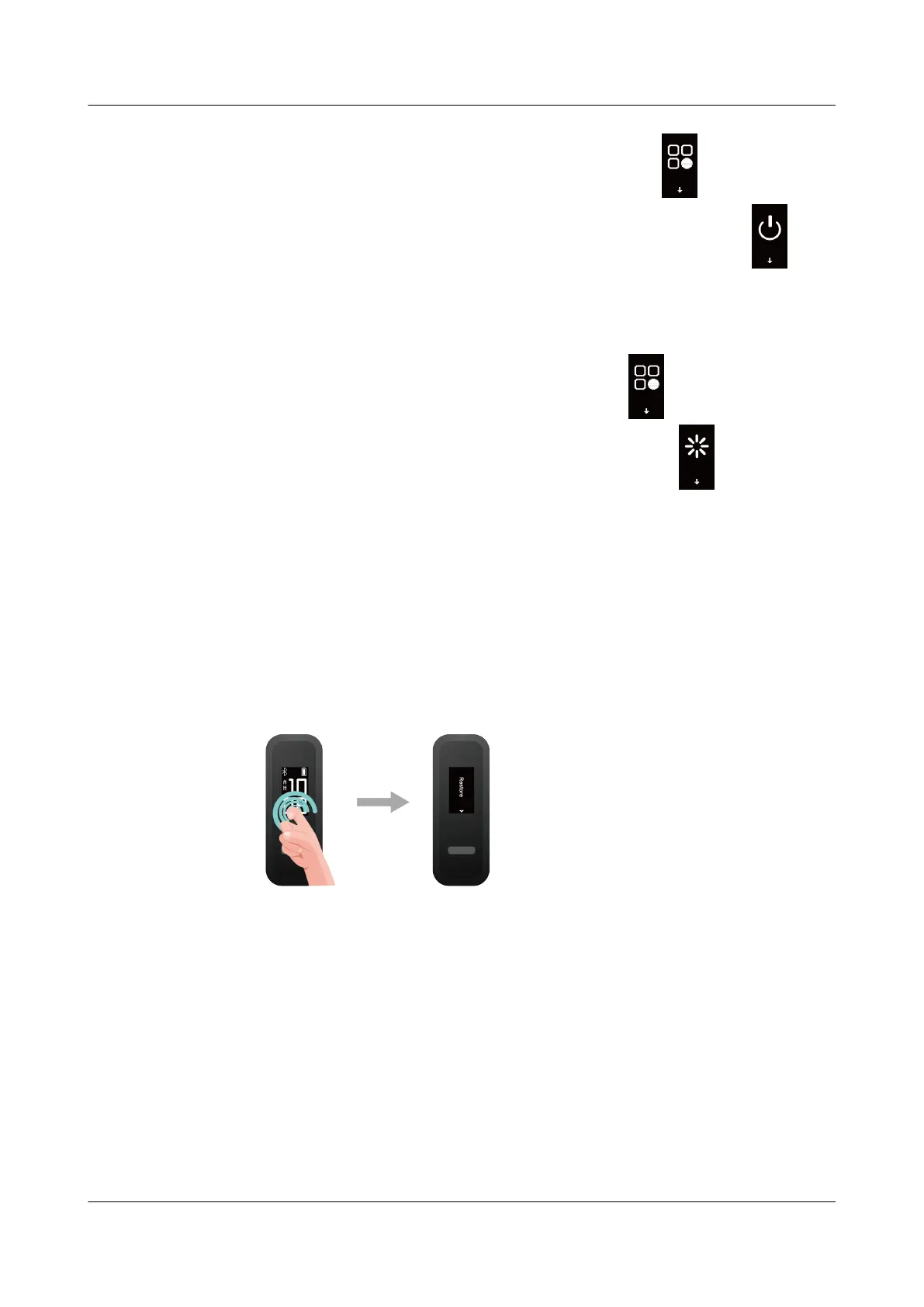
Knock the time screen four times consecutively with one knuckle and touch the touch key
until you find the Restore screen, then hold and touch the touch key to restore the band to its
factory settings.
Method 2: Restore the band to its factory settings using the Huawei Health app
Open the Huawei Health app and go to the Devices tab and select your device, touch Restore
factory settings, then touch RESTORE.
HUAWEI Band 4e
User Guide
2 Getting started
Issue 01 (2019-11-05) Copyright © Huawei Technologies Co., Ltd. 10



 To Next Page