6 Updating and factory reset
6.1 Viewing version information
6.2 Updating the band and the Huawei Health app
6.3 Viewing the Bluetooth name and MAC address
6.1 Viewing version information
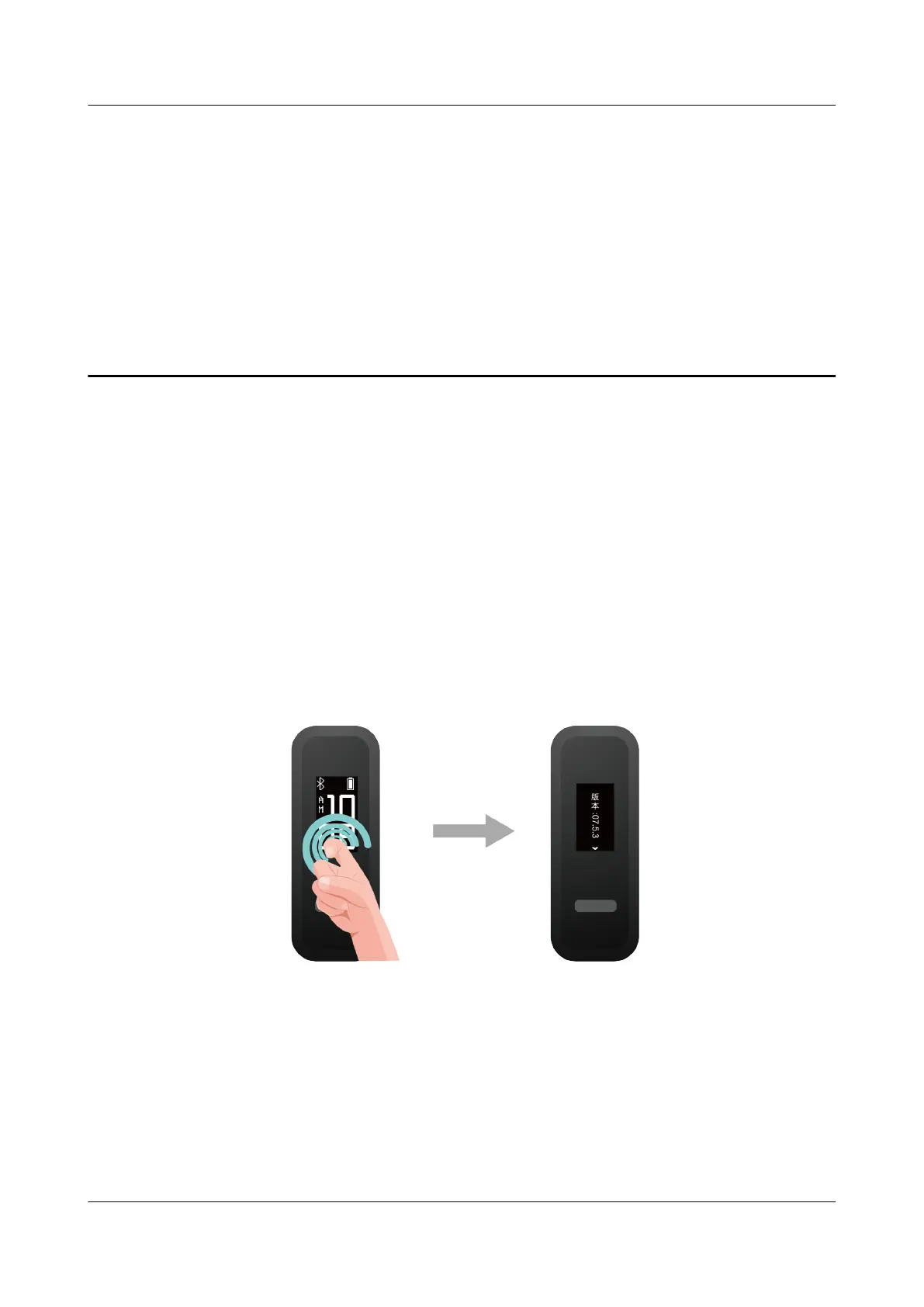
Method 1: Knock the time screen four times consecutively with one knuckle and touch the
touch key to switch between screens until the version information is displayed.
Method 2: Open the Huawei Health app, touch Devices and your device, and choose
Firmware update. The band's version information will then be displayed under Current
version.
HUAWEI Band 4e
User Guide
6 Updating and factory reset
Issue 01 (2019-11-05) Copyright © Huawei Technologies Co., Ltd. 25



 To Next Page