1. Make sure the device is resting on the top of your laces near the middle for more accurate results.
2. You can also switch your band to Foot mode by performing the following: Open the Huawei Health
app, touch Me, then your device name, then touch Wearing mode, and set Switch wearing mode to
Manual. In Wrist mode, touch the touch key on your band screen until you find the
screen,
then touch and hold the touch key to switch to Foot mode.
3. When shooting in basketball, a player tends to jump with one superior leg while bending the other,
and wearing the band on different legs leads to data discrepancy. Wear the band on your superior leg
which you tend to jump with when playing sports.
2. Basketball performance tracking
You can start a basketball session without carrying your phone. Your workout data is
saved to your band, and can be synced to the Huawei Health app after your band is
connected to the phone.
a. Start the basketball session:
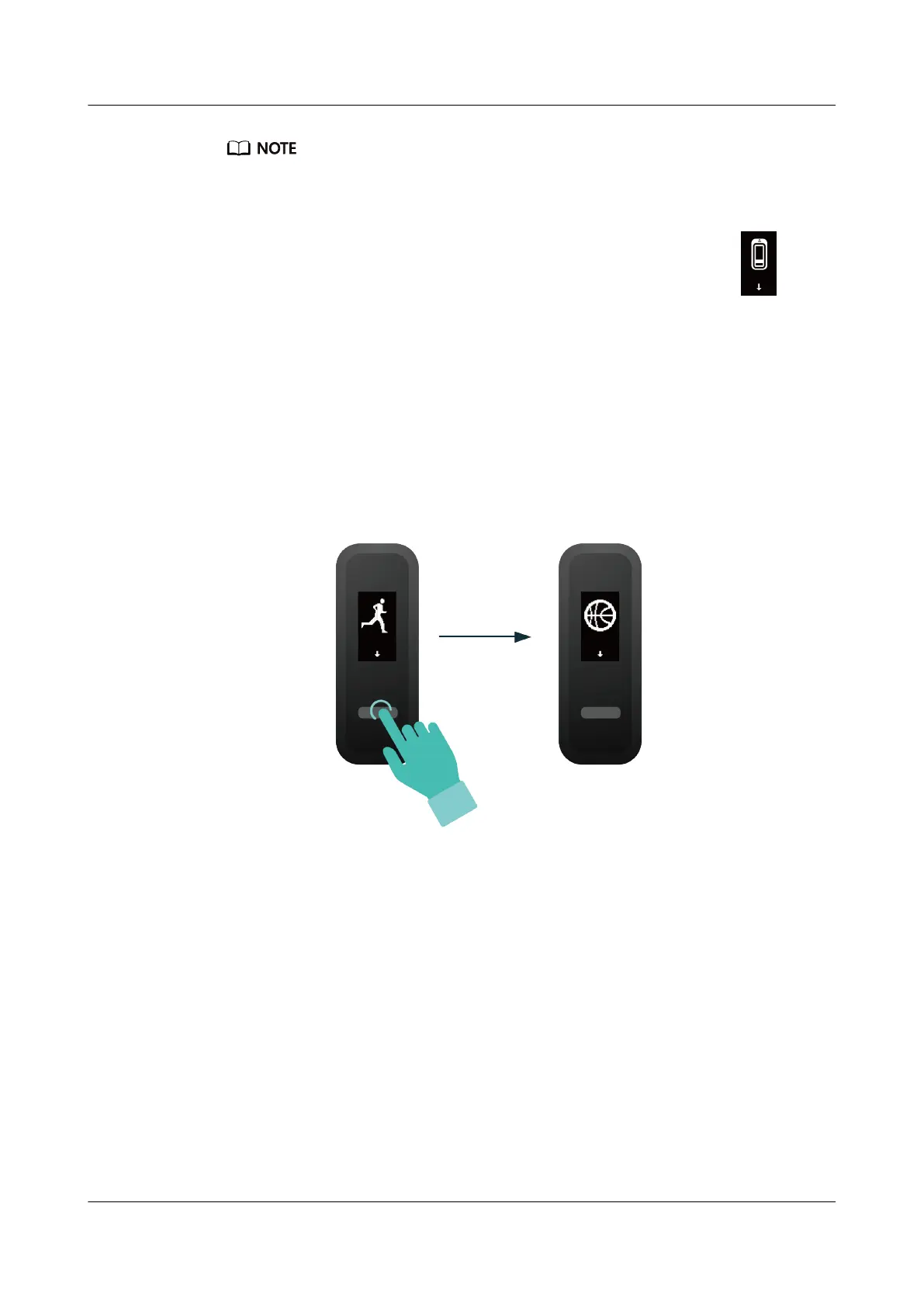
i. In Foot mode, touch the touch key to display the basketball session screen.
ii. Hold the touch key until the band vibrate for three seconds to start the
basketball session.
HUAWEI Band 4e
User Guide
4 Fitness and health
Issue 01 (2019-11-05) Copyright © Huawei Technologies Co., Ltd. 17



 To Next Page