1
23
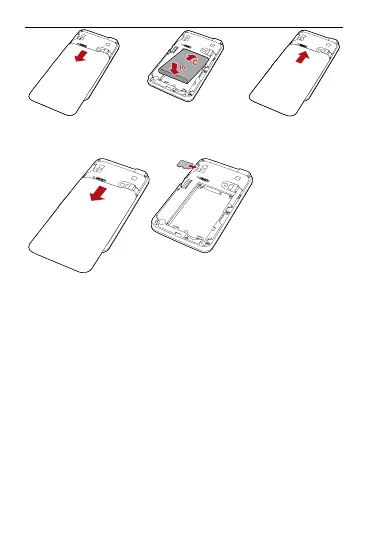
Installing the microSD Card
1. Remove the rubber cap from the
microSD card slot. Then insert the
microSD card into the slot.
After inserting the microSD card
2.
t
z
z
completely, attach the rubber cap.
No e:
The microSD card is an optional
accessory. If the microSD card is not
provided in the package, you can buy
one yourself.
To remove the microSD card, open the
rubber cap and press the microSD card
gently. When the microSD card pops up
8



 To Next Page