continuously on in green.
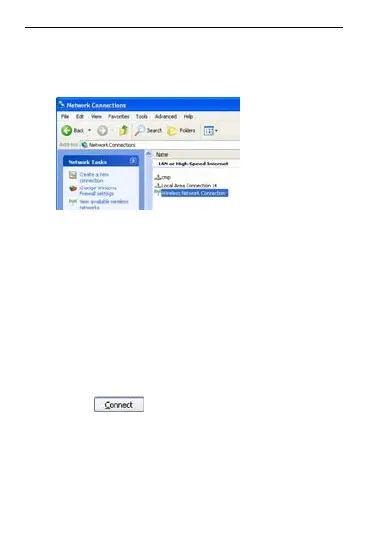
Select Start > Control Panel >
Network Connections > Wire
Network Connection.
2.
less
Note: To set up a Wi-Fi connection, the PC
must be configured with a
wireless network
ection
is d ter is
ava e, you need to check your
3.
isplay the wireless
4. the
hen
adapter. If Wireless Network Conn
isplayed, the wireless network adap
ilable. Otherwis
wireless network adapter.
Click View available Wireless
Netw to d
orks
network list.
Select the network whose SSID is
same as that of the EC5805, and t
click
.
12



 To Next Page