18
4. Enable the WPS f
Note: For the Wi-Fi ope
see the Clients’ user gu
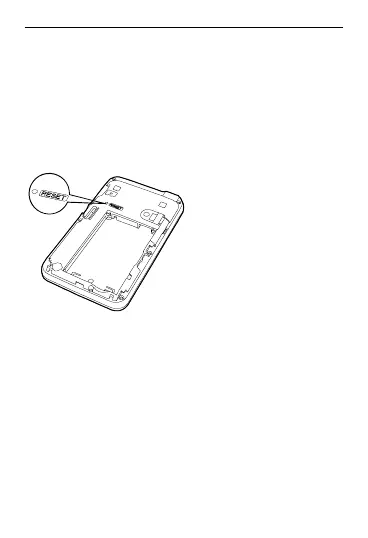
Restoring the Fact
If you forget the change
parameters, you can choos
factory defaults and re
unction of the Clients.
rations of the Clients,
ide.
ory Defaults
s of some
e to restore
5805.
configure the EC
Press and hold it until all the
e off, you restore the factory
ll personal
ettings and
ir default
roperly, you
Reset:
indicators ar
defaults successfully.
Note: After this operation, a
configuration settings are deleted and all
web-based management s
parameters will be restored to the
values.
Tips
If you cannot use the EC5805 p



 To Next Page