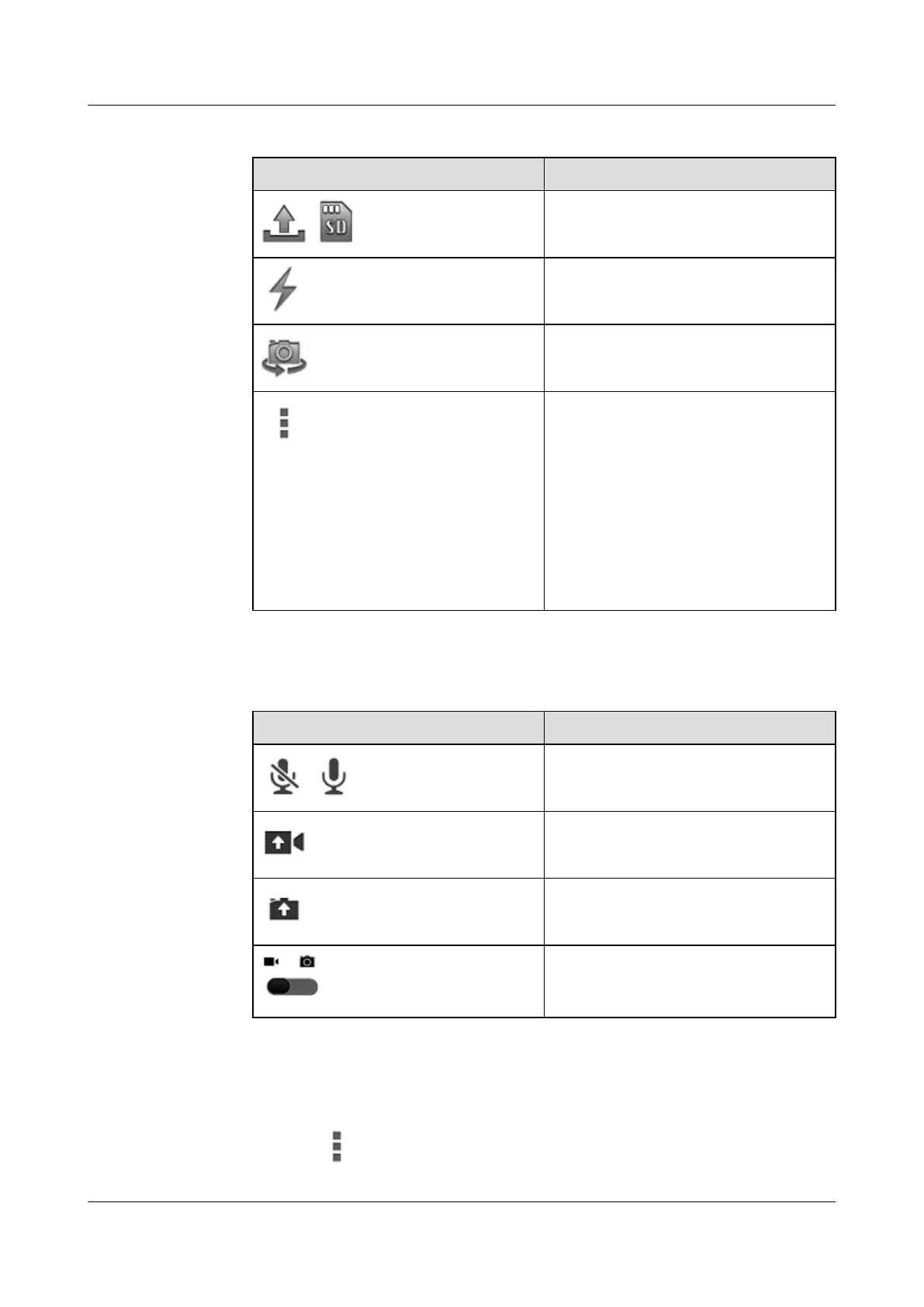
Table 5-5 Icons in the top bar
Icon Function
/
Switchover between sending mode and
local mode
Flash
Front/rear camera
More options for video sending
l Auto confirm video sending
l Video sending number
l White balance
l Picture quality
l Restore to defaults
NOTE
The default number for video sending is
99999500.
l Table 5-6 describes the icons in the bottom bar.
Table 5-6 Icons in the bottom bar
Icon
Function
/
Mute or cancel mute
Video sending. In local mode, this icon
indicates video recording.
Picture sending. In local mode, this icon
indicates photographing.
Tap this to switch between the video
sending mode and the photo uploading
mode.
Procedure
l Video Sending
a. Tap to set parameters.
EP820
User Guide
5 Operation and Maintenance
Issue 05 (2016-06-20) Huawei Proprietary and Confidential
Copyright © Huawei Technologies Co., Ltd.
32









 To Next Page