6
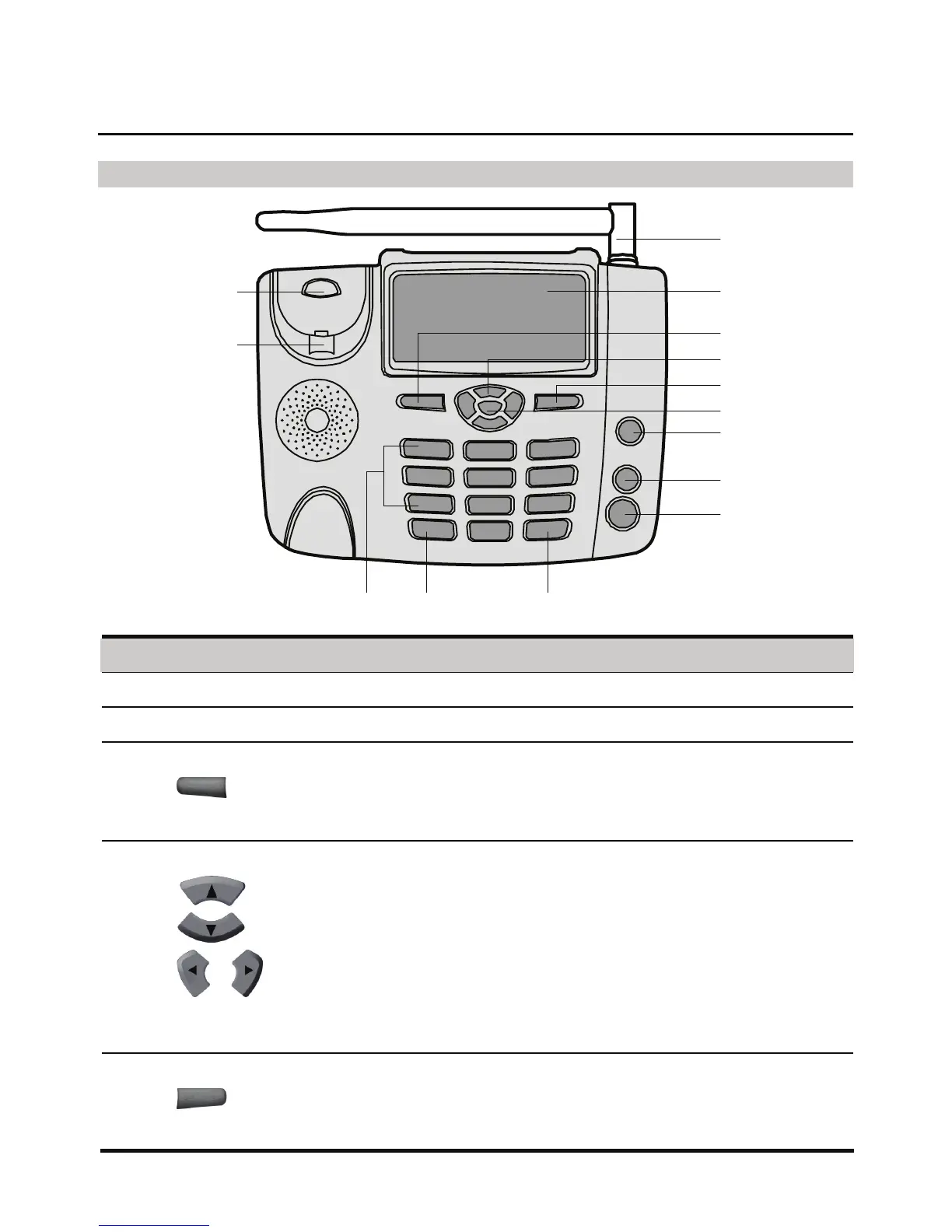
Appearance of the FWT
Front View
1
11 10
9
8
7
6
5
4
3
2
12
13
14
No. Item Description
1 Indoor antenna To receive signals.
2 Display screen To display information.
3 Left soft key
z In the standby mode, press it to access the home menu.
z In the non-standby mode, press it to perform the operation
displayed on the lower left corner of the screen.
z Press this key to answer a call when a call is coming.
4 Scroll key
z Up key: In the standby mode, press it to access the Calendar
screen; during a call, press it to increase the volume.
z Down key: In the standby mode, press it to enable the radio
(or alarm clock); during a call, press it to decrease the
volume.
z Left key: In the standby mode, press it to view the
CallHistory.
z Right key: In the standby mode, press it to access the Write
message screen.
5 Right soft key
z In the standby mode, press it to access the Phone Book
screen.
z In the non-standby mode, press it to perform the operation
displayed on the lower right corner of the display screen.










 To Next Page