Getting started
13
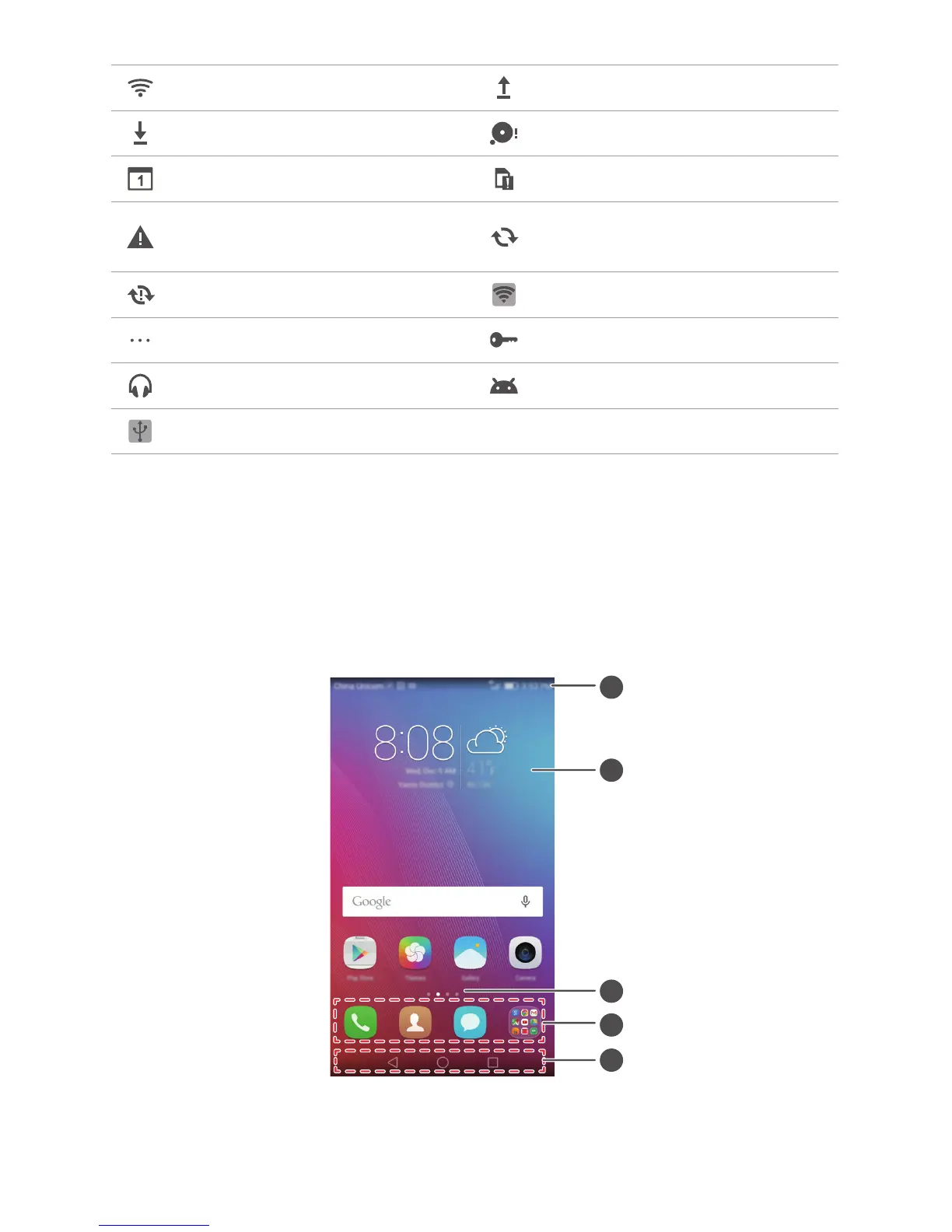
Home screen
Your home screens are where you can find your favorite widgets and all your
applications. We did away with the application list to give you a more convenient and
direct path to your applications.
Connected to a Wi-Fi network Uploading data
Downloading data Phone memory full
Upcoming events No SIM card found
Sign-in or synchronization
problem
Synchronizing data
Synchronization failed Portable Wi-Fi hotspot on
More notifications Connected to a VPN
Headset plugged in USB debugging mode enabled
USB tethering on



 To Next Page