Getting started
22
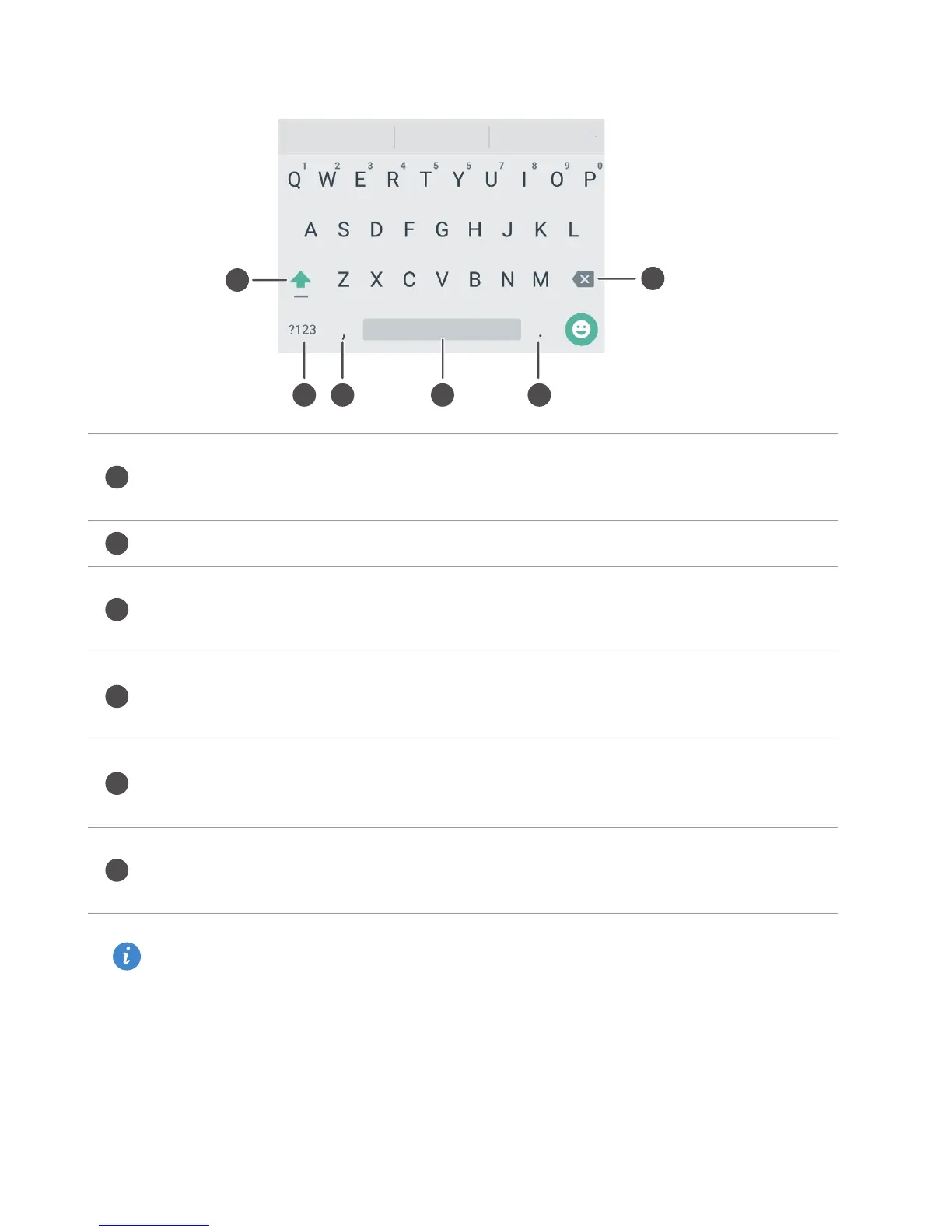
Android input method
The Android input method may not be available on all phones.
•
Touch to switch between lowercase and uppercase letters.
•
Touch and hold or quickly touch twice to enable caps lock.
Enter numbers and symbols.
•
Touch to enter a comma.
•
Touch and hold to open the input options menu.
•
Touch to enter a space.
•
Touch and hold to choose another input method.
•
Touch to enter a period.
•
Touch and hold to enter symbols.
•
Touch to delete the character to the left of the cursor.
•
Touch and hold to delete multiple characters to the left of the cursor.



 To Next Page