Highlights
4
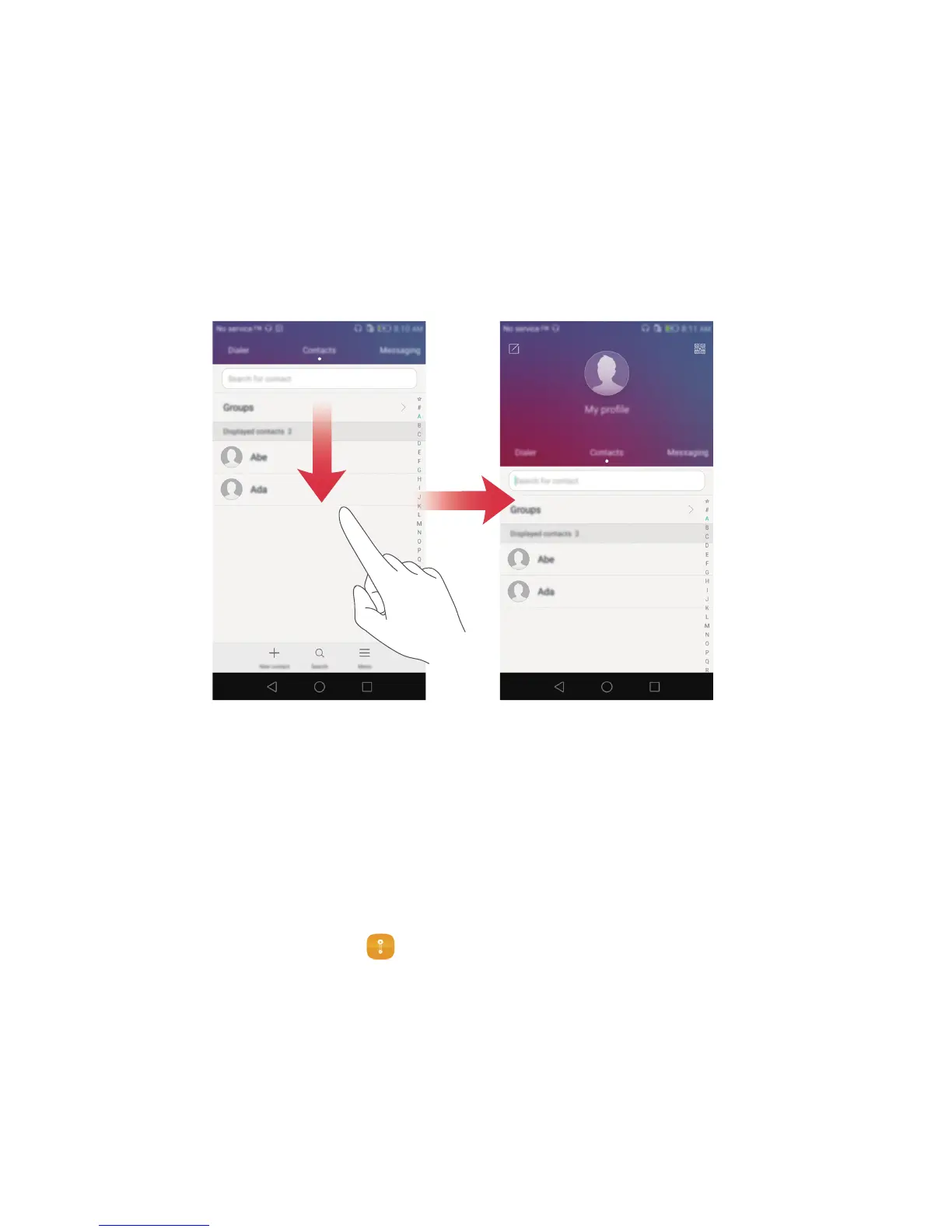
Moving the screen down
On the contacts, dialer, messaging, or email screen, if you can't reach items near the top
of the screen, touch the upper half of the screen and drag down and release (after 1
second) to shift the entire interface down closer to your thumb.
From the dialer, contacts or messaging screen, drag down and then release to display
your personal QR contact card. Your friends can scan this to obtain your phone number
instantly.
Safe
The safe is a secure storage location where you can store your important and private
data.
Enabling the safe
1
On the home screen, touch
Files
.
2
Under
Categories
or
Local
, touch
Safe
.
3
Touch
Enable
.
4
Follow the onscreen instructions to enter your password and set up the security
question, and then touch
Done
.



 To Next Page