Music and videos
50
Setting a song as the ringtone
1
On the home screen, touch
Music
.
2
Select a category.
3
On the song list screen, touch next to the song and then touch
Set as ringtone
.
Playing a video
1
On the home screen, touch
Videos
.
2
Touch the video you want to play.
3
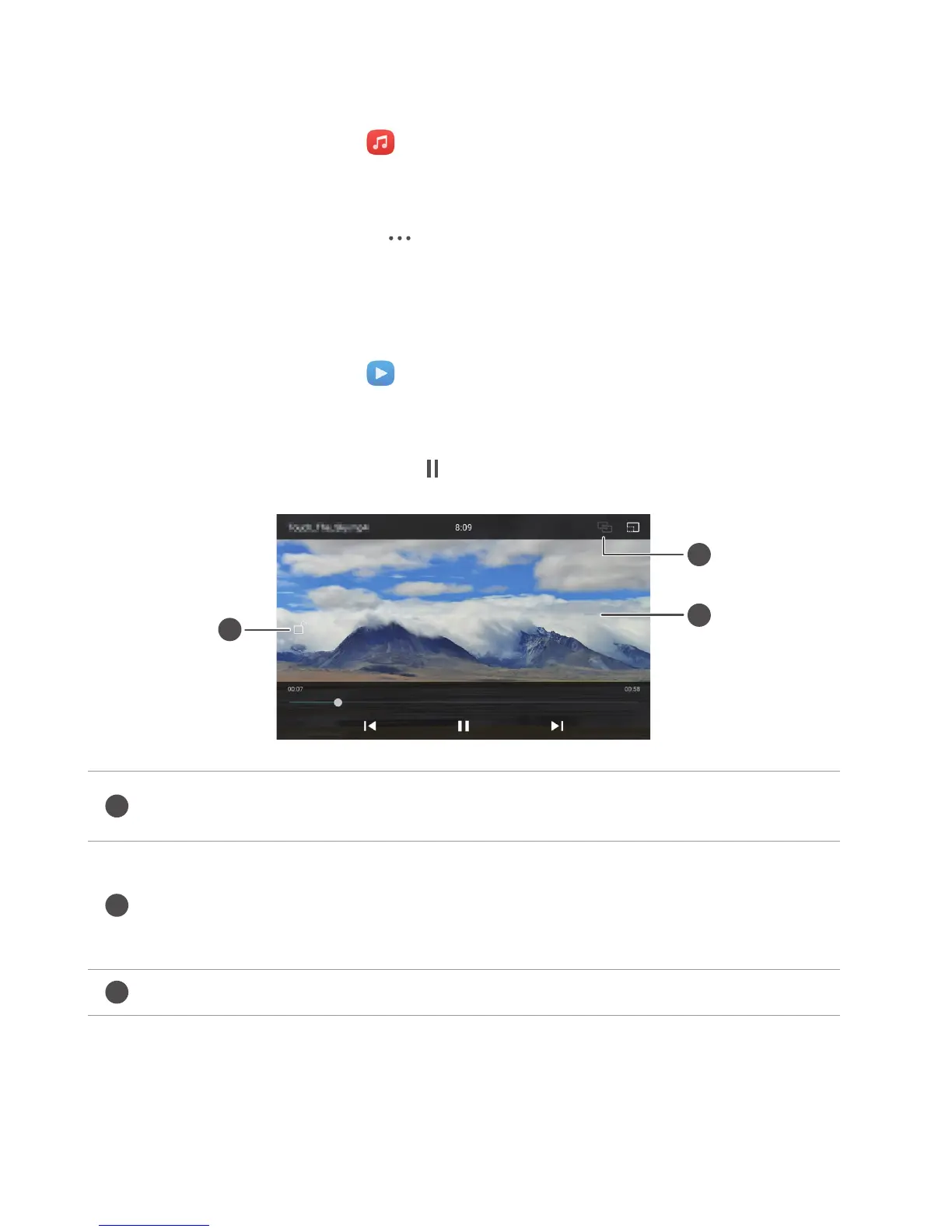
To stop the video playback, touch .
Lock the screen. After the screen is locked, all video operations will be disabled
until you unlock it.
•
Swipe left or right to rewind or fast-forward the video.
•
Swipe up or down on the left side of the screen to adjust the screen brightness.
•
Swipe up or down on the right side of the screen to adjust the volume.
Stream the video to your TV.



 To Next Page