Getting started
21
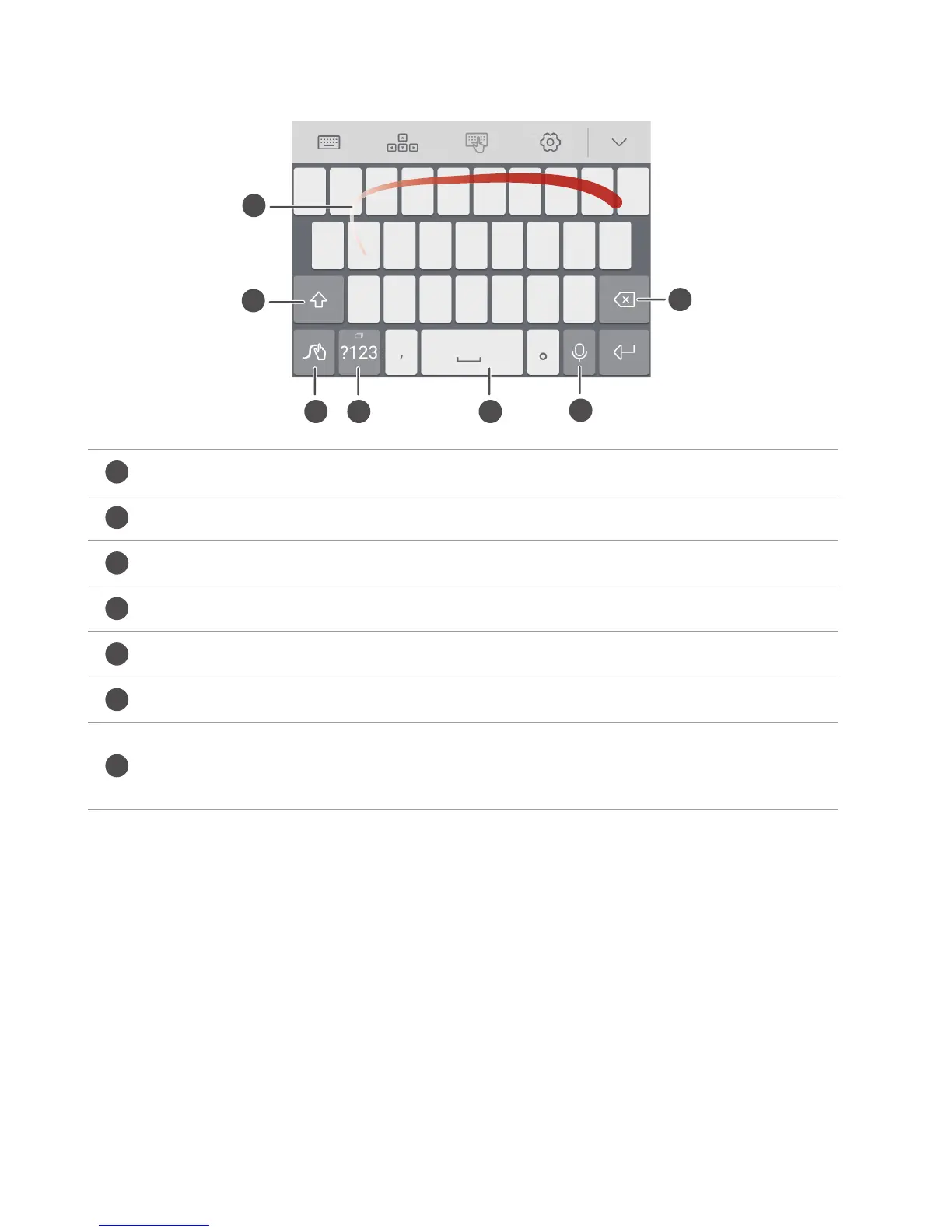
Huawei Swype input method
Slide across letters to enter a word.
Switch between lowercase and uppercase letters.
Touch and hold to access input method settings.
Enter numbers and symbols.
Touch and hold to view more language input options.
Switch to voice input.
•
Touch to delete the character to the left of the cursor.
•
Touch and hold to delete multiple characters to the left of the cursor.



 To Next Page