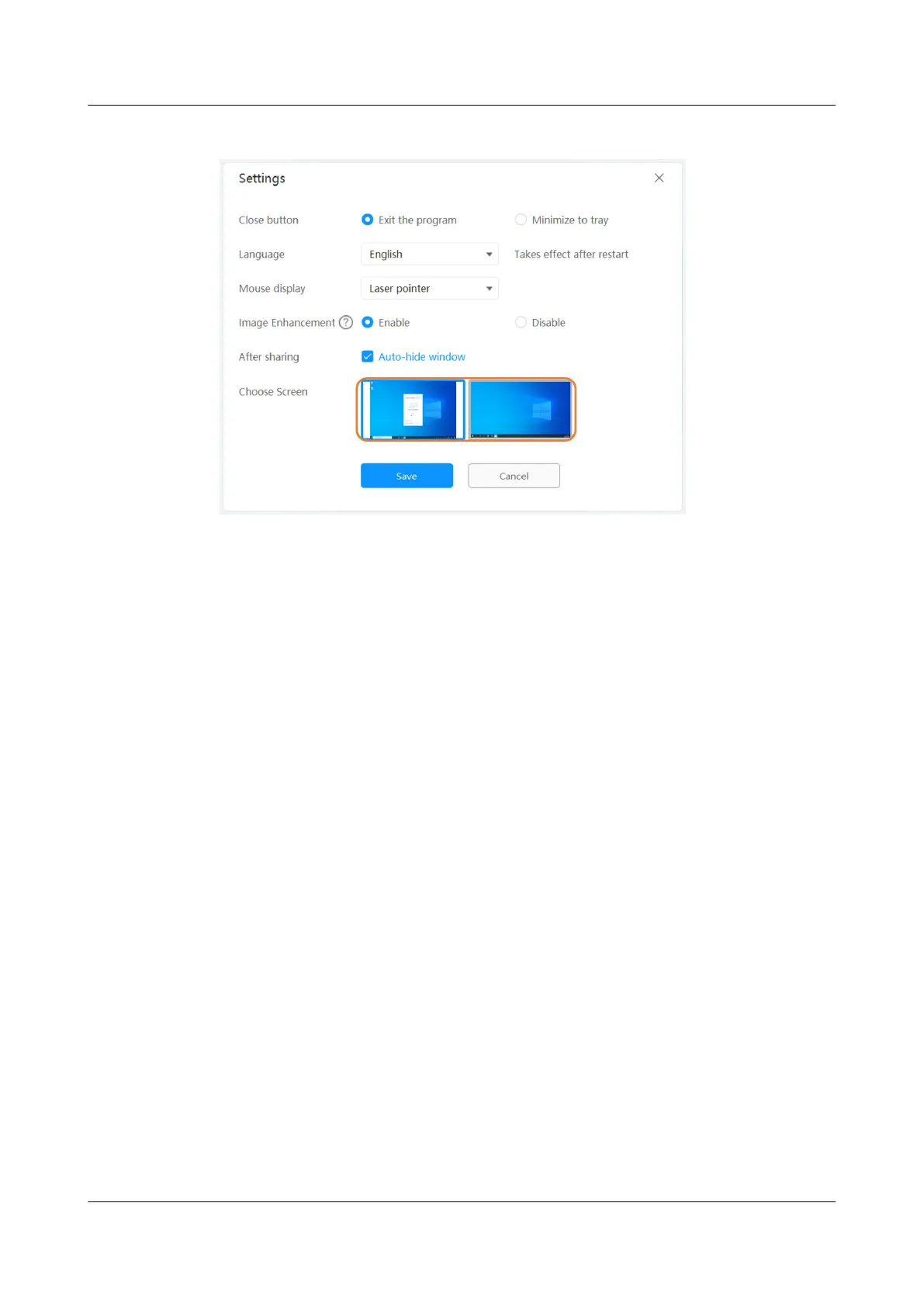
Figure 5-2 Choose Screen
Remote Control
The IdeaShare client provides the remote control function, which is used to control
endpoint functions during screen projection, as shown in Figure 5-3.
● After the projection starts, the remote control function screen of the
IdeaShare client is displayed and you can drag the slider to adjust the volume,
or tap the corresponding button to turn
on/o the camera or mute/unmute
the microphone.
● During projection in a meeting, participants can use the remote control of the
IdeaShare client to leave the meeting, and the host can leave and end the
meeting.
IdeaShare
User Guide 5 More Functions
Issue 01 (2023-03-30) Copyright © Huawei Technologies Co., Ltd. 16



 To Next Page