EasyManua.ls Logo

Huawei LS1015 - User Manual

Huawei LS1015
15 pages
Print Icon
To Next Page IconTo Next Page
Loading...
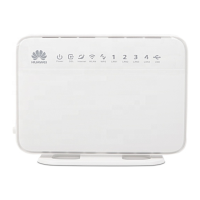
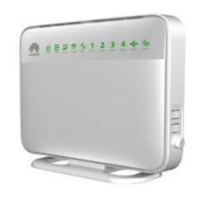
Smart Home Gateway EchoLife
Quick Start
LS1015

Questions and Answers

  • K
    Karen BoydAug 3, 2025
    What to do if Huawei Gateway EchoLife LS1015 is offline?
    • P
      Patricia PetersonAug 3, 2025
      If your Huawei Gateway EchoLife LS1015 is offline, ensure it is correctly connected to the Internet and then try again. If the issue persists, further assistance may be needed from your network provider.
  • R
    Robert FisherAug 11, 2025
    Why is my Huawei LS1015 not connecting to the internet?
    • S
      stefaniepetersAug 11, 2025
      If your Huawei Smart Home Gateway EchoLife LS1015 has connectivity issues, verify that the Internet port is properly connected. Also, check if your ONT, xDSL modem, or other network device has a working Internet connection. If problems persist, it's recommended to contact your network provider for assistance.
  • M
    mweissAug 19, 2025
    What to do if intelligent devices cannot be connected to Huawei Gateway?
    • N
      Noah ReeseSep 12, 2025
      If you're having trouble connecting intelligent devices to your Huawei Smart Home Gateway EchoLife LS1015, consider the following: * Confirm that the Smart Home APP allows adding a new device. * Check if the maximum number of connected devices to the gateway has been reached. * Ensure the distance between the sensor and the gateway supports effective communication. * Verify the sensor's batteries aren't low. If problems continue, try resetting the intelligent device. If necessary, contact your network provider.
  • R
    ruizmarkAug 26, 2025
    What to do if Huawei Gateway EchoLife LS1015 indicator is off?
    • W
      wheelertimothyAug 26, 2025
      If one of the indicators on your Huawei Smart Home Gateway EchoLife LS1015 is off, begin by checking the power supply to the gateway. Contact the local carrier to check whether Internet network is normal. If problems persist, it is recommended to contact your network provider.

Summary

Safety Precautions

General Safety Precautions

Essential safety guidelines for proper device usage and handling to prevent harm.

Fireproof Precautions

Measures to mitigate fire risks associated with the device and its environment.

Getting to Know Your Smart Home Gateway

Quick Installation

Hardware Connection

Step-by-step instructions for physically connecting the gateway.

Port Description

Indicator Description

Troubleshooting

Connectivity and Device Issues

Resolving problems with internet, intelligent devices, and gateway offline status.

Indicator Status and Resetting

Addressing indicator lights and performing factory default restoration.

Authentication Declaration

Operation Guide

Adding and Deleting Sensors

Procedures for adding new sensors and removing existing ones from the network.

Gateway Network Operations

Steps for replicating, learning, discovering, and removing the gateway.

Terms

FCC Statement

Warranty Information

Huawei LS1015 Specifications

General IconGeneral
ModelLS1015
ManufacturerHuawei
Relative Humidity5% to 95% (non-condensing)
InterfaceEthernet
Operating Temperature0°C to 40°C
Storage Temperature-40°C to +70°C

Related product manuals