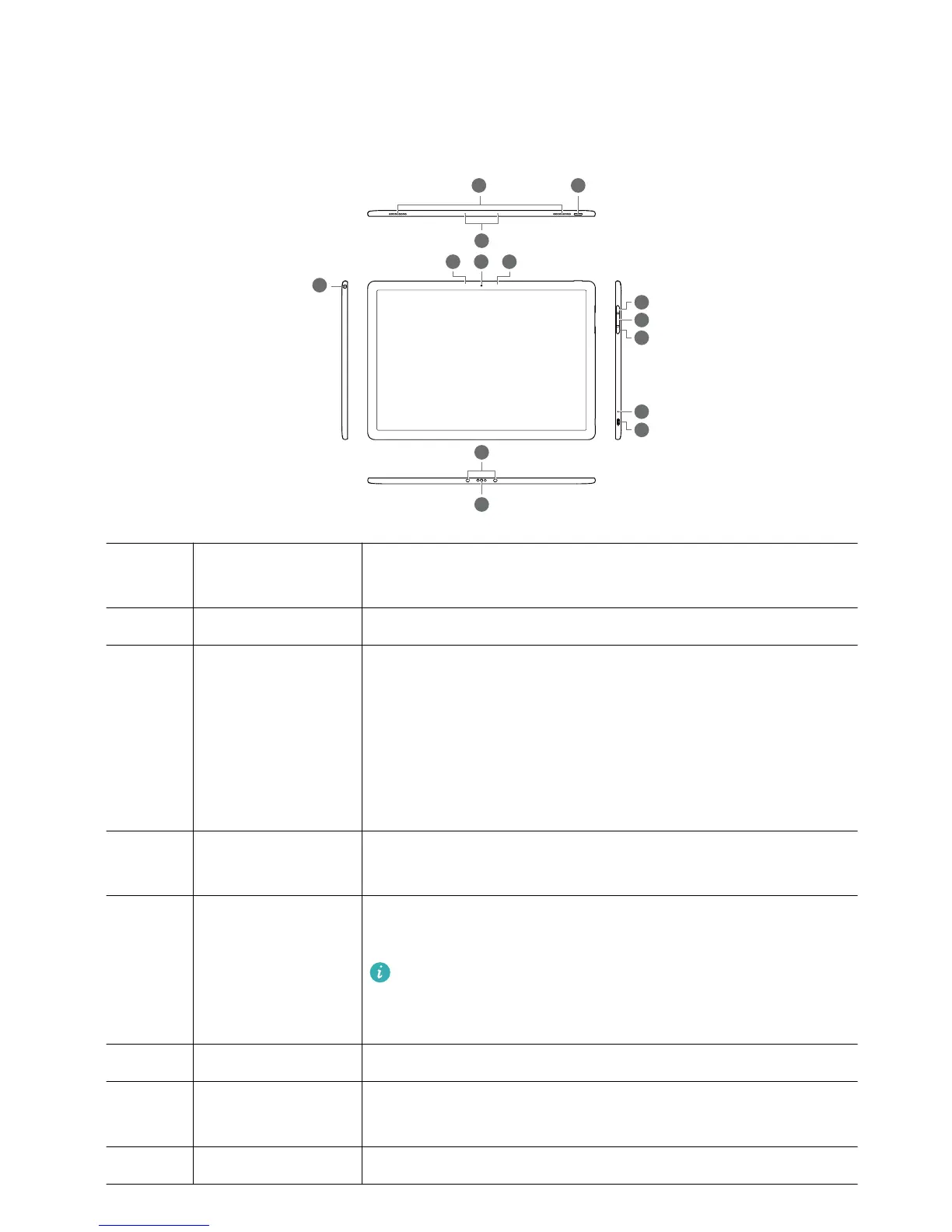
1 Headset jack and
microphone port
Used to connect to the headset and microphone
2 Speakers The speakers play sound when a headset is not connected.
3 Power button l When your computer is powered on:
– Hold down the power button until the power-off screen is
displayed, and then swipe down to turn off your computer.
– Press the power button to enter sleep mode, and then
press again to exit sleep mode.
l Hold down the power button to turn on your computer.
4 Microphone Use the microphone to make video or voice calls, or record
sound.
5 Ambient light
sensor (hidden)
Detects the ambient light level and automatically adjusts the
screen brightness.
Do not cover the ambient light sensor. When purchasing
a screen protector, choose a screen protector with a
purpose-built hole for the ambient light sensor.
6 Camera Front camera for taking photos or making video calls.
7 Camera indicator Indicates the camera status. The indicator stays constant
when the camera is on.
8 Volume up button Increases the volume.
2














 To Next Page