Getting Started
Appearance and button operations
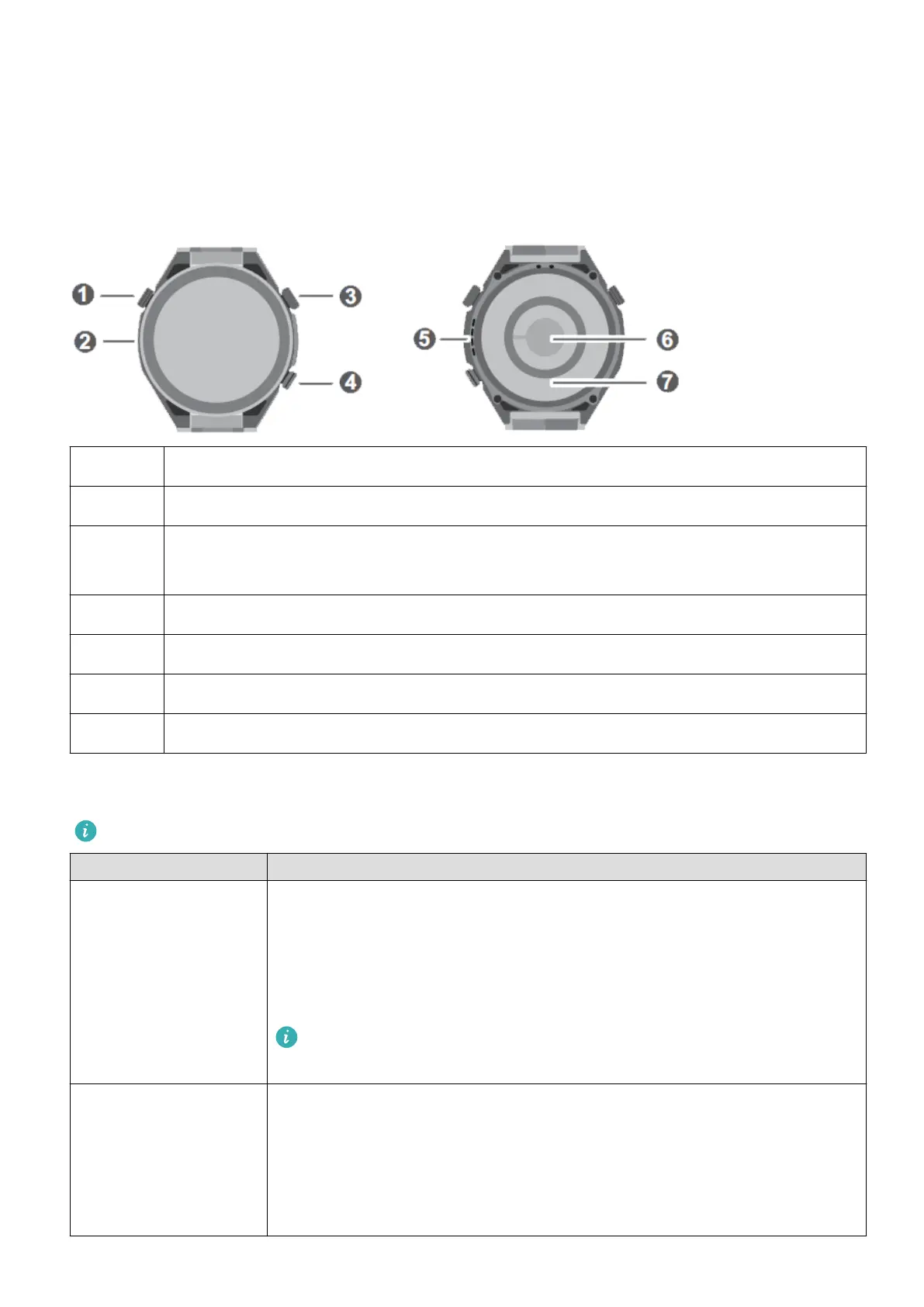
Appearance
❶ Assist button
❷ Microphone
❸ Up button
Press and hold the button to power on, power o, or restart the device.
❹ Down button
❺ Speaker
❻ Heart rate sensor
❼ Charging sensor
Up button
Operations dier during calls and workouts.
Operation Feature
Rotate • In Grid mode, zooms in and out on apps in the app list screen.
• In List mode, swipes up and down in the app list and details
screens.
• Swipes up and down on the screen after you open an app.
To enter Grid or List mode, go to Settings > Watch face &
home > Home, and select Grid or List.
Press • Turns on the screen.
• Takes you to the app list screen from the home screen.
• Returns you to the home screen.
• Mutes incoming Bluetooth calls.
1















 To Next Page