PSP8620311
Rev. E
32
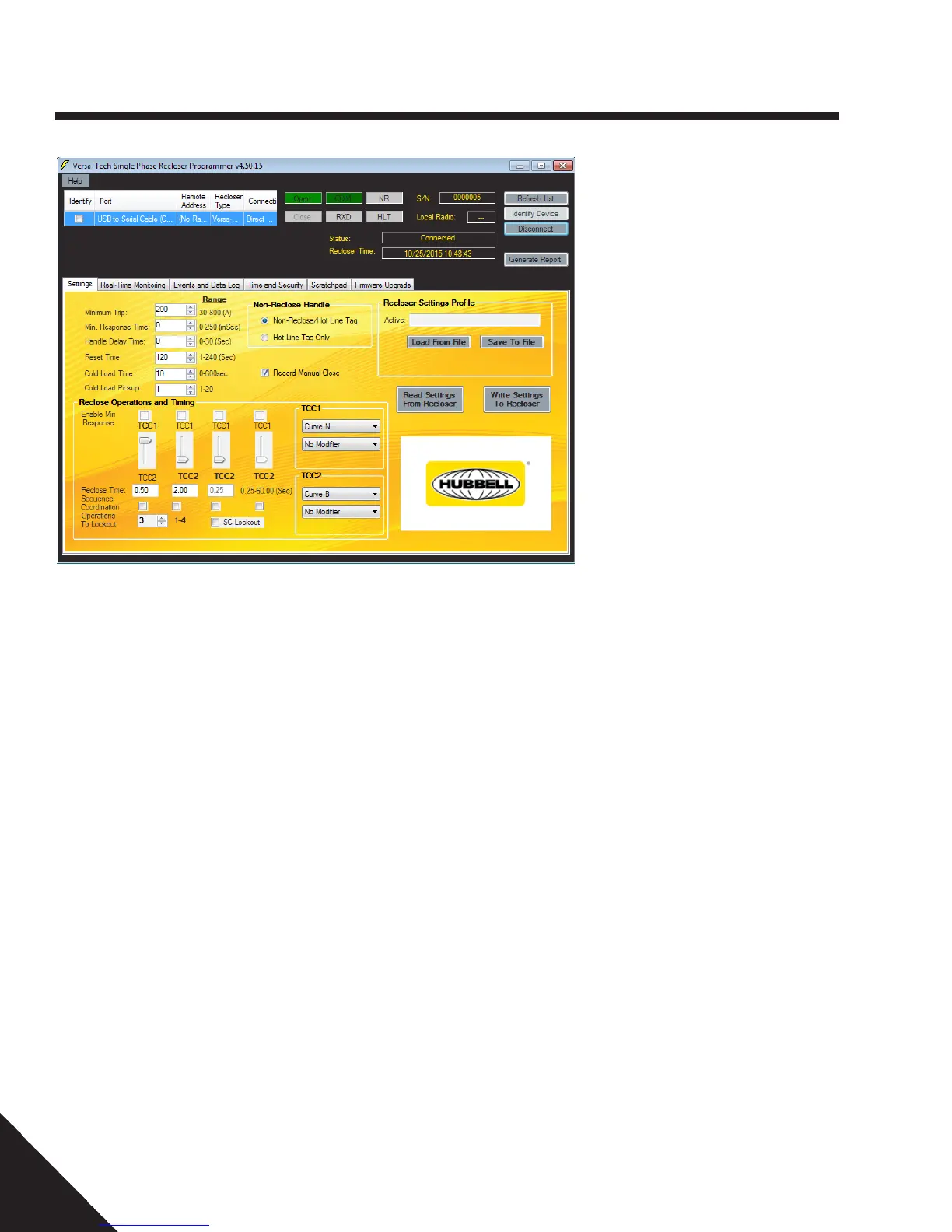
Cold Load Pick up
NOTE: Cold Load Pick Up is only enabled for
Versa-Tech I Reclosers with FW 4.xx.
The range of the minimum trip can be elevated
by multiplying the minimum trip by the cold
load pick up factor during the Cold Load
Time. The Cold Load Pickup factor ranges
from 1-20 and is programmable in steps of
1.For example: A recloser programmed at a
minimum trip of 50A, cold load time of 100 sec
with the cold load pick up of 2 has a minimum
trip range from 1A-100A during the 100sec
cold load time when the unit has locked out (or
manually opened) and closed back in.
Record Manual Close
When enabled, this feature causes the recloser
to store in the Event History the time and
date of manual closes as well as over-current
operations. When disabled, only over-current
operations are stored.
Cold Load Time
During this programmed interval, pick-up
threshold is elevated to Cold Load Pickup
value and the control is placed in one
operation to lockout mode. Over current timing
of TCC2 is used by the control. Cold Load
Pickup is active after the recloser has been
opened manually or has been locked out. Cold
Load Time is not valid while the recloser is
performing it's reclose operations. If no over
current is present during this interval, the
control will reset after cold time expires. Cold
Load Time is programmable from 0 to 300
sec. for VTI (FW 3.xx) and VTLT and 0 to 600
sec. for VTI (SCADA FW 4.xx) in 1 second
increments. Cold load time takes precedence
over the Non-Reclosing lever function.
6 — Control Programming
Time Stamp
The recloser has a built in time stamp circuit
which records the time and date following each
recloser operation. The time stamp on the
recloser can be set in two ways.
1. Every time the User Interface
communicates with the unit, the
Programmer generates a pop up question
to auto sync the host computer's clock
with the real time clock on the recloser.
2. The real time clock can also be set to
the Local or the UTC time zones by
selecting the proper radio button on the
User Interface and writing them to the
recloser by the clicking "Set Recloser
Time zone " under the Time and Security
tab. (See Section Time and Security.)
NOTE: Make sure that the host computer
has accurate time and date before using
the "Set Recloser Timezone " or the Auto
Sync option. The recloser would be able
to keep the time only when the time is
set wirelessly through the radios and
with the provided battery pack inside the
unit. INVALID times would be seen on the
Recloser Time section when times are set
through an RS232 serial connection.
The time stamp utilizes one of 3 power sources
to maintain correct time. When the recloser is
in service internal current transformer power
is used. When the recloser is open or not in
service the main lithium batteries are used. If
both of these power sources are unavailable
the control has a capacitor backup circuit,
which can power the time stamp for up to 7
days.
NOTE: Once the time stamp has been
set, it is important that the lithium battery
bayonet not be removed for more than 7
days. If the time stamp loses power, the
recloser will continue to function correctly,
but the times and dates stored for recloser
operations will be INVALID.
Note for Versa-Tech I Reclosers with FW
4.xx: The lithium battery bayonet should not
be stored in the recloser while the unit is
not in service. FW 4.xx does not incorporate
low power optimization which will result in
decreased battery life. When the recloser is
ready to be put in service, insert the battery
bayonet and connect to the recloser to sync
the time stamp. See Section 8 Maintenance
> Battery Replacement Section for additional
information regarding VTI with firmware 4.xx.


 To Next Page