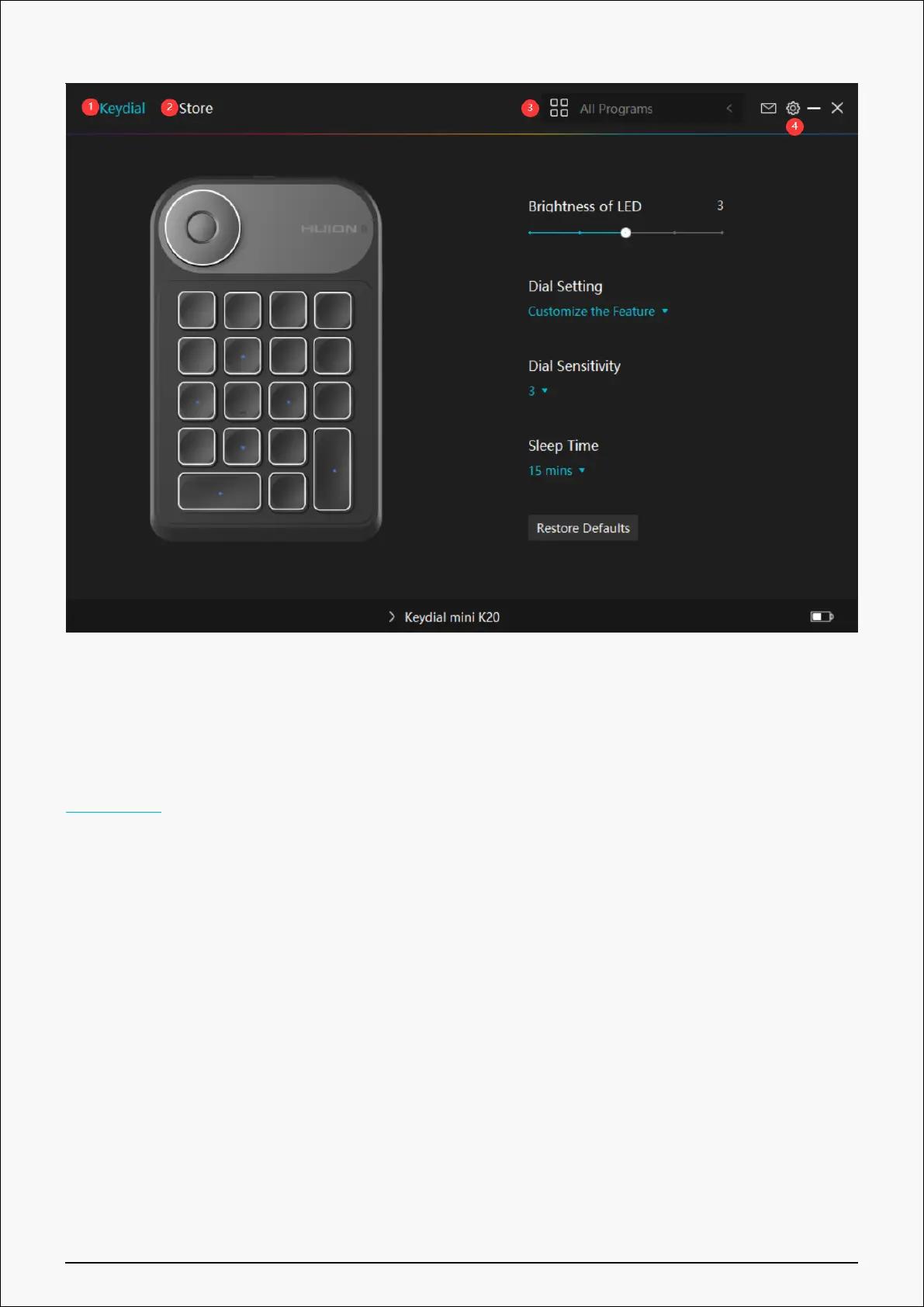
1. Keydial
Keyboard function setting interface, the users can set the keyboard function on this interface,
such as keys customization, Dial function/ sensitivity and other functions.
See Section
2. Store
Huion Store is where you can get the latest information about the product such as its FAQ or
sales promotion. In addition, you can also purchase Huion’s other products or accessories
here.
3. Add Programs
①Some programs which have already been opened will appear for you to choose from after
clicking Add a Program on the screen. For more programs, click Browser and choose the item
that you want to get it added.
②You can set different functions for different programs. Functions of the press keys change
automatically as you switch from one program to another.
14 / 29


 To Next Page