③ When you select “All programs”, the functions of press keys that you set are valid for every
program. By clicking Add a Program from the drop-down list, you can set the functions for a
specific program and hence have unique settings for different programs. After that, when you
launch a specific program, the Driver will automatically recognize it and the setting features
will change to its corresponding ones.
4. Setting
Users can set the functions of a driver on this interface, including check out Device
information, Backup setting, General setting, and its version.
See Section
Keydial Setting
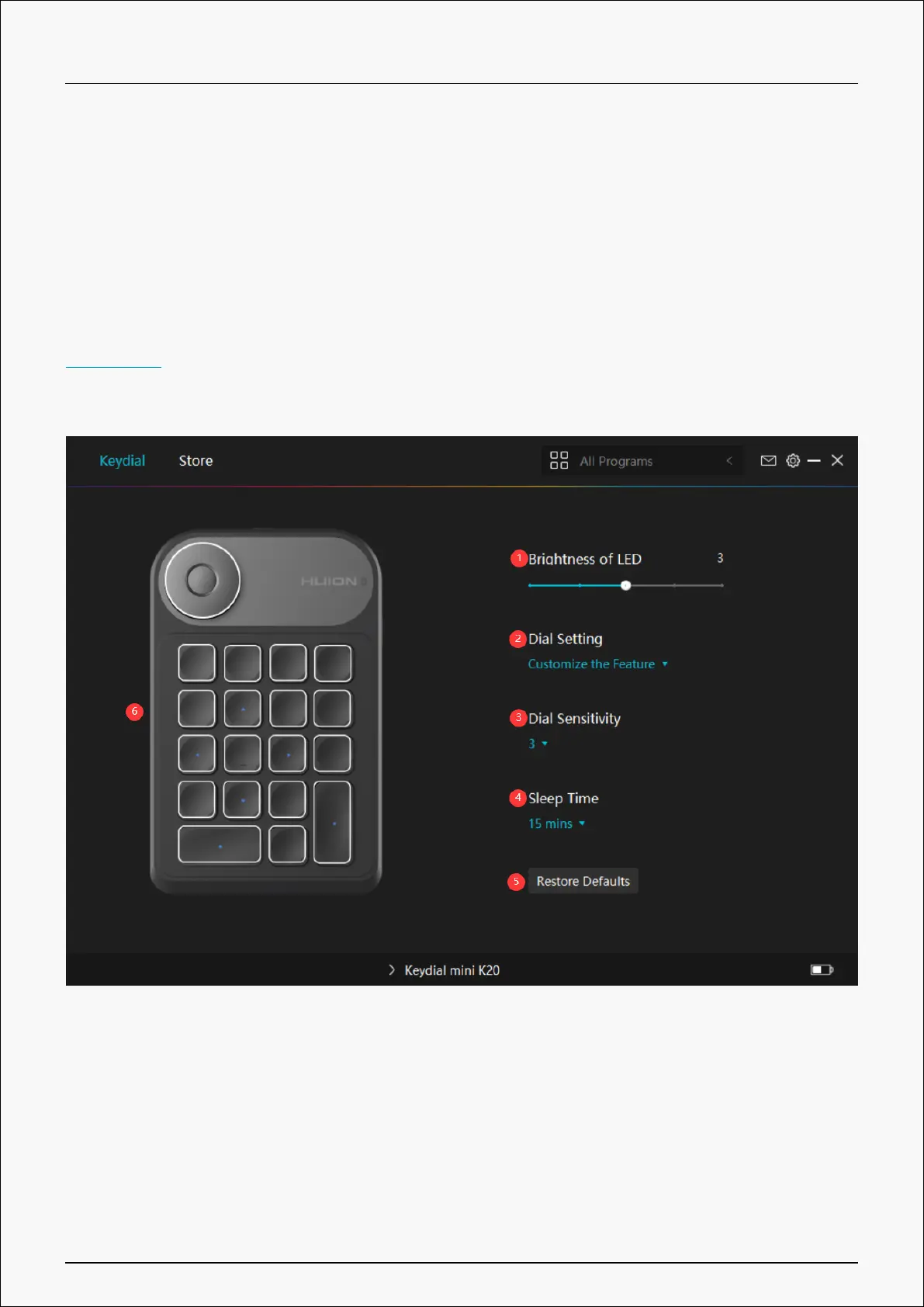
1. Brightness of LED
Click to adjust the brightness of the LED light from level 1 to level 5, among which level 1
represents the darkest and level 5 represents the brightest.
2. Dial Function Setting
You can select "Custom Function", "RaDial" or "Off" under the drop-down box of Dial.
15 / 29


 To Next Page