① Enable Bluetooth on your computer or mobile device;
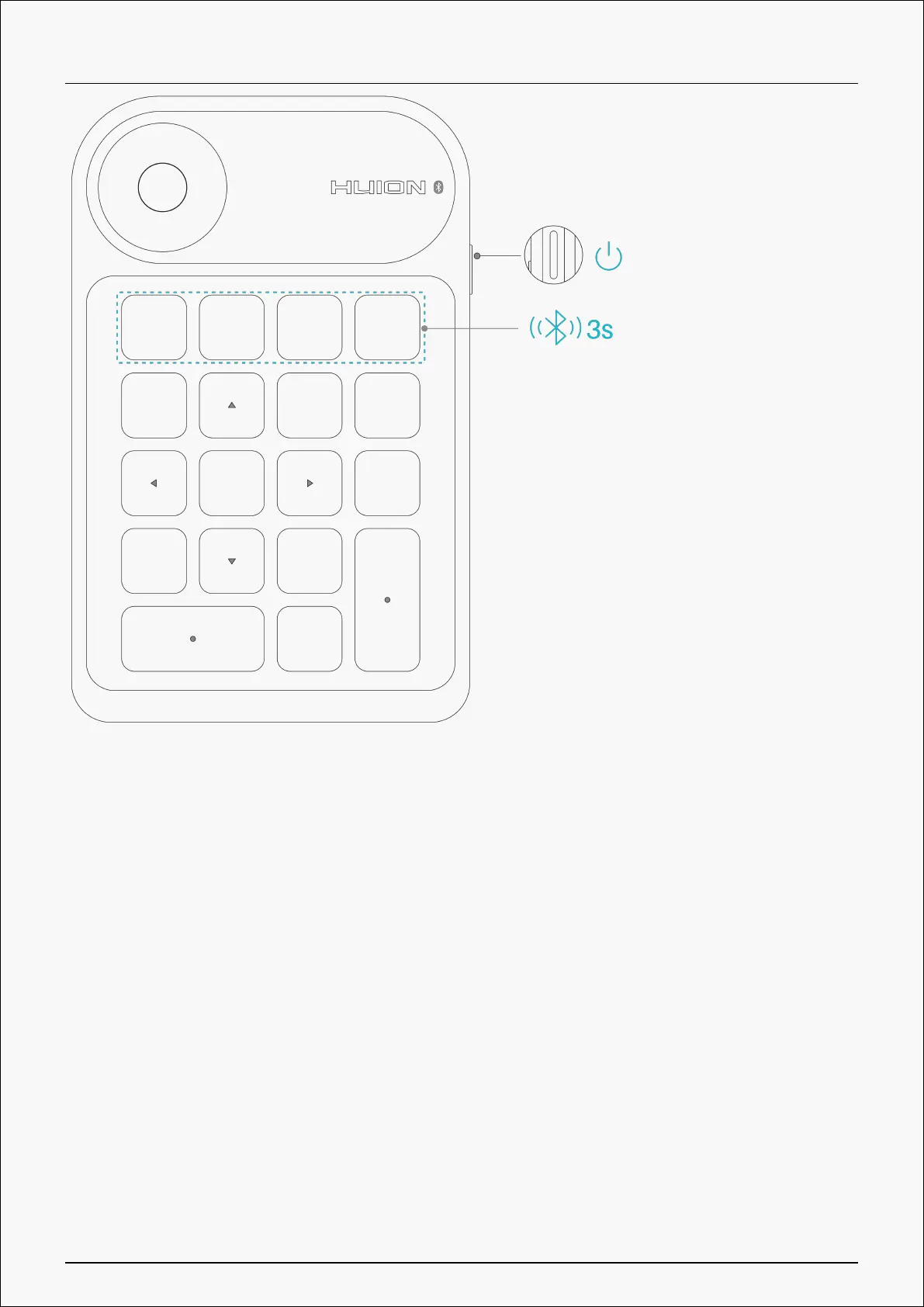
② Press the Power button on your Keydial mini to start the one-handed keyboard;
③ At the same time, press the Forced Bluetooth Pairing key on the one-handed keyboard and
hold for 3s until the status light flashes, indicating that the device enters Forced Pairing
mode;
④ Find and connect the Bluetooth of the one-handed keyboard (Keydial mini-xxx) on your
computer or mobile device according to system prompt.
Driver Installation
Windows
How to Install the Driver on Windows Device
Notice:
7 / 29


 To Next Page