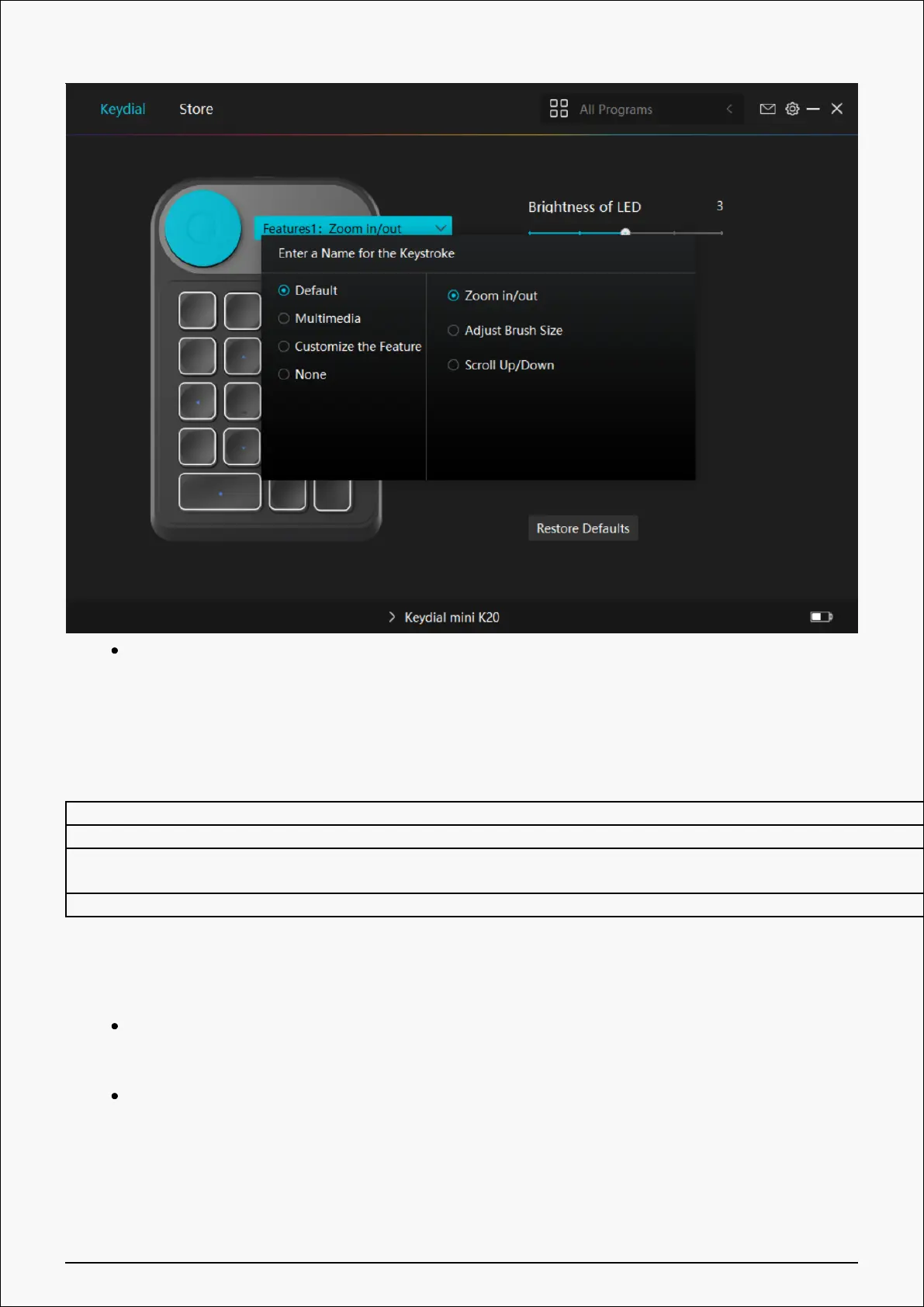
Rotate the knob clockwise/counterclockwise, then you can use Dial.
Please refer to the table below for specific functional properties for your understanding and
usage.
Default The default three functions of a dial controller are “Zoom in/out”, “Adjust Brush Size”, and “Scroll Up/Down”.
Multimedia You can turn the dial controller to play the previous song or next song. You can also rotate it to turn the volume up and down.
Customize Click on the input box (Clockwise/Anticlockwise) and enter a valid key combination to create a shortcut. You can turn the dial controller
clockwise or anticlockwise to perform the shortcuts you entered.
None Selecting “None” means the dial controller will perform no function when you turn it.
②Radial:
Open the driver interface, and click "Dial Function"
Select "Radial"
24 / 29


 To Next Page