64
Map Borders
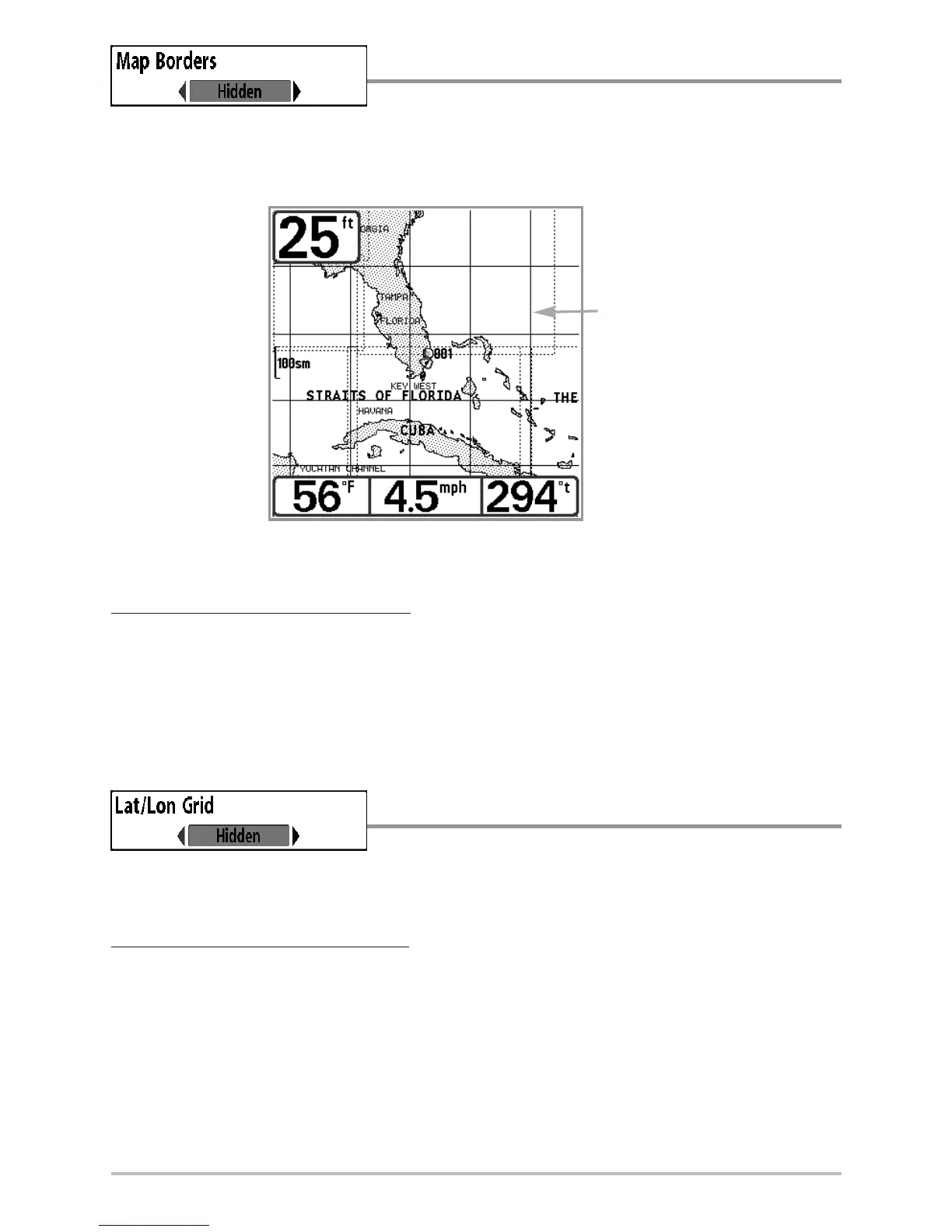
Map Borders allows you to display or hide map borders.
A Map Border indicates an area which contains a different map.
To chang
e the Map Borders setting:
1. Highlight Map Borders on the Chart main menu.
2. Use the LEFT or RIGHT 4-WAY Cursor Control keys to change the Map Borders
setting. (Hidden, MMC/SD Only, All Visible, Default = Hidden)
Lat/Lon Grid
Lat/Lon Grid allows you to display or hide a grid
showing latitude and longitude lines.
To change the Lat/Lon Grid setting:
1. Highlight Lat/Lon Grid on the Chart main menu.
2. Use the LEFT or RIGHT 4-WAY Cursor Control keys to change the Lat/Lon Grid
setting. (Hidden, Visible, Default = Hidden)
Map Borders
Map Borders













 To Next Page