76
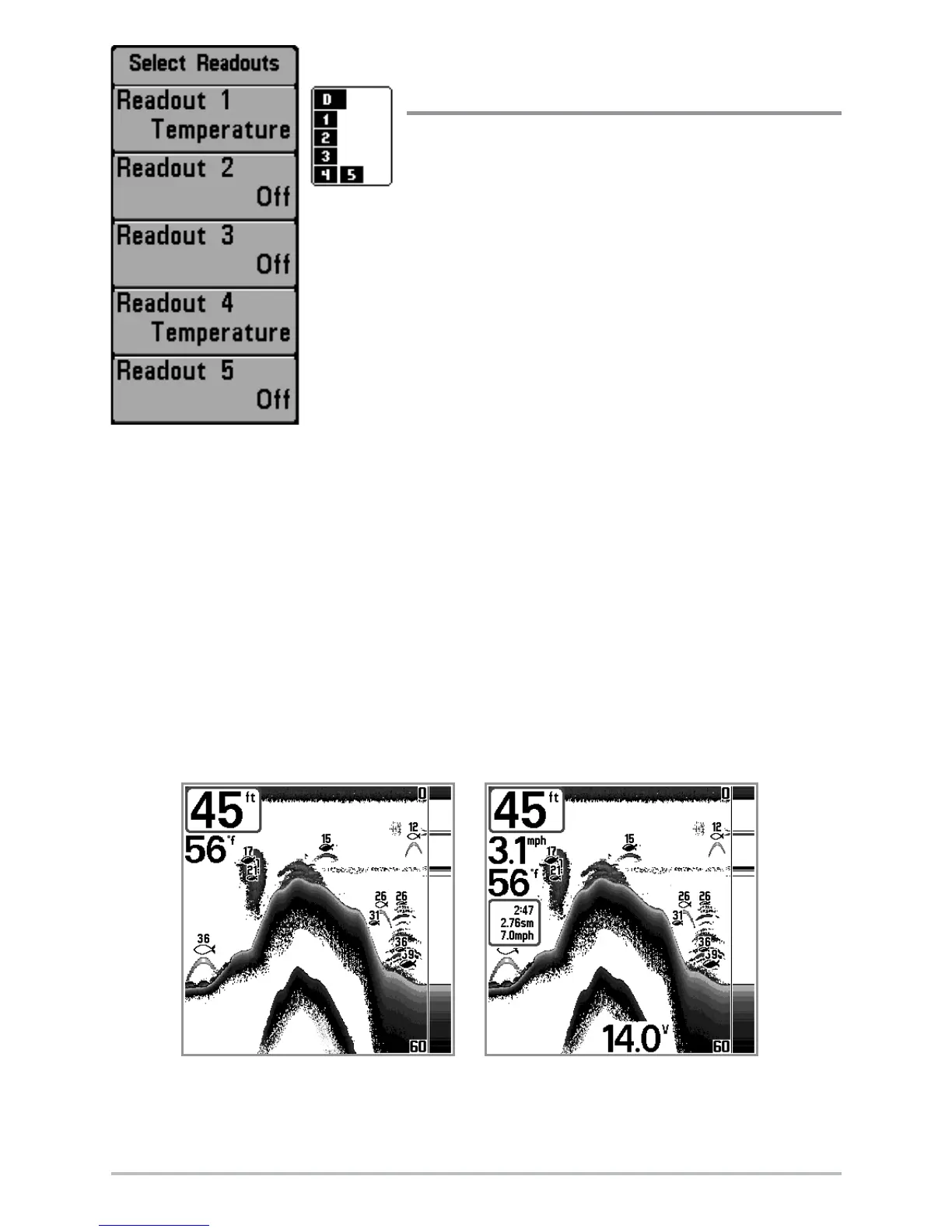
Select Readouts
(Advanced, Sonar view only)
Select Readouts sets individual digital readouts on
the Sonar View. This Advanced feature allows you
to select what data will be displayed in each of 5
fixed-position data windows arranged around the
left and bottom edges of the Sonar View screen, or
whether a particular window will be turned off,
displaying nothing in that area; you can access this
menu choice only when in Advanced User Mode
(see Setup Menu Tab: User Mode.)
Data windows can display readouts from supported
accessories such as Temp/Speed. Each data window can either be empty or contain one
of the following:
• Course • Temperature
• Navigation • Time + Date
• Position • Triplog
• Speed • Voltage.
Default Sonar View
Customized Sonar View
Select Readouts













 To Next Page