37
System Status
Use System Status to view system connections and to conduct a unit self-test.
After you select System Status from the Start-Up Options Menu, press the
VIEW key to display the following options:
• Self Test
• Accessory Test
Exit System Status by powering your Fishing System off.
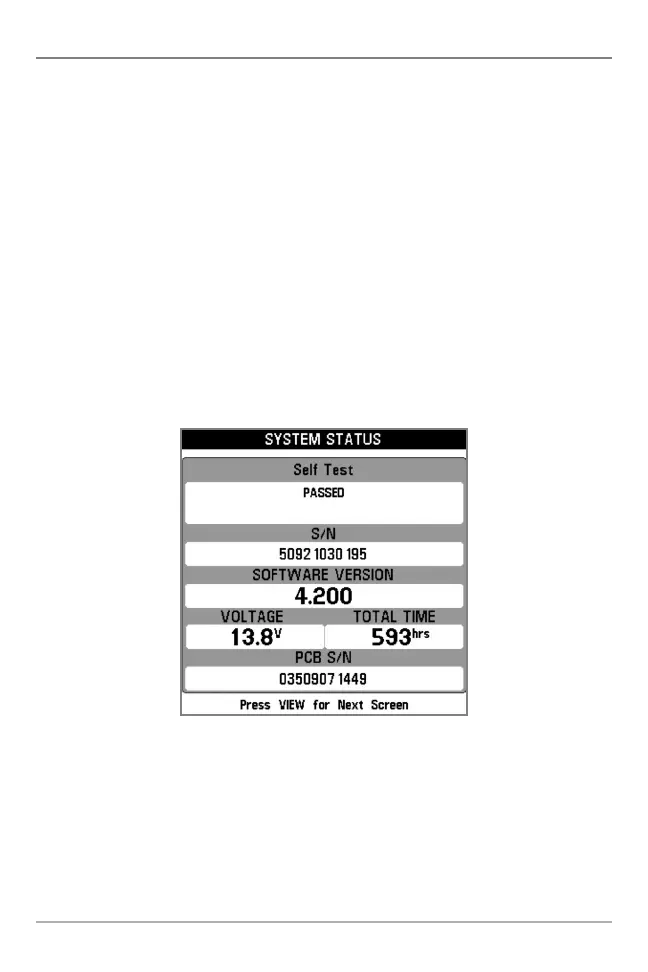
Self Test displays results from the internal diagnostic self test, including unit
serial number, Printed Circuit Board (PCB) serial number, software revision,
total hours of operation, and the input voltage.
Self Test Screen
Start-Up Options Menu







 To Next Page