3
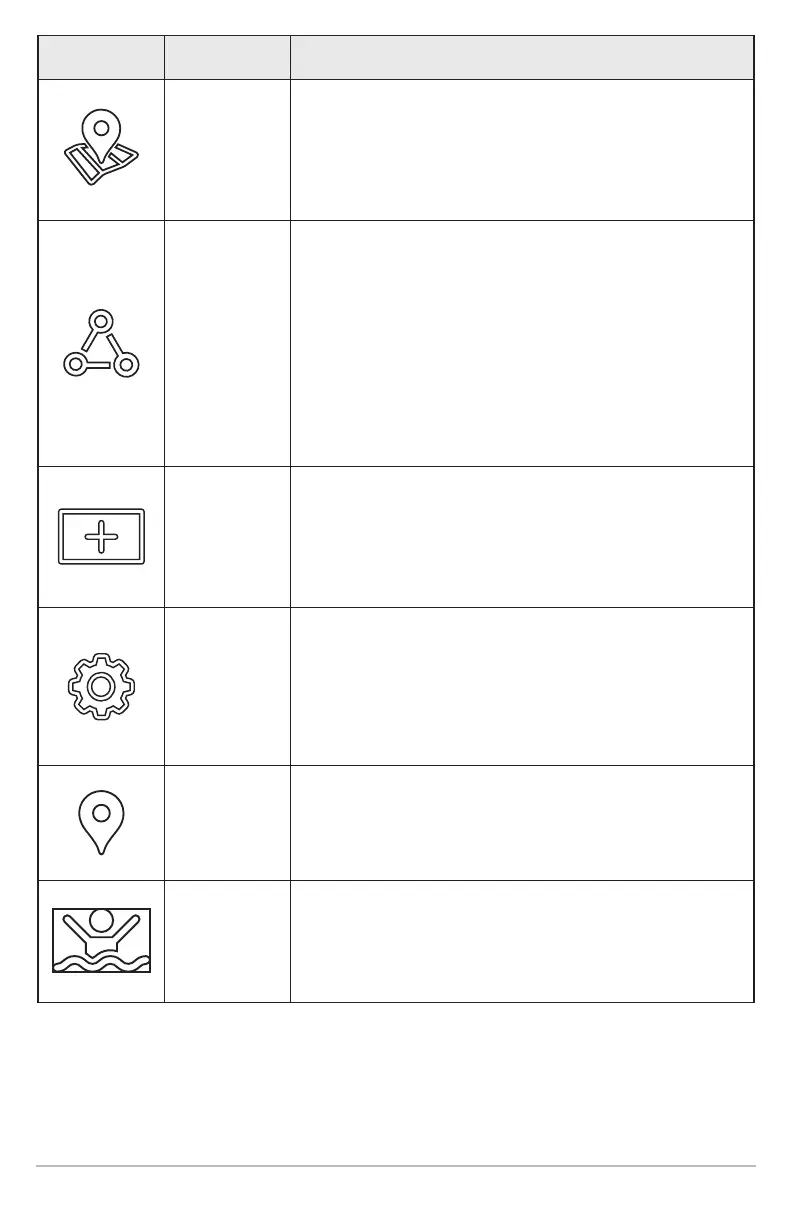
Icon Name Function
My Data
Select My Data to manage your saved waypoints,
spot-locks, routes, tracks, and itracks. You can
create new navigation data from this screen or
edit your saved navigation data.
One-Boat
Network
Select One-Boat Network to pair your fish finder
to the One-Boat App on your phone. You can also
pair your wireless remote, trolling motor, shallow
water anchor and downrigger (separate purchase
required) to the fish finder. See your installation
guide for details.
Required Equipment: mobile phone (with
Bluetooth)
New View
Select New View to create a new view from a
blank template. You can change the type of data
displayed in a view and how many panes are
displayed.
Settings
Select Settings to change general system
settings such as the units of measurement and
the time and date format. You can also use this
menu to view system, network, and NMEA 2000
information.
Mark Select Mark to add a waypoint.
MOB
Select the MOB icon to start Man Overboard
functions.











 To Next Page