4
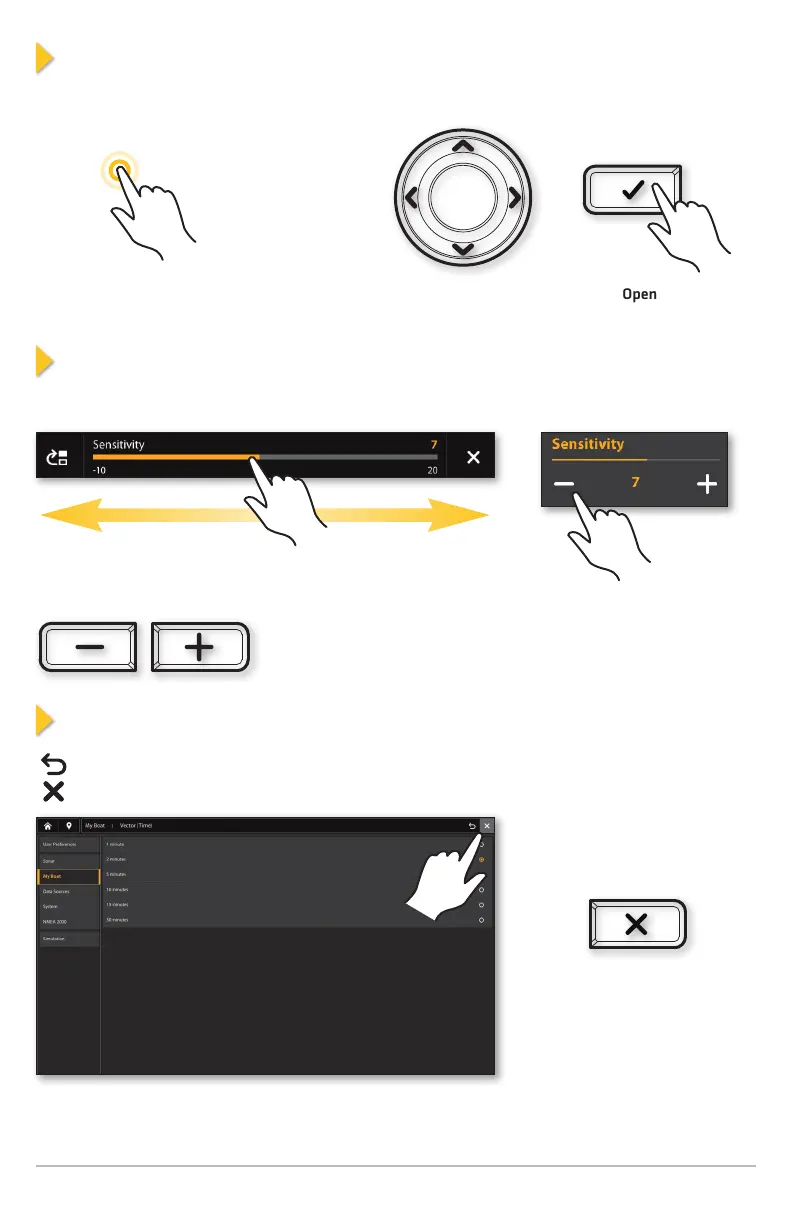
Select a Tool, Widget, View, or Main Menu
Use the touch screen, CURSOR pad, or the ENTER key to make selections.
Tap to Select
Select
Open
OR
Adjust a Menu Setting
Drag the slider. Tap the +/- buttons.
Press the +/- ZOOM keys.
Close a Menu
Press the EXIT key to close
a menu or go back one level.
Press and hold the EXIT
key to close all menus and
return to the last view.
Tap the Back icon to go back one level.
Tap the X icon to close a menu.











 To Next Page