8
Edit the Favorite Views
Favorite Views can be added (total number of Favorite Views is dependent on the fish
finder model) or changed at any time.
Add a New Favorite View
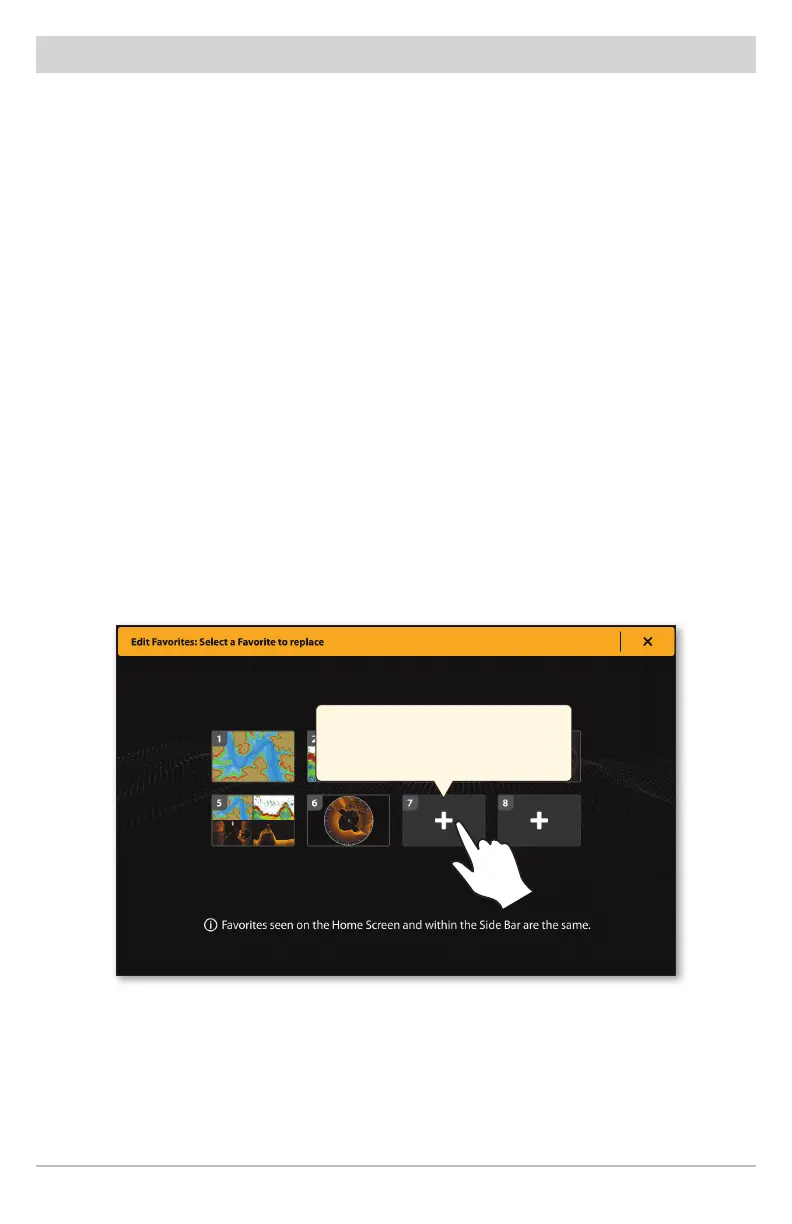
1. From the Favorite Views Home screen or Side Bar, tap an open view box.
2. Tap a View Group.
3. Tap a View to display.
The Home screen and Side Bar will both be updated.
Edit a Favorite View
1. From the Favorite Views Home screen, tap Edit.
2. Select a View to replace.
3. Tap a View Group.
4. Tap a new View to display.
The Home screen and Side Bar will both be updated.
Add a new Favorite in an open box,
or tap an existing Favorite to edit it.











 To Next Page