10
INSTALLATION
Mount Wallplate and Thermostat
■
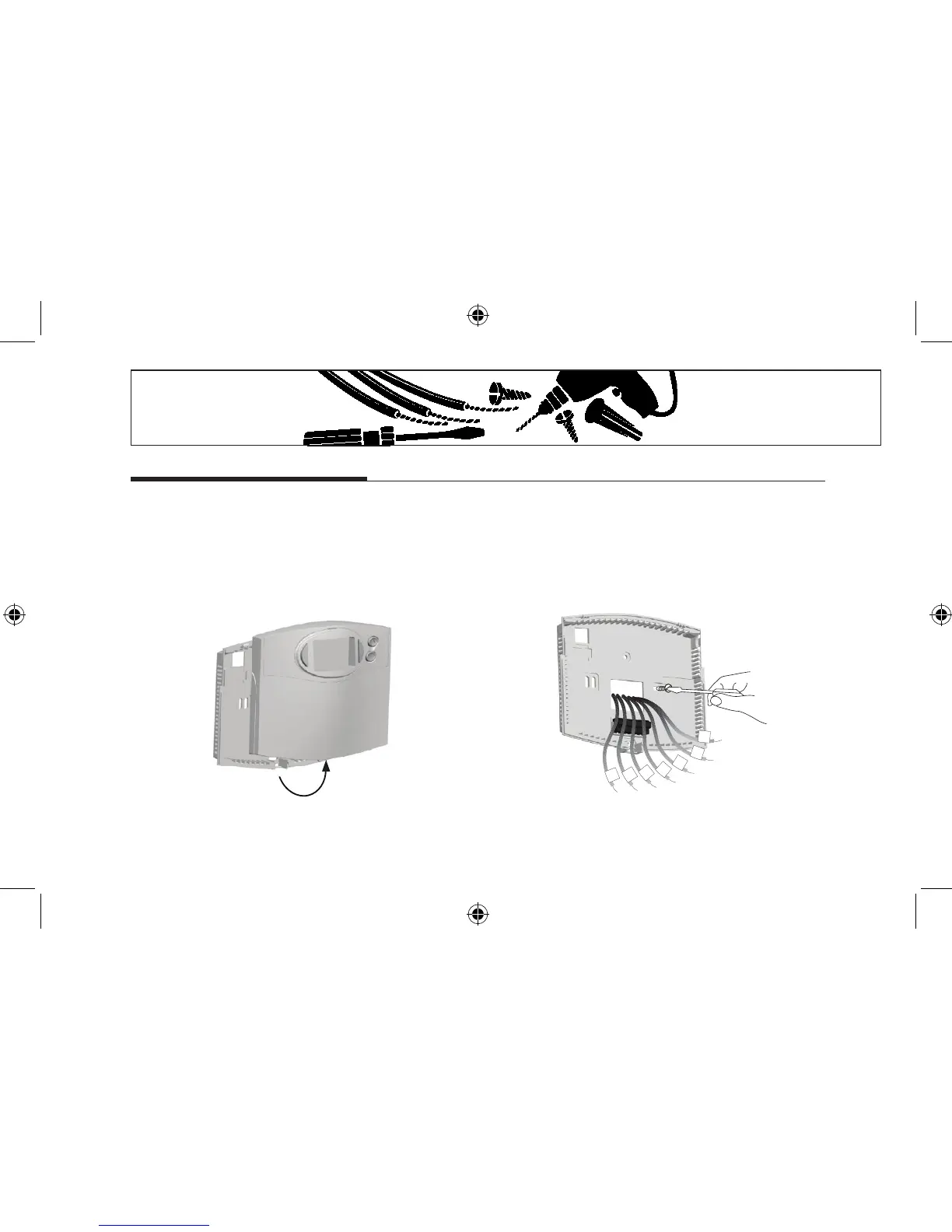
Remove the wallplate from your thermostat by
pressing the release tab on the bottom of the
thermostat. (See Figure 2.)
■
Position wallplate on wall and pull existing wires
through large opening. Then level for appearance.
Mark holes for plastic anchors provided if your
existing holes do not line up with those on the Hunter
wallplate.
■
Drill holes with 3/16" bit and gently tap anchors into
the opening. Insert mounting screws provided into
wall anchor and tighten. (See Figure 3.) holes until
ush with wall.
■
Reposition wallplate to wall, pulling wires through
large opening. Insert provided mounting screws into
wall anchors and tighten.



 To Next Page