14
Front Panel Controls and System Displays
6. Front Panel Controls and
System Displays
ON/OFF/STANDBY
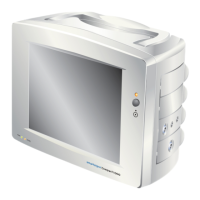
The system ON/OFF button is located on the right hand side of the
unit. Pressing the button once switches the system ON.
Interchangeable
Application
Modules
NOTE
The colour coded waveforms are determined by the options fitted to
the system.
The ECG waveforms are colour coded green and are always
displayed at the top of the screen (position 1 & 2).
3 Lead display
If the 3 lead option is fitted, the user can select lead I, II or III to be
displayed in waveform position 1. The same
cascaded
waveform
can be displayed in position number 2.
5 Lead display
If the 5 lead option is fitted, the user can select lead I, II, III, AVR,
AVL, AVF and V.
If the system is fitted with the impedance respiration option, the
RESP waveform is displayed below the
ECG waveform
and colour
coded
yellow
. The RR and alarm settings are displayed along side
the RESP waveform.
The Pleth waveform is colour coded
cyan
and displayed in position
number 3. The PLETH bar, saturation level (%) and alarm status is
displayed along side the waveform.


 To Next Page
 Loading...