EasyManua.ls Logo

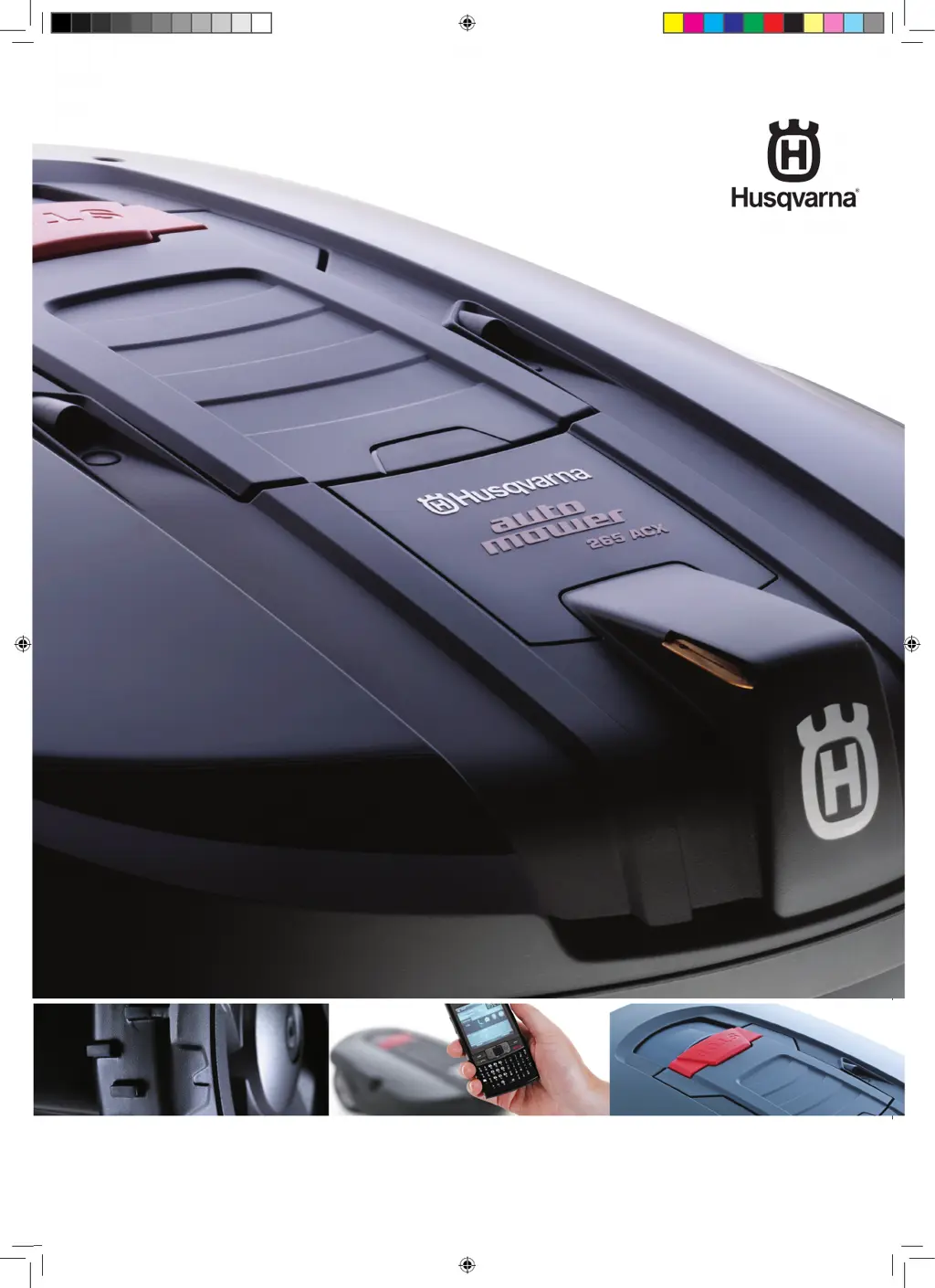
Husqvarna 265 ACX - User Manual

Husqvarna 265 ACX
84 pages
Print Icon
To Next Page IconTo Next Page
Loading...
husqvarna auTOMOWE r
®
265 aCX
OpE r aTOrs Manual
Omslag.indd 2 2014-10-17 08.14

Questions and Answers

  • C
    Carrie MelendezSep 10, 2025
    What to do if my Husqvarna 265 ACX is stuck in the charging station?
    • N
      Nicholas HarrisSep 10, 2025
      If your Husqvarna Lawn and Garden Equipment is stuck in the charging station, it is probably because an object is preventing it from reversing out. Remove the object.
  • A
    apollardAug 25, 2025
    How to fix a Husqvarna 265 ACX when it is trapped?
    • J
      jwilliamsAug 26, 2025
      If your Husqvarna Lawn and Garden Equipment is trapped, free it and determine why it got stuck in the first place. Rectify the reason to prevent it from happening again.
  • D
    Dr. Jeffrey GarciaAug 27, 2025
    Why is my Husqvarna Lawn and Garden Equipment vibrating?
    • S
      Stephanie LaneAug 27, 2025
      If your Husqvarna Lawn and Garden Equipment is vibrating, it could be due to damaged knives causing imbalance in the cutting system. Inspect the blades and screws, and replace them if necessary. Another cause could be having multiple knives in the same position, leading to imbalance. Ensure that only one knife is fitted at each screw.
  • K
    Kelly BautistaAug 27, 2025
    What to do if Husqvarna Lawn and Garden Equipment shows 'PIN code expired'?
    • D
      davisstephanieAug 27, 2025
      If your Husqvarna Lawn and Garden Equipment displays 'PIN code expired', it is likely due to the Time lock function being activated, or the anti-theft protection in the GPS module has been activated because the mower is outside the anti-theft area. Enter the correct PIN code. If the message is displayed in the intended working area, the anti-theft area radius needs to be increased.
  • C
    Christina WagnerAug 29, 2025
    What to do if Husqvarna Lawn and Garden Equipment displays 'Wrong PIN code'?
    • J
      Jenna NorrisAug 29, 2025
      If your Husqvarna Lawn and Garden Equipment displays 'Wrong PIN code', enter the correct PIN code. Note that after three incorrect attempts, the keypad will be blocked for five minutes.
  • A
    Ashley DanielNov 20, 2025
    Why does my Husqvarna 265 ACX Lawn and Garden Equipment say 'No loop signal'?
    • B
      Brandon MckayNov 21, 2025
      The 'No loop signal' error on your Husqvarna Lawn and Garden Equipment can occur for several reasons: * The transformer may not be properly connected or the circuit-breaker has tripped. Check the wall socket and reset the breaker by disconnecting and reconnecting the power cord. * The boundary wire might not be connected to the charging station. Inspect the LED signal on the charging station and ensure the boundary wire connectors are securely attached. * The boundary wire could be broken. Check the LED signal and repair any breaks using the original coupler. * The connection between the Automower® and charging station may be lost. Place the mower in the station and reset the PIN code. * The boundary wire may be incorrectly routed around an island. Ensure it is routed correctly....
  • T
    Thomas RosarioSep 18, 2025
    Why does my Husqvarna Lawn and Garden Equipment have shorter mowing and charging times?
    • S
      Scott DawsonSep 18, 2025
      If both the mowing and charging times are shorter than usual for your Husqvarna Lawn and Garden Equipment, the battery is likely spent. Contact your dealer to replace the battery.
  • V
    Victor JenningsSep 22, 2025
    Why Automower® runs, but the blade disc does not rotate?
    • M
      Mrs. Lori Stokes DDSSep 22, 2025
      The blade disc does not rotate when the mower is searching for the charging station.
  • J
    jordanstephenSep 8, 2025
    How to fix Husqvarna 265 ACX Lawn and Garden Equipment when it is upside down?
    • S
      smithjonathanSep 8, 2025
      If your Husqvarna Lawn and Garden Equipment is upside down, turn the mower the right way up. This usually happens when the mower leans too much or has turned over.
  • J
    Jennifer RuizSep 5, 2025
    What to do if my Husqvarna 265 ACX starts mowing at the wrong time?
    • N
      Nicole MorenoSep 6, 2025
      If your Husqvarna Lawn and Garden Equipment starts mowing at the wrong time, the clock on the device may need to be set. If not, adjust the start and stop time settings for mowing.

Summary

Husqvarna Automower 265 ACX Operators Manual

Introduction and Safety

Introduction

Overview of the manual's purpose, structure, and important information for users.

Symbols on Automower

Explanation of symbols found on the lawn mower and their significance.

Symbols in the Operators Manual

Explanation of symbols used within the operator's manual for enhanced clarity.

Safety Instructions

Detailed safety precautions for operating, maintenance, and general use of the mower.

Presentation

Automower, Whats What?

Identification and description of the main components of the Automower®.

Function of Automower

Explanation of the mower's capacity, mowing technique, and operational principles.

Search Method

Details on the three different methods Automower® uses to find its charging station.

GPS Communication Unit

Overview of the GPS communication unit's SMS and anti-theft features.

Installation

Preparations

Steps to take before beginning the installation process, including checking parts.

Installation of the Charging Station

Guidance on selecting the optimal location and installing the charging station.

Charging the Battery

Instructions for charging the Automower® battery before initial use or after extended periods.

Installation of the Boundary Wire

Methods and best practices for installing the boundary wire around the working area.

Connecting the Boundary Wire

Step-by-step guide for connecting the boundary wire to the charging station.

Checking the Installation

How to verify the loop signal and check the LED indication on the charging station.

Linking Automower to the Charging Station

Procedure for pairing the mower with the charging station and initial setup.

Installation of the Guide Wire

Instructions for installing guide wires to improve navigation and search in complex gardens.

Activate the GPS Anti-Theft Protection Area

Steps to set up the GPS anti-theft protection area and its functionality.

Use

Charging a Discharged Battery

Procedure for charging the mower's battery from a depleted state.

Using the Timer

How to optimize mowing schedules using the timer function for better lawn health.

Using GPS-Communication

Guide to using GPS communication for SMS features and anti-theft protection.

Starting Automower

Instructions for powering on the mower, entering the PIN, and starting operation.

Stopping Automower

How to safely stop the mower using the STOP button.

Restart

Procedures for restarting the mower after it has been stopped.

Switching Off Automower

How to switch off the mower using the main switch for maintenance or transport.

Adjusting the Cutting Height

Guide to adjusting the mower's cutting height for optimal grass length.

Control Panel

Shortcuts

Overview of shortcut functions available on the control panel.

Select

Explanation of selection buttons like Cancel, YES, and arrow keys.

Numbers

How to use the numerical keypad for settings and shortcuts.

Main Switch

Information on the main switch for starting and stopping the mower.

Menu Functions

Main Menu

Overview of the main menu structure and its four primary options.

Automower Main Menu, Menu Overview

Visual overview of the Automower's main menu hierarchy and available functions.

Commands

Accessing commands like Charge then AUTO, Show latest faults, and Make factory settings.

Timer

Managing mowing times with functions for timer override, day timer, and week timer.

Installation

Settings related to mower movement, including exit angles, follow loop, and installation shape.

Settings

Configuration options for Security, Language, and Time/Date settings.

Garden Example

Garden Layout and Setting Proposals

Examples of garden layouts and recommended installation/setting configurations.

Installation Examples for Various Garden Types

Specific settings for different garden shapes like L-shaped, slopes, and passages.

Maintenance

Battery

Information on the battery's lifespan, maintenance, and replacement.

Winter Storage

Instructions for preparing and storing the Automower® and charging station for winter.

Service

Recommendations for professional servicing of the Automower® before winter storage.

After Winter Storage

Tasks to perform after the mower has been stored for winter.

Cleaning

Guidance on how to clean the mower, including warnings about water and solvents.

Replacing the Blades

Step-by-step guide for safely replacing the mower's blades.

In the Event of a Thunderstorm

Safety precautions and actions to take during thunderstorms to protect the mower.

Transport and Moving

Instructions for safely transporting and moving the Automower®.

Trouble Shooting

Fault Messages

List of common fault messages, their causes, and recommended actions.

Fault Symptom

Guide to diagnosing and resolving common operational symptoms and issues.

Technical Data

Automower 265 ACX Specifications

Detailed technical specifications for the Husqvarna Automower® 265 ACX.

GPS Communication Unit Specifications

Technical details for the GPS communication unit, including ports and compatibility.

Guarantee Terms

Guarantee Terms

Overview of the product's warranty coverage, conditions, and exclusions.

Environmental Information

Removing the Battery for Recycling

Instructions for safely removing the battery for proper disposal and recycling.

EU Declaration of Conformity

EU Declaration of Conformity

Formal declaration of the product's compliance with relevant European directives and standards.

Husqvarna 265 ACX Specifications

General IconGeneral
Typical mowing time on one charge70 minutes
Active Time ControlYes
Battery typeLi-ion
Cutting system3 pivoting razor blades
Cutting width8.7 inches
AlarmYes
PIN codeYes
Lift sensorYes
Tilt sensorYes
GPS theft trackingYes
Warranty2 years
Cutting Height Adjustment0.8-2.4 inches

Related product manuals