EasyManua.ls Logo

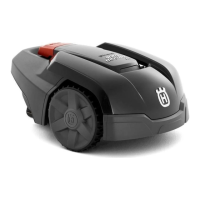
Husqvarna 305 - User Manual

Husqvarna 305
80 pages
Print Icon
To Next Page IconTo Next Page
Loading...
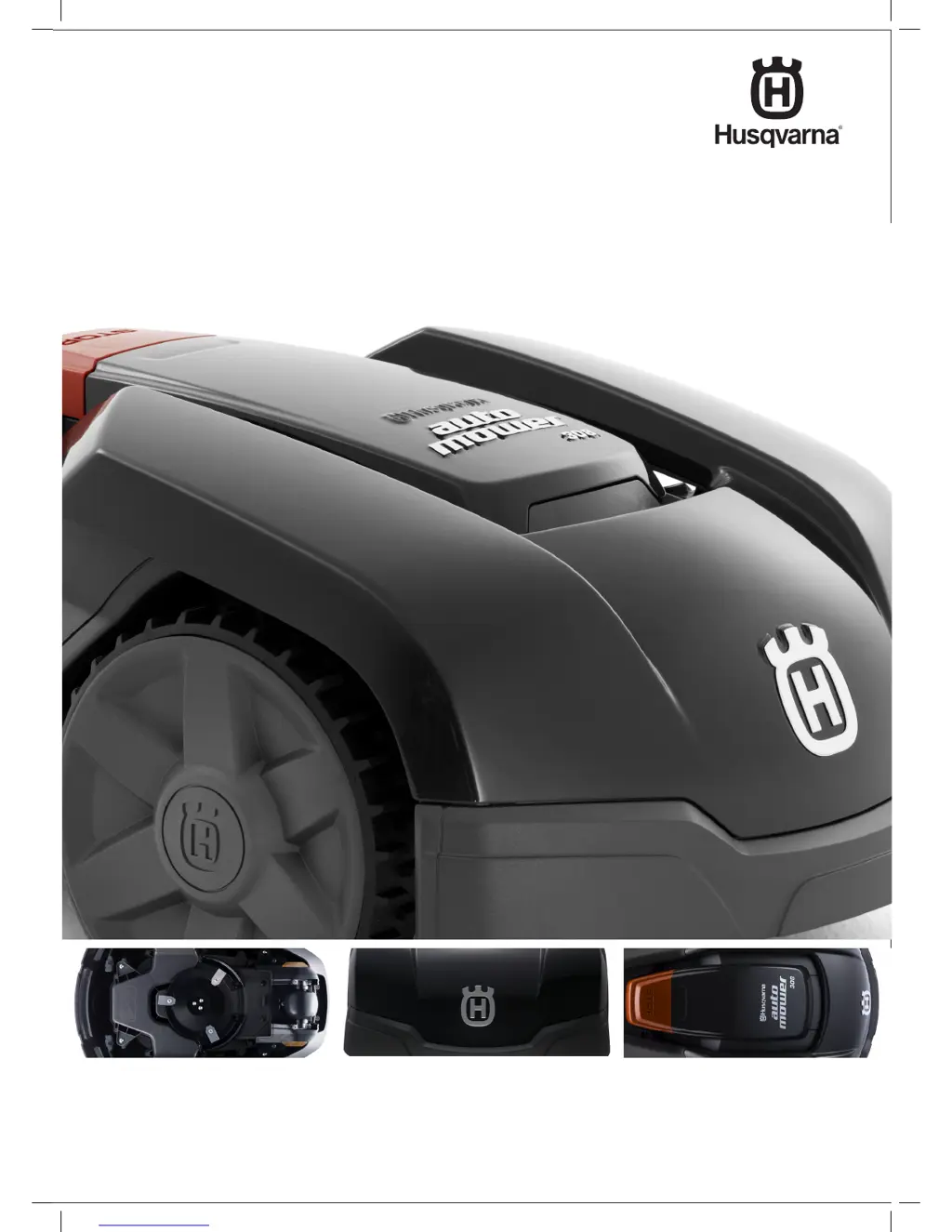
husqvarna auTOMOWE r
®
305/308
OpEr aTOrs Manual

Other manuals for Husqvarna 305

Questions and Answers

  • D
    David HallSep 19, 2025
    What does a solid blue light mean on my Husqvarna 305 Lawn and Garden Equipment?
    • C
      cantujustinSep 19, 2025
      A solid blue light indicates a weak signal because the boundary wire is too long. No steps have to be taken if the mower operates as expected. You can also shorten the boundary wire by reducing the working area or replacing islands with barriers the mower can collide with.
  • E
    Erika GonzalezAug 25, 2025
    How to fix uneven mowing results with Husqvarna 305?
    • M
      Mary JohnsonAug 26, 2025
      To address uneven mowing results with your Husqvarna Lawn and Garden Equipment, consider the following: * Increase the mowing time if the robotic lawnmower works too few hours per day. * Verify that the correct Proportion value is selected. * Use both Remote start 1 and Remote start 2 to guide the robotic lawnmower to all remote areas if the shape of the working area requires it. * Limit the working area or extend the working time if the working area is too large. * Replace all the blades and screws if the blades are dull. * Increase the cutting height and then successively lower if the grass is long in relation to the set cutting height. * Check that the blade disc rotates freely and easily. If not, screw off the blade disc and remove grass and foreign objects.
  • A
    andreasimonAug 26, 2025
    What to do if my Husqvarna Lawn and Garden Equipment shows low battery?
    • A
      adam28Aug 27, 2025
      If your Husqvarna Lawn and Garden Equipment is indicating a low battery, it could be due to several reasons. First, ensure that the charging station and the guide wire are installed according to the instructions. Check if the indicator lamp in the charging station flashes yellow. If so, see the solution in section 9.2 Indicator lamp in the charging station on page 69. If the battery is spent, replace it. Finally, check if the indicator lamp in the charging station flashes red. If so, see the solution in section 9.2 Indicator lamp in the charging station on page 69. The charging station's antenna may be defective.
  • M
    Maria JohnsonAug 27, 2025
    What to do if the cutting system is blocked on my Husqvarna 305?
    • C
      christina26Aug 27, 2025
      If the cutting system on your Husqvarna Lawn and Garden Equipment is blocked, it may be because grass or another object has wrapped around the blade disc. Check the blade disc and remove any obstructions. Another cause could be that the blade disc lies in a pool of water. Move the mower and, if possible, prevent the collection of water in the working area.
  • K
    Kevin RodriguezSep 23, 2025
    Why are the mowing and charging times shorter than usual on my Husqvarna Lawn and Garden Equipment?
    • M
      Melanie FowlerSep 23, 2025
      If both the mowing and charging times are shorter than usual on your Husqvarna Lawn and Garden Equipment, the battery is spent. Replace the battery.
  • T
    Thomas JonesNov 22, 2025
    What to do if my Husqvarna 305 shows 'No loop signal'?
    • G
      Gloria RogersNov 22, 2025
      If your Husqvarna Lawn and Garden Equipment displays a 'No loop signal' message, there might be several reasons. First, check that the transformer is properly connected to the wall socket and that no earth-fault breaker has tripped, and ensure the low voltage cable is connected to the charging station. Also, confirm that the boundary wire connector is correctly attached to the charging station. If the boundary wire is broken, it must be located and replaced with a new loop wire, spliced using an original coupler. Ensure the boundary wire is laid according to the installation instructions. If disturbances from metal objects or buried cables are suspected, try moving the boundary wire. Finally, the connection between the robotic lawnmower and the charging station may have been broken, so pla...
  • S
    Sarah MitchellSep 12, 2025
    What to do if I forgot PIN for Husqvarna 305?
    • M
      Michele DavisSep 12, 2025
      If you've entered the wrong PIN code on your Husqvarna Lawn and Garden Equipment, remember that five attempts are permitted before the keypad is blocked for five minutes. Enter the correct PIN code. If you forget the PIN code, contact the local dealer.
  • S
    shawnwillisSep 12, 2025
    Why does my Husqvarna 305 mow for shorter periods?
    • A
      amorrowSep 12, 2025
      If your Husqvarna Lawn and Garden Equipment is mowing for shorter periods than usual between charges, grass or another foreign object may be blocking the blade disc. Remove and clean the blade disc.
  • N
    nicole49Sep 4, 2025
    What to do if the left wheel motor is blocked on my Husqvarna 305 Lawn and Garden Equipment?
    • S
      Stephanie SpencerSep 4, 2025
      If the left wheel motor of your Husqvarna Lawn and Garden Equipment is blocked, it is likely due to grass or another object wrapped around the drive wheel. Check the drive wheel and remove the grass or other object.
  • A
    Anthony AndersonSep 2, 2025
    What does it mean if my Husqvarna 305 Lawn and Garden Equipment says 'Right wheel overloaded Left wheel overloaded'?
    • D
      Darryl HillSep 2, 2025
      If your Husqvarna Lawn and Garden Equipment displays 'Right wheel overloaded Left wheel overloaded', it means the mower has gotten caught on something. Free the mower and rectify the reason for the lack of drive. If it is due to wet grass, wait until the lawn has dried before using the mower.

Summary

1. Introduction and Safety

1.4 Safety Instructions

Provides essential safety instructions for operating and maintaining the robotic lawnmower.

2. Presentation

3. Installation

3.4 Boundary Wire Installation

Provides methods and considerations for installing the boundary wire around the work area.

3.8 First Start-up and Calibration

Guides through the initial setup, calibration, and PIN code configuration.

4. Use

5. Control Panel

6. Menu Functions

8. Maintenance

8.7 Blade Replacement

Instructions for replacing the blades, including safety warnings.

8.8 Battery Replacement

Information on battery life and steps for replacing the battery.

9. Troubleshooting

9.1 Error Messages

Lists common messages displayed by the mower and their causes/actions.

9.2 Indicator Lamp Status

Explains the meaning of indicator lamp lights and troubleshooting steps.

9.3 Common Symptoms

Lists common symptoms and their potential causes and solutions.

9.4 Finding Loop Wire Breaks

Detailed guide on how to locate and fix breaks in the boundary loop wire.

Husqvarna 305 Specifications

General IconGeneral
TypeRobotic lawn mower
Working area capacity600 m²
Charging time60 min
Battery typeLi-ion
Battery voltage18 V
Cutting width22 cm
Cutting height, min-max20-50 mm
Maximum slope25%
Sound level Measured58 dB(A)
Typical mowing time on one charge60 min

Related product manuals