EasyManua.ls Logo

Husqvarna PG 540 - User Manual

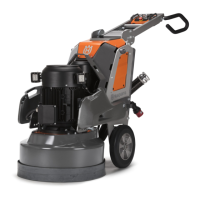
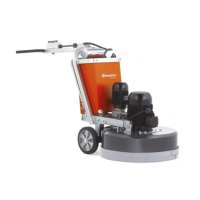
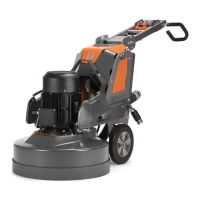
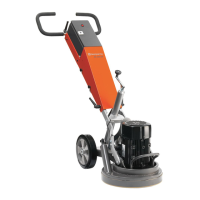
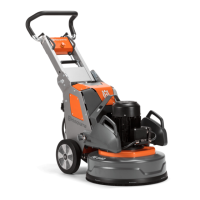
Husqvarna PG 540
108 pages
Print Icon
To Next Page IconTo Next Page
Loading...
PG 540
EN Operator's manual 2-26
FR Manuel d'utilisation 27-52
NL Gebruiksaanwijzing 53-77
DE Bedienungsanweisung 78-104

Questions and Answers

  • S
    Stephanie ValdezAug 5, 2025
    Why is my Husqvarna Scrubber not easy to hold?
    • T
      tranerinAug 5, 2025
      If your Husqvarna Scrubber is not easy to hold, it might be due to a few reasons. One reason is that there are too few diamond tools installed; increasing their number can reduce the load on both the product and you. Another potential cause is an issue with the grinding drive motor or its wiring; ensure the motor is properly connected, and if the problem persists, consult an approved service agent. A broken belt could also be the culprit; have it replaced by a service center, and check for damage by manually turning the grinding discs. If only one phase is coming into the product, check the power supply. Lastly, the surface or operation may be exceeding the product's capacity; adjust the motor speed and/or the forward speed of the product across the floor.
  • T
    Tina ThompsonAug 11, 2025
    How to fix a Husqvarna Scrubber that does not start?
    • Z
      Zachary MacdonaldAug 11, 2025
      If your Husqvarna Scrubber does not start, check if the extension cable is disconnected or damaged, and connect or replace it as necessary. Ensure the emergency stop button on the control panel is disengaged by turning it clockwise. Also, verify that the safety switch in the electrical circuit is closed to complete the circuit.
  • A
    Andrew SalinasAug 16, 2025
    Why does my Husqvarna Scrubber make an irregular scratch pattern?
    • P
      pdavisAug 17, 2025
      If your Husqvarna Scrubber makes an irregular scratch pattern, ensure all diamond tools are correctly installed and at the same height. Make sure all segments are the same diamond grit and bond; if rough, space them equally and operate on an abrasive surface until they wear evenly. Check that all head locks are in position and tightened. Verify that all resin tools are the same diamond grit and bond and free from contamination; clean them by operating briefly on a lightly abrasive surface. Inspect the grinding discs for broken sections or excessive movement.
  • M
    matthewsimmonsAug 23, 2025
    What causes sudden unwanted movements in my Husqvarna Scrubber?
    • S
      stacy91Aug 23, 2025
      If your Husqvarna Scrubber experiences sudden unwanted movements, examine the grinding discs for damaged parts or excessive movement. Also, make sure all diamond tools are correctly installed and at the same height. Ensure that all head locks are in position and tightened.
  • T
    Travis SmithAug 29, 2025
    What to do if the internal circuit breaker releases on my Husqvarna Scrubber?
    • C
      Christopher PenaAug 29, 2025
      If the internal circuit breaker releases on your Husqvarna Scrubber, check the power supply to ensure it is sufficient and not overloaded. You can also decrease the grinding pressure, increase the number of diamond tools, or increase the bond hardness.

Summary

Introduction

Product Description

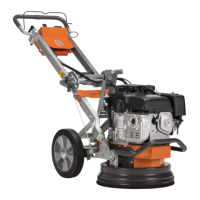
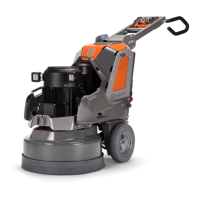
Details the product's function as a floor grinder for various surfaces.

Intended Use

Specifies the product's application in commercial operations by professional operators.

Product Overview Right Side

Product Overview Left Side

Product Symbols

Product Information & Safety

Control Panel Symbols

Identifies and explains symbols found on the product's control panel.

Rating Plate & Liability

Details rating plate information, product liability, and Husqvarna Fleet Services.

Safety Definitions & Warnings

Defines safety terms and presents critical warnings for safe operation.

Safety Instructions

General Safety Guidelines

Provides essential safety guidelines to follow before and during product use.

Operational Safety

Lists safety measures specific to operating the product safely.

Personal Protective Equipment

Specifies the required personal protective equipment for safe operation.

Environment & Electrical Safety

Electrical Safety

Covers critical safety procedures and warnings related to electrical connections and usage.

Work Area Safety

Details safety considerations for the work environment and preventing hazards.

Power, Safety Devices & E-Stop

Power Source & Grounding

Provides guidance on power source requirements, grounding, and extension cables.

Product Safety Devices

Describes the safety devices integrated into the product and their importance.

Emergency Stop Button

Explains the function and usage of the emergency stop button.

Maintenance Safety & Operation Basics

Maintenance Safety & E-Stop Check

Outlines procedures for checking the E-stop button and safety during maintenance.

Product Operation Basics

Covers initial steps for operating the product, including unpacking and pre-operation checks.

Diamond Tools

Tool Holders & Configurations

Discusses types of diamond tools, disc holder alternatives, and configurations.

Replacing Diamond Tools

Provides step-by-step instructions and safety warnings for replacing diamond tools.

Dust Extractor Connection

Handle Adjustment

Handle Positions and Adjustment

Explains different handle positions and how to adjust the handle and handlebar.

Power, Speed & Rotation

Power Connection and Speed

Covers connecting to power, setting operation speed, and disc rotation direction.

Product Operation Procedures

Motor Speed & Direction Control

Guides on changing motor speed and direction of grinding disc rotation.

Starting and Stopping Product

Details how to operate, start, and stop the product, including indicator lights.

Product Reset and Weights

Resetting the Product

Instructions for resetting the product when the inverter indicator is red.

Product Weights

Information on product weights and their two adjustment positions.

Weight Assembly;Disassembly

Step-by-step guide on how to assemble and disassemble product weights.

Maintenance Schedule

Pre-Maintenance Checks

Covers pre-maintenance checks and general maintenance introduction.

Maintenance Procedures

Cleaning and Inspection

Procedures for cleaning the product and performing general inspections.

Grinding Head System

Information on the grinding head drive system and its installation/removal.

Troubleshooting - Start Issues

Troubleshooting - Operation Issues

Transportation

Transport Position & Ramps

Instructions for setting transport position and safely moving the product on ramps.

Lifting, Securing, Storage & Disposal

Lifting and Securing

Procedures for lifting the product safely and attaching it to a transportation vehicle.

Storage and Disposal

Guidelines for storing the product and proper disposal methods.

Technical Data

Sound, Vibration & Dimensions

Sound and Vibration Levels

Reports on noise emissions and vibration levels during operation.

Product Dimensions

Provides physical dimensions of the product in various configurations.

EC Declaration of Conformity

Husqvarna PG 540 Specifications

General IconGeneral
BrandHusqvarna
ModelPG 540
CategoryFloor Machine
LanguageEnglish

Related product manuals