EasyManua.ls Logo

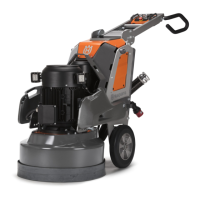
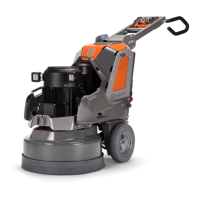
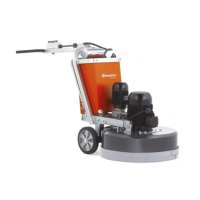
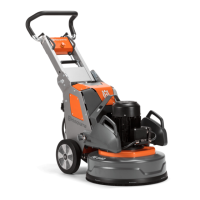
Husqvarna PG 690 RC - User Manual

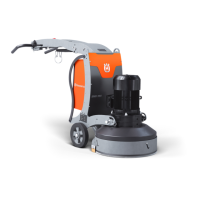
Husqvarna PG 690 RC
160 pages
Print Icon
To Next Page IconTo Next Page
Loading...
PG 690, PG 690 RC, PG 830, PG 830 RC
EN Operator's manual 2-52
ES-MX Manual del usuario 53-105
FR-CA Manuel d’utilisation 106-158

Questions and Answers

  • J
    Jessica LowerySep 23, 2025
    How to establish a Bluetooth connection on a Husqvarna PG 690 RC Floor Machine?
    • L
      Luke VanceSep 23, 2025
      To establish a Bluetooth® Low Energy (BLE) connection to your Husqvarna Floor Machine, first, ensure the product is connected to a power source. Then, verify that the battery pack switch for the BLE module is in the ON position. If issues persist, consult an approved service agent for assistance with a drained battery or damaged antenna/connection.
  • J
    John CardenasAug 23, 2025
    How to troubleshoot a Husqvarna PG 690 RC that does not start?
    • C
      Christine SilvaAug 23, 2025
      If your Husqvarna Floor Machine isn't starting, first, ensure the extension cable is properly connected and undamaged; replace it if necessary. Next, check the emergency stop button on the control panel and/or the remote control; turn it clockwise to disengage. Also, verify that the safety switch in the electrical enclosure is closed to complete the circuit.
  • J
    Justin TorresAug 25, 2025
    Why is my Husqvarna PG 690 RC Floor Machine difficult to hold onto?
    • D
      Dr. Shelley GreenAug 26, 2025
      If your Husqvarna Floor Machine is hard to hold, it could be due to several reasons. You may need to increase the number of diamond tools installed to decrease the load on the product and the operator. Also, the surface or operation might be using too much of the product's capacity; try adjusting the speed of the motors and/or the forward speed of the product across the floor. Another possible reason is that only one phase comes into the product, so you should check the power supply.
  • E
    Erik ShieldsAug 26, 2025
    How to fix an irregular scratch pattern from my Husqvarna PG 690 RC Floor Machine?
    • C
      Carolyn AriasAug 26, 2025
      An irregular scratch pattern from your Husqvarna Floor Machine can be caused by several factors. First, check that all diamond tools are correctly attached and have the same height. Ensure that all segments are the same diamond grit and bond. If the diamond segments are rough, space out the rough diamond segments equally and operate the product on an abrasive surface until all segments have the same height. Also, make sure that all head locks are in position and tightened. Verify that all resins are the same diamond grit and bond and that there is no contamination; to clean the resin tools, operate them for a short time on a lightly abrasive surface. Examine the grinding discs for broken sections or too much movement.
  • Z
    zacharycarpenterAug 27, 2025
    What to do if my Husqvarna PG 690 RC has sudden unwanted movements?
    • J
      Jackie ArnoldAug 27, 2025
      Sudden unwanted movements in your Husqvarna Floor Machine can stem from a few issues. Check the grinding discs for damaged parts and excessive movement. Also, ensure that all diamond tools are correctly attached and at the same height. Finally, verify that all head locks are in position and tightened.
  • J
    Jeffrey PerrySep 18, 2025
    What to do if the display on my Husqvarna Floor Machine goes to the main menu during operation?
    • R
      rlandrySep 18, 2025
      If the display on your Husqvarna Floor Machine goes to one of the main menus during operation, try changing the radio channel to avoid interference in radio communication between the remote control and the product.
  • K
    kathrynyorkSep 15, 2025
    What to do if my Husqvarna PG 690 RC Floor Machine makes an irregular scratch pattern?
    • L
      lisa49Sep 15, 2025
      If your Husqvarna Floor Machine is making an irregular scratch pattern, check that all diamond tools are correctly installed and at the same height. Make sure all segments are the same diamond grit and bond. If segments are rough, space them out equally and operate the machine on an abrasive surface until they are the same height. Also, ensure all head locks are in position and tightened. Verify that all resin tools are the same diamond grit and bond, free from contamination; clean them by operating briefly on a lightly abrasive surface. Finally, examine the grinding discs for broken sections or excessive movement.
  • S
    Sabrina LewisSep 16, 2025
    Why does my Husqvarna Floor Machine have sudden unwanted movements?
    • E
      Elizabeth JamesSep 16, 2025
      If your Husqvarna Floor Machine experiences sudden, unwanted movements, inspect the grinding discs for damage or excessive movement. Ensure all diamond tools are correctly attached and at the same height. Also, verify that all head locks are in position and tightened.
  • T
    tyoungSep 6, 2025
    What to do if Husqvarna Floor Machine makes an irregular scratch pattern?
    • T
      Thomas PerezSep 6, 2025
      If the Husqvarna Floor Machine is producing an irregular scratch pattern, it might be because the diamond tools are incorrectly attached or are at different heights; ensure they are correctly installed and at the same height. Also, check that all diamond segments are of the same grit and bond. If some diamond segments are rough, space them out equally and operate the machine on an abrasive surface until they wear down to the same height. Make sure all head locks are present and tightened. Verify that all resin tools are of the same grit and bond and free from contamination; clean them by operating on a lightly abrasive surface. Finally, inspect the grinding discs for wear or damage.
  • K
    keith27Sep 3, 2025
    Why is my Husqvarna PG 690 RC not easy to hold?
    • W
      walkermichaelSep 3, 2025
      If the Husqvarna Floor Machine is difficult to hold, it might be due to several reasons. You may need to increase the number of diamond tools to decrease the load on the product and operator. Check if the large grinding drive motor is properly connected; if issues persist, contact an approved service agent. A broken belt could also be the cause, in which case a service center should replace it. Inspect the power supply to ensure all phases are connected. Also, try adjusting the speed of the motors and/or the forward speed of the product across the floor.

Summary

Introduction

Owner Responsibility

Outlines the user's responsibility for safe operation and understanding the manual.

Product Description and Intended Use

Describes the product, its applications, and limitations for professional use.

Product Overview Right Side

Control Panel Overview

Remote Control Overview

General Safety Instructions

Operation Safety and PPE

Electrical Safety

Battery Safety

Operation Preparation and Procedures

Diamond Tools and Replacement

Connecting a Dust Extractor

Connecting to Power and USB Charging

Speed and Direction Control

Remote Control Operation and Menus

Calibration Procedures

Maintenance Procedures and Schedule

Troubleshooting Common Issues

Error and Warning Messages

Transportation, Storage, and Disposal

Technical Specifications

Husqvarna PG 690 RC Specifications

General IconGeneral
BrandHusqvarna
ModelPG 690 RC
CategoryFloor Machine
LanguageEnglish

Related product manuals