EasyManua.ls Logo

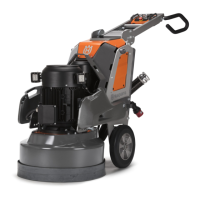
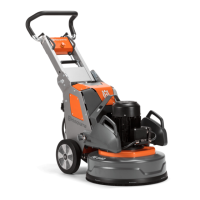
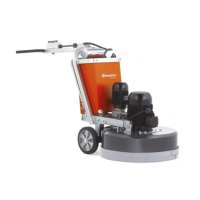
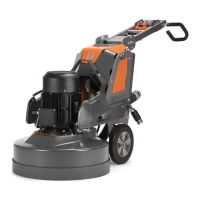
Husqvarna PG280 - User Manual

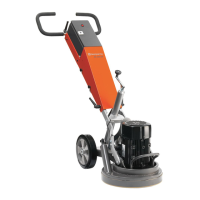
Husqvarna PG280
43 pages
Print Icon
To Next Page IconTo Next Page
Loading...
GG
GG
BB
BB
FF
FF
RR
RR
DD
DD
EE
EE
NN
NN
LL
LL
PG280
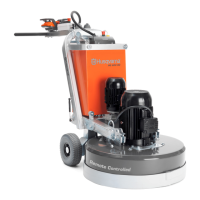
PG400
Oper
ator
s manual Manuel d’utilisation
Bedienungsanweisung Gebruiksaanwijzing
Please r
ead the operator’s manual carefully and make sure you understand the instructions before using the machine.
Lire attentivement et bien assimiler le manuel d’utilisation avant d’utiliser la machine.
Lesen Sie die Bedienungsanweisung sorgfältig durch und machen. Sie sich mit dem Inhalt vertraut, bevor Sie das Gerät benutzen
.
Neem de gebruiksaanwijzing grondig door en gebruik de machine niet voor u alles duidelijk heeft begrepen.

Table of Contents

Questions and Answers

  • R
    Ruth PorterAug 1, 2025
    How to troubleshoot if Husqvarna PG280 does not start?
    • A
      Alexis MunozAug 1, 2025
      If your Husqvarna Floor Machine doesn't start, first check the power supply and power cables for any damage. Also, ensure the emergency stop button is not pressed; turn it clockwise to release it. Finally, if the overload lamp is illuminated, allow the motor to cool down for a few minutes until the machine resets automatically.
  • J
    julierossAug 7, 2025
    What to do if Husqvarna PG280 stops after a while?
    • M
      Mr. Keith ChangAug 7, 2025
      If your Husqvarna Floor Machine stops after a short time, it may be overloaded and the overload protection activated. Reduce the load, and the machine will restart in about a minute after the engine cools down.
  • J
    janet69Aug 13, 2025
    What to do if Husqvarna PG280 stops during start-up?
    • R
      Regina WhitakerAug 13, 2025
      If your Husqvarna Floor Machine stops during start-up, the electric motor might have overloaded, indicated by the overload lamp being on. Allow one or two minutes for the machine to reset before trying again. Also, check that the power cord and any extension cords are intact and in good condition. Never use the machine if the cord is damaged; take it to an authorized service workshop for repair.
  • D
    Dylan GoodmanAug 18, 2025
    Why is my Husqvarna PG280 hard to hold onto?
    • D
      Daniel CainAug 19, 2025
      If your Husqvarna Floor Machine is hard to hold onto, it may be due to too few diamonds or the wrong type of tool. Use the number of diamonds recommended by Husqvarna to lessen the stress on both the grinder and yourself.
  • A
    Amber WalkerAug 26, 2025
    Why is my Husqvarna Floor Machine jumping around?
    • L
      leesethAug 26, 2025
      If your Husqvarna Floor Machine is jumping around, the diamonds may not be fitted correctly or may have different heights. Check to ensure all diamonds are correctly fitted and are of the same height.

Summary

KEY TO SYMBOLS

Symbols on the machine

Visual indicators used on the machine to convey information and warnings.

Explanation of warning levels

Defines the severity and meaning of different warning symbols used in the manual.

PRESENTATION

Product overview and features

Highlights key attributes, performance, and specific features of PG280 and PG400 models.

WHAT IS WHAT?

Grinder component identification

Identifies and names the various parts and components of the floor grinder.

MACHINE SAFETY EQUIPMENT

Safety controls and checks

Explains the function and checks for stop/run switches, emergency stop, and general safety equipment.

OPERATING GUIDELINES

Safety precautions and electrical grounding

Essential safety advice for operating, including work area, electrical safety, and grounding.

OPERATING - PERSONAL SAFETY

Personal safety and protective equipment

Guidance on personal safety, vibration effects, and the correct use of personal protective equipment.

OPERATING - MACHINE MODES

Various machine modes

Describes different operational and transportation positions of the machine.

OPERATING - ADJUSTMENTS

Handlebar, vacuum, and diamond guides

Adjusting the handlebar, connecting vacuum, and principles of grinding guide diamonds.

OPERATING - DIAMOND PRINCIPLES

Diamond quantity, wear, and concrete hardness

Discusses diamond tool quantity, wear factors, and determining concrete hardness for selection.

OPERATING - DIAMOND SELECTION

Motor direction and metal bond diamonds

Checking motor rotation and selecting metal bond diamond configurations for PG machines.

OPERATING - EDGE GRINDING

PG280 edge grinding setup

Specific diamond configurations recommended for edge grinding with the PG280 model.

OPERATING - APPLICATION GUIDE

Metal bond diamond selection for applications

A table matching metal bond diamond configurations to various floor grinding applications.

OPERATING - DIAMOND REPLACEMENT

Resin bond diamonds and changing procedure

Information on resin bond diamonds and the steps for replacing diamond segments.

OPERATING - EDGE GRINDING DETAILS

PG280 edge grinding operation

Detailed instructions for edge grinding, including guard removal and wheel orientation.

OPERATING - TRANSPORT & STORAGE

Machine folding and transport procedures

Procedures for folding the machine and securing it for safe transportation.

OPERATING - MACHINE HANDLING

Lifting eye and securing for transport

Proper use of the lifting eye and tensioning straps for safe handling and transport.

STARTING AND STOPPING

Pre-start checks and machine operation

Steps before starting, including safety checks, and how to start and stop the machine.

MAINTENANCE AND TROUBLESHOOTING

Fault diagnosis and routine maintenance

Identifies common faults, troubleshooting steps, and daily maintenance tasks.

Authorized service and repairs

Emphasizes that repairs must be performed by authorized personnel for safety.

TECHNICAL DATA

PG280 and PG400 specifications

Detailed technical data for PG280 and PG400 models, including power, weight, and dimensions.

Noise and vibration data

Sound power/pressure levels and vibration data for both machine models.

TECHNICAL DATA COMPLIANCE

EC Declaration of Conformity

Official declaration of compliance with relevant European directives and standards.

Husqvarna PG280 Specifications

General IconGeneral
Power2.2 kW
Voltage220-240 V
Weight70 kg
Grinding Width280 mm
Speed1400 rpm
Motor Power2.2 kW
Phase1
Frequency50 Hz

Related product manuals