SNTP Log section
The Sync button is used to perform an instant synchronization with the time server. It can also
be used to test the settings.
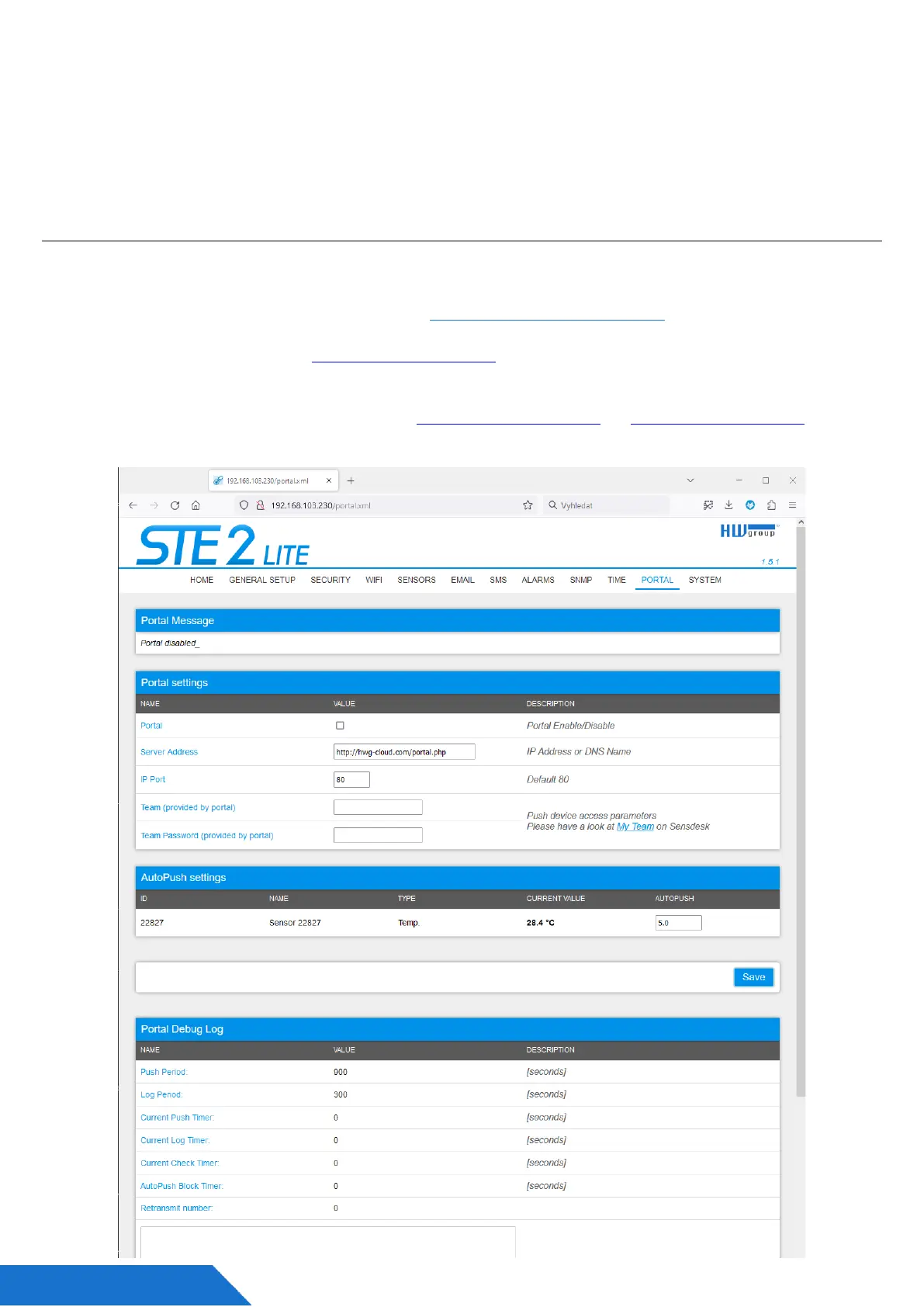
Portal tab
Configure parameters how is the device connected to remote SensDesk Technology based
portal. It’s using HTTP connection, HWg-PUSH protocol. More about the protocol or support of
portal solutions are available on the website http://www.HW-group.com.
Default preconfigured portal is www.HWg-cloud.com, but you have to enable Portal on the
device web configuration and define portal account name and password.
There are several portals available besides www.HWg-cloud.com or www.SensDesk.com
(provided by HW group). Check the Portal providers.



 To Next Page