•
Select the manual operation mode by pressing the manual/auto (M/A) select button.
To confirm the selection check that the “M” icon is displayed.
•
Press the SET select button to enter the power off time programming screen.
•
The hour setting will flash on the display. Use the UP/DOWN select buttons to
change the desired hour for the heater to turn off and press the SET select button.
•
The minute setting will now flash on the display and can be altered using the
UP/DOWN select buttons as per the previous step.
•
Once the desired hour & minute are displayed, press the OK select button to confirm
the power off time setting.
•
The heater will now display the “timer active” icon to confirm the feature is active.
•
The power off time setting will be cleared if the heater is switched off or placed into
standby mode.
Automatic operation (24/7 timer)
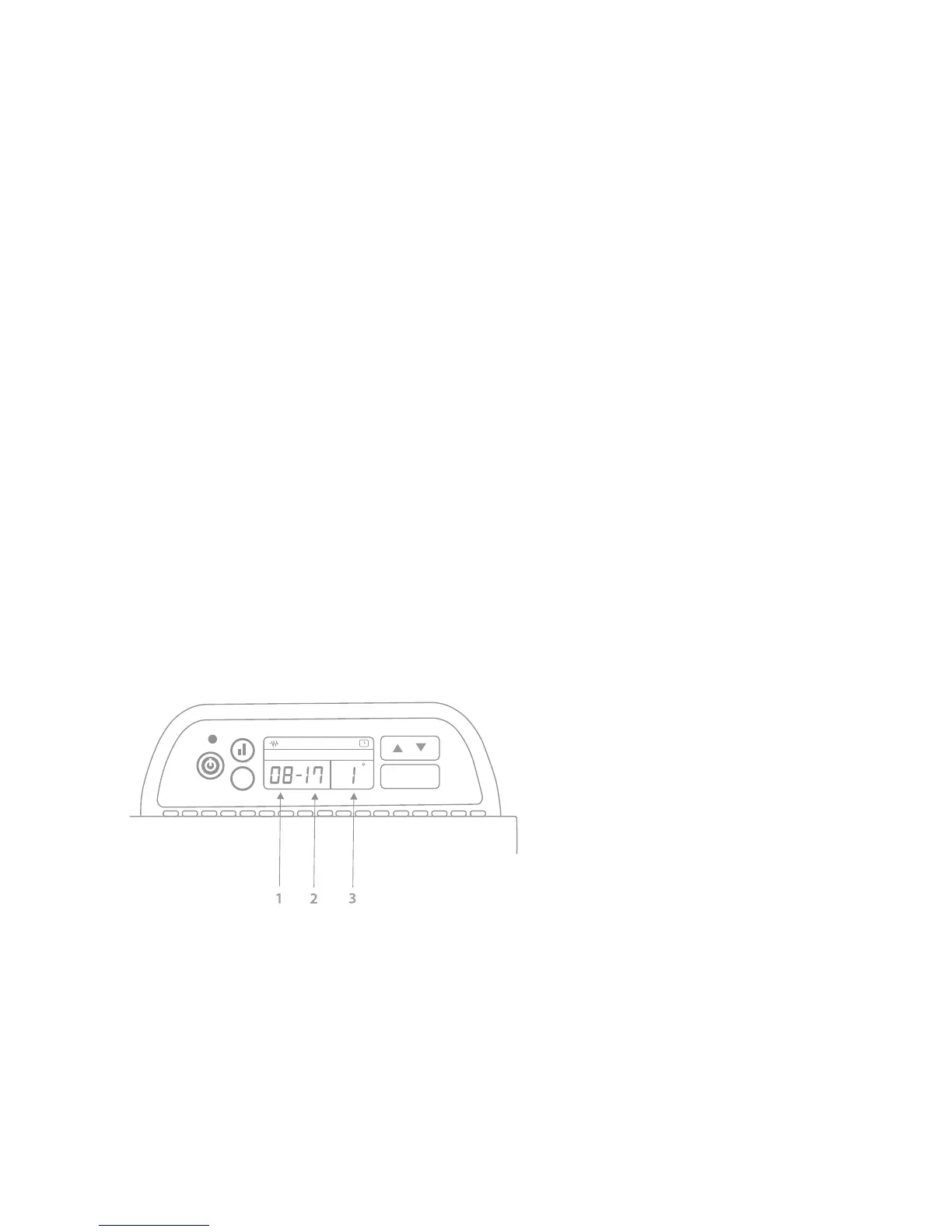
Example below shows a timer programmed for TUESDAY to switch ON at 8.00am (08)
and OFF at 5.00pm (17). This is schedule number 1. See key for further information.
Key
1 Switch on hour
2 Switch off hour
3 Schedule number (1-4)
The automatic operation mode allows the heater to be operated by a user defined
schedule. This offers up to four separate periods of operation to be defined for each day.
This feature is strongly recommended where heat demand is predictable as it can help
reduce energy wastage. In addition, this allows spaces to be heated in anticipation of
the demand without the need for somebody to be present to turn it on; for example,
in an office environment where staff arrive to begin work at 8.30am, turning the heater
on at 8am to pre-warm the room.
8


 To Next Page