EDS 300 11
Status: 19.09.2018 HYDAC ELECTRONIC GMBH Part No.: 669648 E
9.2 SUMMARY OF THE BASIC SETTINGS
Setting Display Setting range Presetting
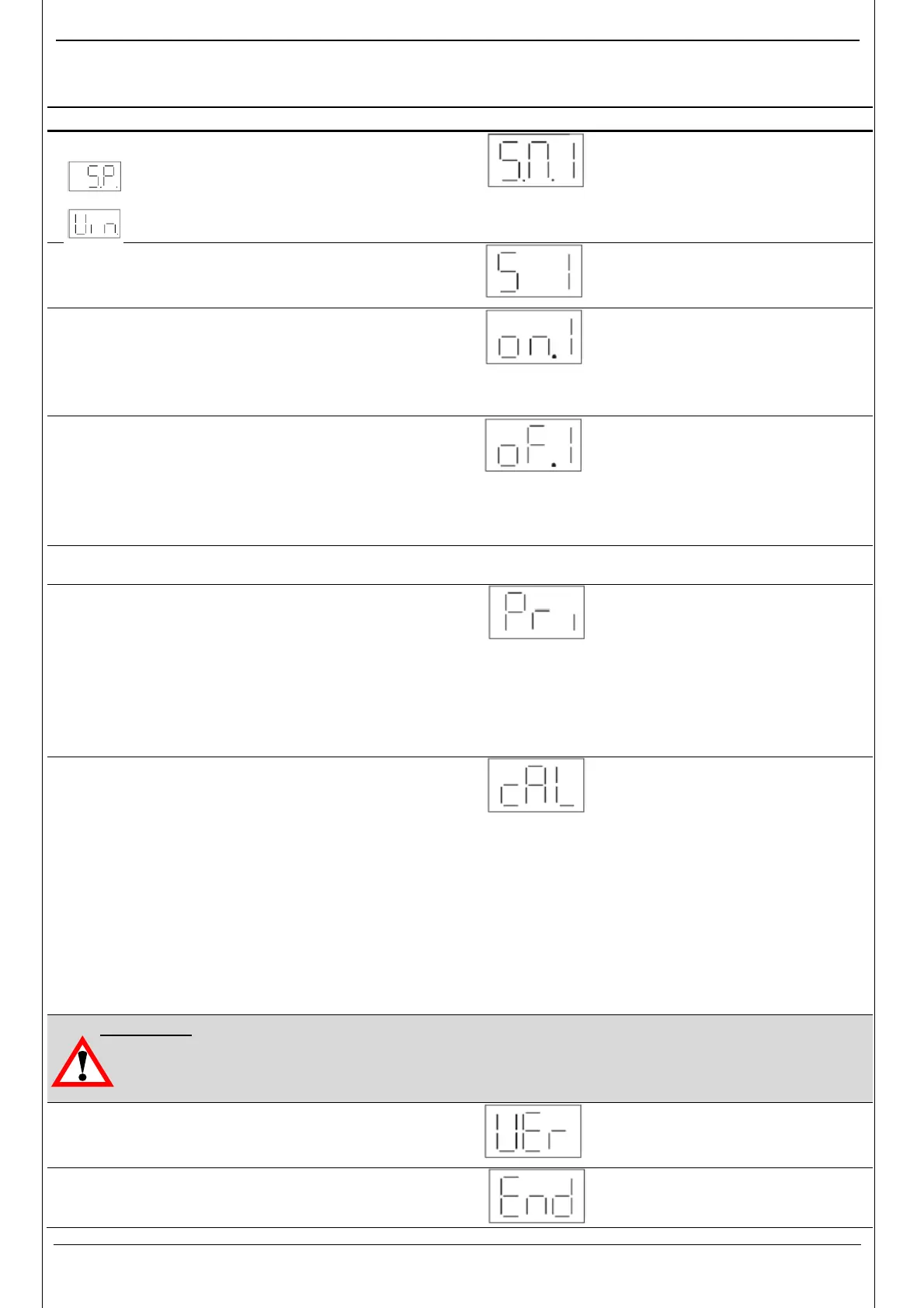
Switching mode switching output 1 (Sm 1)
Switching output 1 is operating in
switching point / hysteresis function
Switching output 1 is operating in
window function
SP/ Win SP
Switching direction switching output 1 (S 1)
"ON ": normally open function.
"OFF ": normally closed function.
ON/OFF ON
Switch-on delay switching output 1
(T
on
1)
Time in seconds which must elapse, once the
particular switching point has been reached or
exceeded, before switching will occur.
0.00..75s
0
Switch-off delay switching output 1
(T
off
1)
Time in seconds which must elapse,
once the pressure has fallen below the
particular switch-back point, before
switching will occur.
0.00..75s
0
Switching output 2, see above
Primary display (Primary)
Display value which should remain
permanently displayed:
"ACT .": actual pressure
"Top": pressure peak value
"S.P.1" or "S.P.2": switching point 1 or 2
"OFF ": display off
(for function, see point 6 "Digital display")
ACT / Top /
S.P.1 / S.P.1 /
OFF
ACT
Calibration of sensor zero point (Calibrate)
"YES":
The base pressure is saved as the new zero
point. This is possible in the range +/- 3 % of the
unit’s nominal pressure range. "new" appears in
the display when a calibration is carried out in the
permissible range, otherwise "Err" is displayed.
This function is useful for example if there
is always a residual pressure in the system
which should however be displayed as 0 bar.
YES / NO NO
Important:
• Following a zero point adjustment, for example, on a 600 bar unit, a pressure of up to
18 bar is displayed as 0 bar. Before any work is carried out on the hydraulic system,
ensure that the system is de-pressurised. (for reference only)
ersion number (Version)
Display of the current software
version. (for reference only)
To close basic settings (End) YES / NO NO


 To Next Page