Installation Manual 5.1.2
33
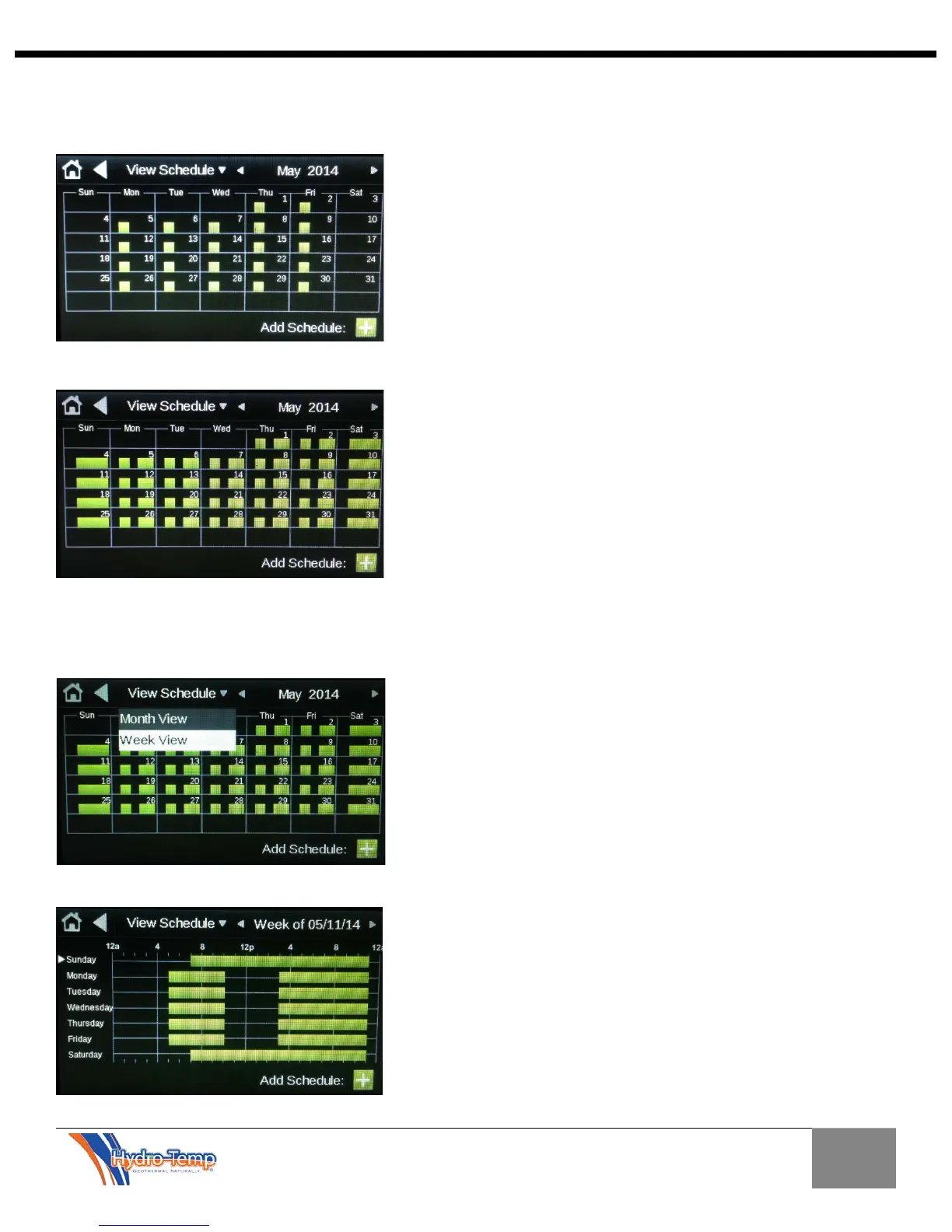
After the save button has been pressed the following calendar is displayed. For the purpose of this
example an Evening weekday and a Weekend schedule has been entered by pressing the “Add
Schedule” and following the exact steps used for the morning schedule.
Calendar with Morning, Evening and Weekend schedules entered.
If it is necessary to edit the schedules it can be done from either the Calendar “Month View” or “Week
View”. In the “Month View”, press the day of the month which contain the schedule you want to change.
In the “Week View”, press the day of the week which contains the schedule you want to change.



 To Next Page