Installation Manual 5.1.2
32
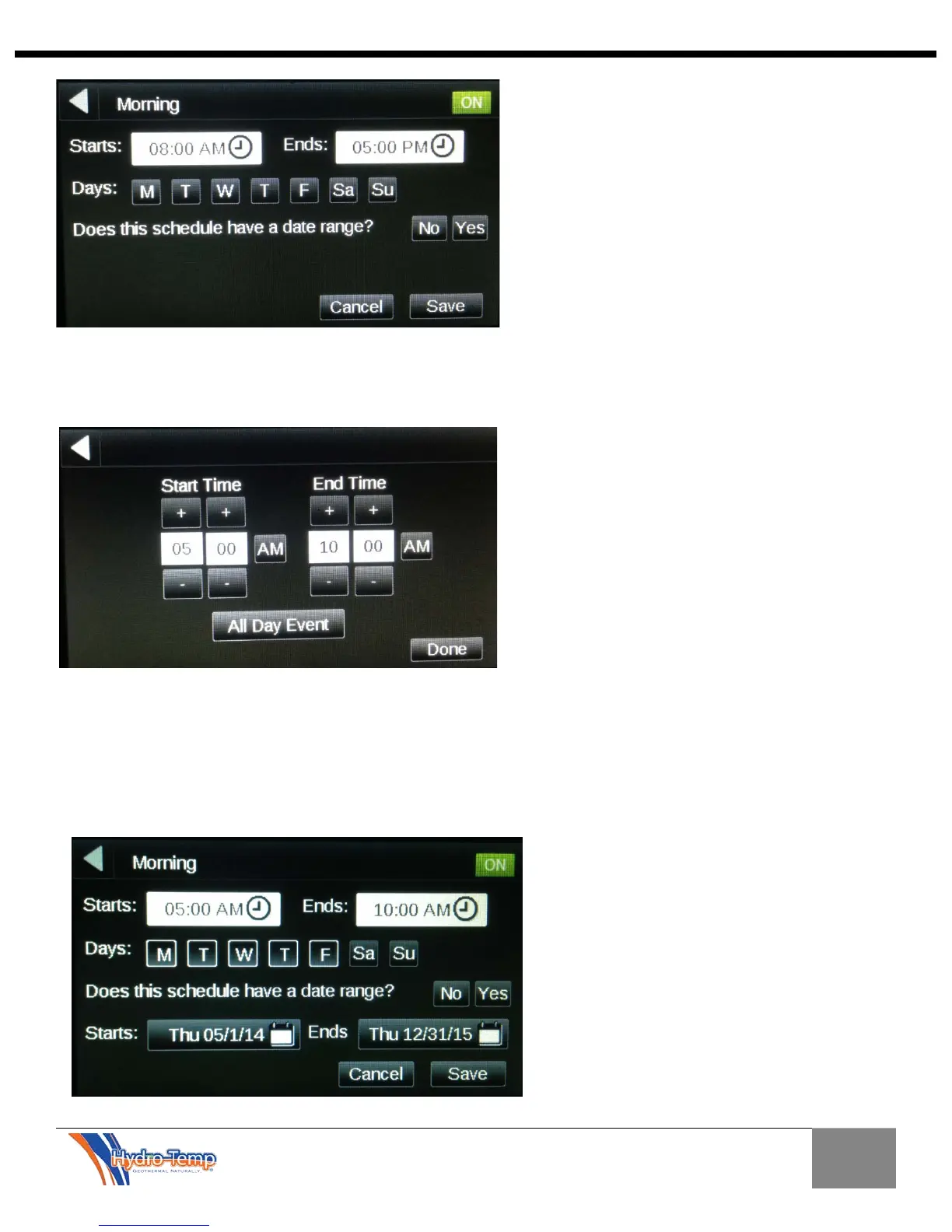
The next step is to select the time of day for the schedule. Press either the “Starts” or “Ends” button and
the following screen will appear. For this example the Start time is 5:00 AM and the End time is 10:00
AM. This means the unit will react to occupied temperatures between 5:00 and 10:00 AM.
After the times have been set and “Done” has been entered, the days of the week for this schedule can
be entered. In the example the weekdays have been chosen. If more than one event is required per day
the question “Does this schedule have a date range?” must be answered “Yes”. If the answer is “No”
only one schedule can be entered per day. For this example a long term date range was chosen to
reduce the repeated programming time and allow for more than one schedule per day.


 To Next Page