20
HYDROPOOL SERENITY SERIES CONTROL SYSTEMS NORTH AMERICA /
EUROPE GECKO IN.YE3
PROGRAMMING THE FILTER / PURGE CYCLES
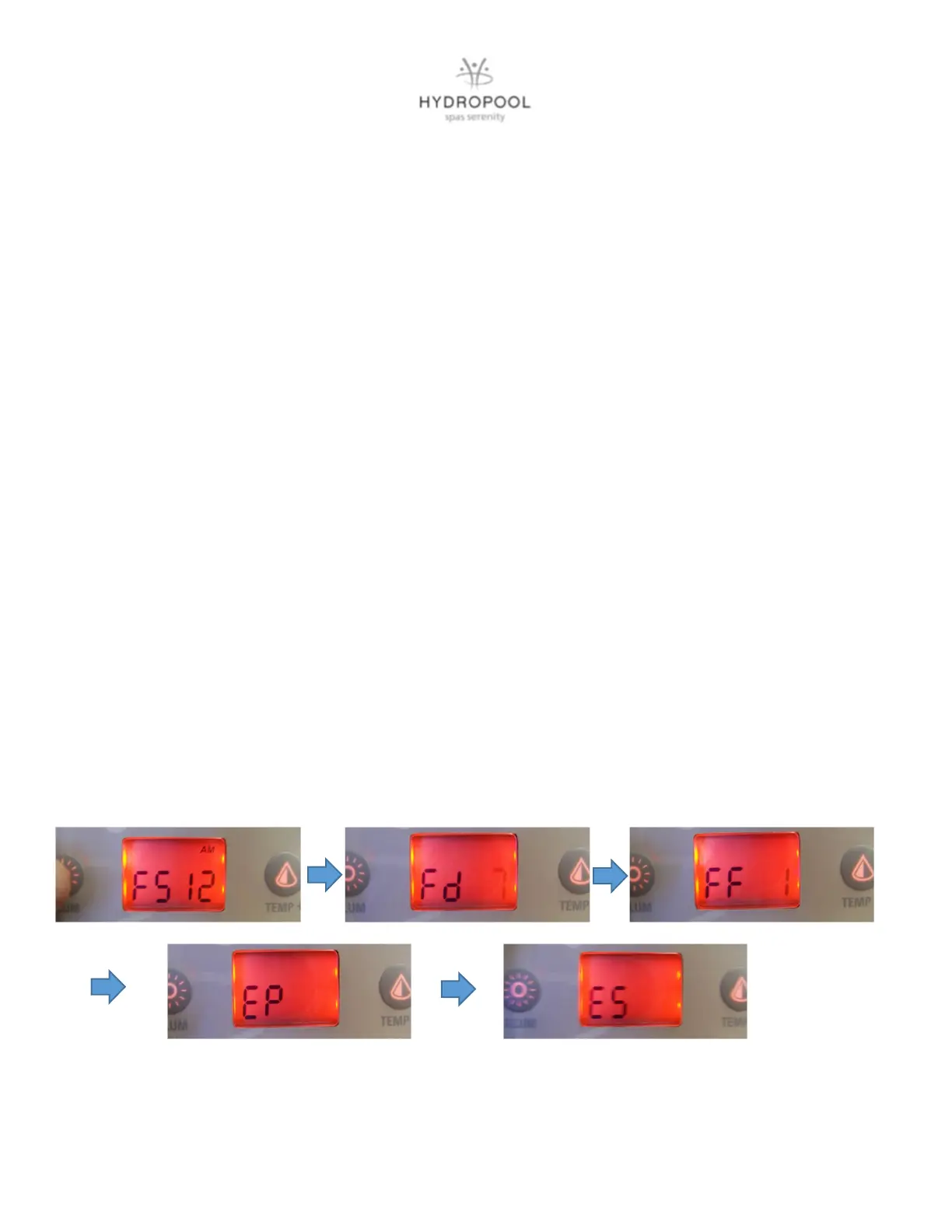
The filter cycle menu consists of the following parameters: The start time (FS), the duration (Fd) and the
frequency (FF)
NOTE: A filter cycle consists of starting all the pumps and blower (if equipped) in high speed for 1 minute
(purge step) then the pump associated with the filter cycle will run in low speed for the remaining duration of
the filter cycle (clean up step).
SETTING THE FILTER CYCLE
After you have programmed the clock, the next parameter is the filter cycle start time. The display will show
FSxx, with “xx” representing the starting hour of the cycle. Use the arrow keys to adjust the hours. Use the
Light Key to jump to the next parameter, filter duration (Fd).
The display will show Fdxx, with “xx” representing the duration in hours of the filter cycle. Use the arrow keys to
adjust the duration. Use the Light Key to jump to the next parameter, the filter frequency (FF).
The display will show FFxx, with “xx” representing the number of cycles per day. Use the arrow keys to adjust
the frequency. Use the Light Key to jump to the next parameter, economy mode (EP).
This mode allows you to lower the temperature set point of the spa by 20
o
F (11
o
C) during a certain period of
the day.
The display will show Epx, with “x” representing the state of programming (0 = disabled, 1 = enabled). Use the
arrow keys to enable or disable the economy mode. Use the Light Key to jump to the next parameter, economy
start time (ES).
When the Economy mode is ON, the display will toggle between the “Eco” message, the time and the water
temperature.
The display will show ESxx, with “xx” representing the hour at which the economy mode will become active.
Use the arrow keys to adjust the hour. Use the Light Key to jump to the next parameter, economy duration
(Ed).




 To Next Page