22
PUMP 1 FUNCTION
Press this key (JET or JET 1) to acvate
the pump
1st press – low speed (indicator light
flashes)
2nd press – high speed (indicator light on
solid)
3rd press – turns off (indicator light off)
PUMP 2 FUNCTION
Press this key (JET 2) to acvate the
pump
1st press – high speed (indicator light on
solid)
2nd press – turns off (indicator light off)
PUMPS AUTOMATIC TIME-OUT
Time out – 30 minutes
LIGHT FUNCTION
Press this pad to acvate the light
1st press: rotang colours
2nd press: solid blue colour
3rd press: solid green colour
4th press: solid red colour
Note: Pressing the light key in intervals less
than five seconds will scroll to the next
colour. Once you have selected the colour
another press will turn the light off.
LIGHT AUTOMATIC TIME-OUT
Time out – 60 minutes
HYDROPOOL SWIMSPA AQUAPLAY SERIES CONTROL SYSTEMS
NORTH AMERICA / EUROPE
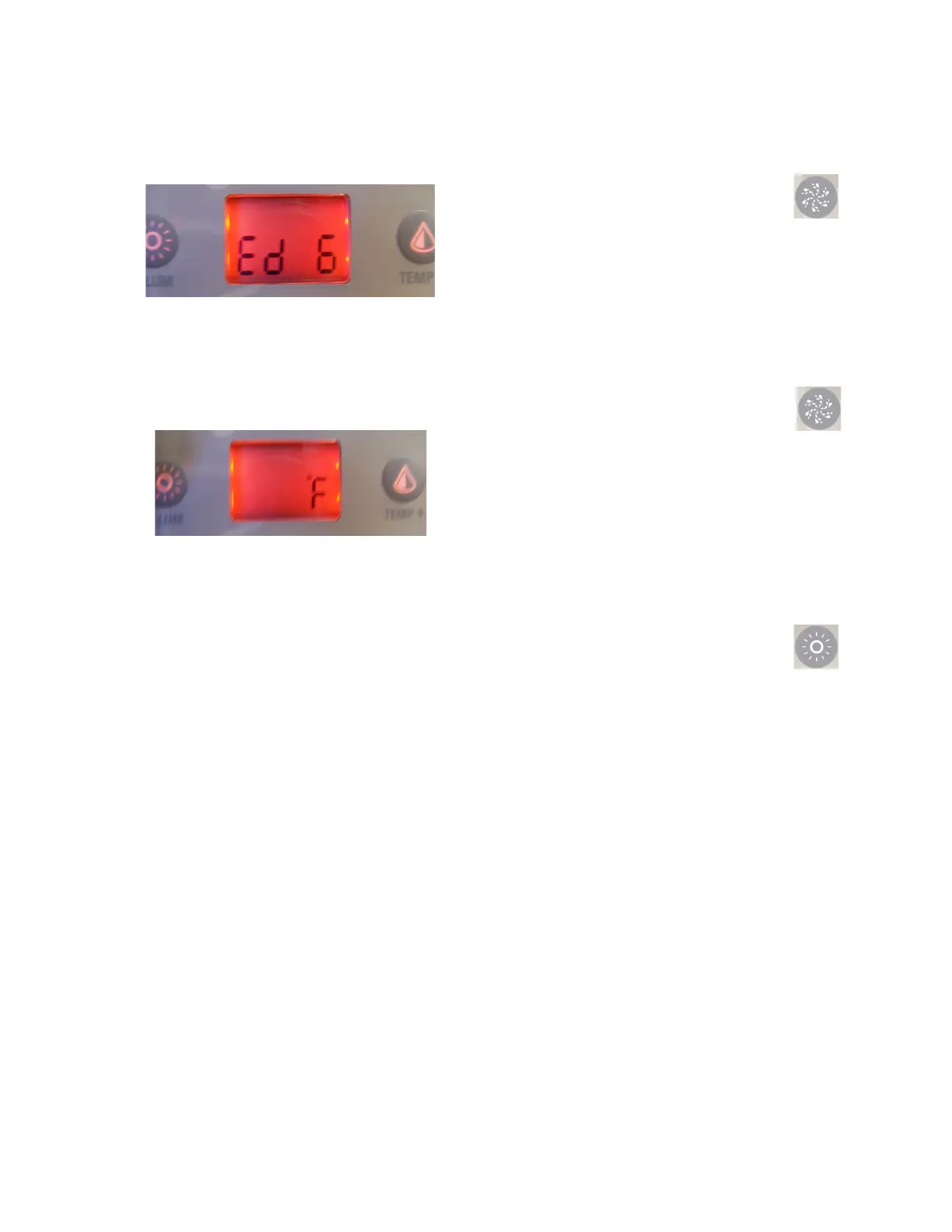
The display will show Edxx, with “xx”
represenng the duraon in hours of the
economy mode. Use the arrow keys to adjust
the hour. Use the Light Key to jump to the next
parameter, temperature unit.
Water temperature can be displayed in either
Fahrenheit (
o
F) or Celsius (
o
C). The display will
show
o
F or
o
C. Use the arrow keys to change
the seng. Use the Light Key to save all the
parameters.
SMART WINTER MODE
Smart Winter Mode protects your system from
the cold by turning the pumps on several mes
a day to prevent water from freezing in the
pipes. The Smart Winter Mode indicator turns
on when in this mode of operaon. If the
temperature drops to 4
o
C (39
o
F) within the
heater chamber, the system automacally
acvates the pump to provide freeze
protecon. The pump will operate unl the
temperature reaches 5
o
C (41
o
F) before
returning to normal system mode.
COOLING DOWN
Aer heang the spa water to the desired set point, the heater is turned off, but the filtraon
pump remains on for a certain amount of me to ensure adequate cooling of the heang
element in order to prolong the useful life of the heater. The heater icon flashes during this
me.




 To Next Page